Magento EasyTabs
4 Aug
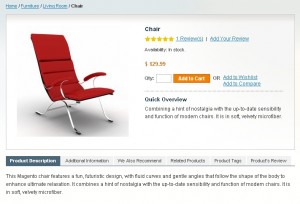
We are glad to introduce new community extension Magento EasyTabs. This small extension will help anyone to add nice tabs to magento products page. Installation and configuration will take approximately 5 minutes. No files are replaced and no codding experience needed to install!
Please check demo at our demo server.

works like a charm with some minor modifications mainly due to IE being a piece of …..
Additionally would be nice to be able to show the Product Options for configurable products on the tab as well as have the number of reviews limited to maybe X number of items and have the rest either get pulled through Ajax when needed or go to the reviews page. or maybe both and make it an option.
I would love to be able to create my own tab names and assign attribute sets to those tabs. Any thoughts on implimenting a feature like this?
Jake, probably it will be included in next version.
Any idea when when will be?
it would also be nice if you can call static blocks for some products… and some other static blocks for other products..
in a new custom tab..
Hello Anders, we definitely will add this feature in next release but right now we can’t say for sure anything about date.
I would like this to. I was loking for this fore some time.
Hi , Easy tabs is great , ands we like it .
we lately upgraded all to 1.5.1 and seems working, though somthing very strange is happens here.
take a look (my site in hebrew, so i will explain):
when we put the site on debug mode , the tab shows great:
see here:
http://awesomescreenshot.com/0ffcmcc5f
when we set it in normal mode , the custom tab dosent show and its data showing below the existing tabs (below each one of them). we cleared cache, we use modern template (RTL) and checked any possible issue.
see here:
http://awesomescreenshot.com/008cmcfe2
you can see the page:
can any one help?
Amnon
Please download recent extension version. It should fix all your problems.
I would like to change the color of the block, which is grey and blue now. Where can i change that? Thanks in advance.
Hello Pim,
You should edit next css styles:
- boxes.css (line 473) .base-mini .head
- boxes.css (line 486) .base-mini .content, .base-mini ol
Where can the boxes.css file be found? Thanks you in advance.
Sorry it was wrong solution. It’s set in easytabs.css
Hello,
I am from sweden so I would like to know where I can the tab names in the frontend?
You can set custom tab names at config. You also can translate all tab names using Magento Inline translation.
Hi,
This extension not allow inline translation. Please, tell us another way to do that on ADM Painel.
Thanks,
You can put your translation to TM_easytabs.csv locale file.
perfect tabs
many thanks (1 click an it works perfect)
Only one litle thing
i do not want to show my upsells in a tab
but now it is showing above the tabs.
i want it to be under it .
can you tel me how to do this ?
regard werner
Hello Werner, You can try edit catalog.xml and add to <block type=”catalog/product_list_upsell” ….. after=”-” attribute.
Hello TemplateMaster Thanks a lot for the extension but even after putting after=”-” the upsell is still showing above the tabs. Do you have other any idea of how I can fix this? Thnks
Hi! The same question: please explain more carefully where to put – (minus) to make upsells to be under tabs. Thanks!
Hi, I just installed the “Easy Tabs” extension. It was a very easy install. I’m a little confused about what to do after I enable the custom tabs. What do I put in the text box for attribute id and do I need to fill in my own tab names in the text box for custom tab name. Also, I’m not sure where I type in the tab information for each product? Do you have step by step directions for new people trying to figure this stuff out?
Hello MCousin, You should put attribute code and tab name into custom tab configuration fields. Please check admin > catalog > attributes for your attribute code. Also please notice that you should add this new attribute to you attribute set.
Hello, this extension is great!
I would like to add more that one custom tab… since is not possible in the back end, what are the files i need to edit do do that?
Thanks!
How much custom tabs do you need? We are planning this feature in next release.
hello good evening
i have a question
i have magento 1.3.2.3 with your perfect magento theme f002,
and i instalt the tabs bij magento connect
perfect but
2 litle points youre testserver tabs are validate xhtml
and the tags are working
but in my site there are 4 fault xhtml with tabs on
and the tags are not working (button isn’t working)
Hello Blue-Ray, sorry but we have bug in recent tabs extension version it will be fixed in several days.
Hello
TemplatesMaster
Having a little trouble with this module its great and all is working lovely but i just cant seem toget the TAGS Button to work on a products page under the tags tab. I have tried im using the latest version and i have noticed that there might be a little bug causing the issue and just wondering if you have sorted the bug with the button?. If so can you point me to where i can find it please thank you..
Great site by the way….Justicedesigns
Hello Mark, are you putting attributes block into the tab?
Hello TM
Yes i am why is that the fault are the product att’s causing the issue, So will the tabs work without the product att’s in the tabs?
I have noticed that magento have added the easytabs into 1.4.0.0 and i seems to work with that version do you know why…
Can do with this little extension its a lovely little extra for my site.
KEEP UP THE GOOD WORK TM….
Justicedesigns
HELLO EVERYONE.
WELL I HAVE EASYTABS WORKING FINE WITH THESE SETTINGS ON A 1.3.2.4…….
Enable easy tabs (Yes)
Enable description tab (Yes)
Enable additional info tab (Yes)
Enable upsell products tab (Yes)
Enable related products tab (Yes)
Enable tags products tab (No) Keep tags out off the tabs
Enable product’s review tab (Yes)
Enable product’s attributes tab (No) Keep att’s out off the tabs
All custom tabs work and so do cms tabs just problem with the product att’s and tags together in the tabs module.
TM I think it might be a little Asia Connect Groups CMS Blocks Extension causing issues with the tabs have you looked into that?…..
I have it Working now thank you…….
Is it possible to disable the EasyTabs extension for users visiting a site while viewing the iPhone Optimized theme (instead of the default)? It seems the iPhone theme is pulling info from the default theme when visitors are sent to that theme by the design exceptions (set in Admin > Configuration > Design)
Sorry Chris, it isn’t possible to do this right now.
Thanks for the extension, neat solution to what would otherwise be a very long product page!
However, I’ve applied a template monster skin (24683) to my store and the tabs don’t work. If I switch design to the default skin then everything is fine.
There’s obviously something missing from the template which prevents the tabs from working (this also applies to your lightbox extension by the way – i’ll post there too
)
Could you help me figure out what I need to add to the template I’ve bought (perhaps simply a class, for example) so it all works please?
Thanks in advance!
Wait – having read the comments on the lightbox page, I guess I just have to copy the extension files from the default folder to the new template.
Thanks for inadvertantly helping!
Sorry – me again.. I’ve copied the files (js, images, css) into the new theme’s default folder and it still isn’t working (?) A look at the page source shows that the css and js files aren’t being called.
Any ideas?
You can check out the development site at http://vm1.callisto.rs.nl/poppadiddle (English and Dutch have the new theme applied, Spanish has the default Magento theme).
Much appreciated!
We haven’t tested this extension with Templates Monster templates yet. Please email more details about your template configuration.
Hi,
Was this issue ever resolved. I’m just testing out easytabs with a TM template. And easytabs is not showing up on the product page.
Thanks in advance.
DA
It isn’t extension issue. You should copy extension files to blank interface instead of default.
“How much custom tabs do you need? We are planning this feature in next release.”
I need more two ..
for when the next release?
Hello Silvio, it will be available this till Octobet 1 2009.
Hi,
I just want to say thank you for this great extension.
Great work guys!!
My TAG page aren’t working, i got an javascript error as you can see on my page.
Anyone know about fix it?
Thanks, great extension!
Hello Dake, sorry we haf bug in last extension release. It will be fixed in next release.
Just wondered if anyone has tried this mod on the blank_seo template.
It works fine in the default template and I can get the tabs to work in the blank_seo one however, it changes the image, additional images, short description, price etc… to list down the page rather than across the page.
I have copied the css into my template file but it didn’t resolve it. Do I need to edit another file?
H
Hello Hamish, it should work without any problem. Many people are using it on blank template so blank seo also should works fine. Are you sure that extension css file was loaded?
Hello, I really love your plugin. I am using the description tab, review tab and the custom tab. Is there a way that I can set it so that the custom tab is the first tab? Right now it shows up as the last tab. Is there something I can change in the code that would put the custom tab first?
Thank you…
Hello Dawilla, right now you don’t have any other way to set order of tabs except changing order of them in easytabs.xml. Please open easytabs.xml and put custom tab code first in list
<action method="addTab" translate="title" module="catalog" ifconfig="easy_tabs/custom/customtab"><alias>custom</alias><title>Custom tab</title><block>catalog/product_view</block><template>easytabs/catalogproductcustom.phtml</template></action>Hi,
Nice work with the tabs. I am having a problem integrating it into the Magento Blank theme, So far the only that thing doesn’t work is the Tags. When you use Firebug to look at the source code, the form element itself is not present.
I think I have the same problem as Blue_Ray, but I thought more information would help you fix it.
Thanks.
Nice work with the tabs. I am having a problem integrating it into the Magento Blank theme, So far the only that thing doesn’t work is the Tags. When you use Firebug to look at the source code, the form element itself is not present.I think I have the same problem as Blue_Ray, but I thought more information would help you fix it.
Hello Udoh, it will be fixed in next extension release.
I must have had a senior moment!!
The css id name for the main div was different to the blank_seo template and as view.phtml is no longer being used, I had to change the css in catalogproductview.phtml to:
Also, to keep all the css in one file, I copied and pasted the contents of easytabs.css to screen.css and changed the css location in easytabs.xml to css/screen.css.
Finally, just in case anyone wondered why the product tags line is above the tabs, go to the options in configuration and you can enable the product tags in tabs and all looks great.
Great extension, thanks very much. I have added tabs to other sites by manually coding it all in and this makes the job so much easier.
Many thanks.
Kind regards,
Hi,
nice extension.
I need 5 custom tabs, when do you plan the next release ?
Thanks for the great job.
Hi, Thanks for this great extension. Could you tell me, is it possible to add these tabs to a CMS Page? I want to have this on of of my pages which has a lot of content.
thanks
Hello Ollie, unfortunately no. It can’t be done right now but you can copy code from product page to emulate tabs on CMS page.
hi,
is there any specific instruction on how to add the content to the custom tab? do you need to create attribute and assign its id?
can you give me the instruction for it.
thanks.
Hello Raj. Yes you should create attribute and add it to your attribute set. After that you will be able to assign attribute value to any product. Also you are right that you should set it’s id in custom tabs config
hello can we use this extention with the modern theme ?
thanks for your answer
Sorry Crxman, but it will not work with modern theme.
Is Easy Tabs still not compatible w/ Modern theme? Can files/code be copied over manually to make it work? Thanks!
Sorry but we have not tested it with recent modern theme version yet.
Hello, thank you for this fantastic extension!
I’d like to use it with Varien blank theme. The tabs work great but, there is a problem with product-essential div. In this div the product-image-box div doesn’t work as it should. The zooming function doesn’t appear and the layout falls apart. I can’t find the solution. I think the problem is around javascript and classes. Could you please help me? I am developing on localhost so unfortunately I cannot send you a link.
Thanks
Hello Szabinho, sorry but we need to take a look before we can help you.
hello i have just updated the latest tabs !
but i have stil 5 vaults html not validate
and the tags still not working.
I have ussed fresh install with f002 template
it is a perfect tab solution (but i hope jou can fix this problem)
Greetings mister blu ray
Hello Blue-Ray, what is your store url?
http://www.satellietonline.nl/default/intel-core-2-extreme-qx9775-3-20ghz-retail.html
Hello bluray, please don’t use Easytabs for attributes. This feature isn’t fixed yet.
when i shut is of the faults are gone
Greetings bluray
http://validator.w3.org/check?uri=http%3A%2F%2Fwww.satellietonline.nl%2Fdefault%2Fintel-core-2-extreme-qx9775-3-20ghz-retail.html&charset=%28detect+automatically%29&doctype=Inline&group=0&user-agent=W3C_Validator%2F1.654
sorry template master the tabs where down
i put then back on now
I am hoop jou can fix it
greeting mister blu-ray
i installed easy tab and notice when displaying a lot of related products, the products goes out of the space at the bottom(not in the space box) and sometime, the tick box for some items when missing. anybody have this problem and whether it can be fixed? advise please.
Hello Skymind, can you send us link to your products page?
hello, me again! i want to integrate this form into the easy tab… i enable custom tab#1 but have no idea how to proceed from here…can help template master?
<input type=”hidden” name=”reference_url” id=”reference_url” value=”getProductUrl(); ?>” />
__(‘Ask Question’) ?>
__(‘Name’) ?> *
<input name=”name” id=”name” title=”__(‘Name’) ?>” value=”htmlEscape($this->helper(‘productquestion’)->getUserName()) ?>” class=”required-entry input-text” type=”text” />
__(‘Email’) ?> *
<input name=”email” id=”email” title=”__(‘Email’) ?>” value=”htmlEscape($this->helper(‘productquestion’)->getUserEmail()) ?>” class=”required-entry input-text validate-email” type=”text” />
__(‘Telephone’) ?>
<input name=”telephone” id=”telephone” title=”__(‘Telephone’) ?>” value=”" class=”input-text” type=”text” />
__(‘Ask your question’) ?> *
<textarea name=”comment” id=”comment” title=”__(‘Question’) ?>” class=”required-entry input-text” style=”height:150px;width:525px;” cols=”50″ rows=”5″>
__(‘* Required Fields’) ?>
__(‘Submit’) ?>
<input type=”hidden” name=”product” value=”getId() ?>”>
<input type=”hidden” name=”productname” value=”getName() ?>”>
<input type=”hidden” name=”productsku” value=”getSku() ?>”>
//
can anybody help to show me how to make the custom tab work please?
Hello Skymind, please check installation instruction. You should set id of custom attribute to output in custom tab. For example you have “shipping” attribute created in admin and added to your attribute set. So you will be able to set custom text for each product in this field in admin.
Where are those instructions ? Can you please mail them to me ?
Regards,
Antoine
The line 44 in tabs.phtml does output class=”active first” only for the first tab and thus fails if this one isn’t displayed because for example the string returned for the product description is blank. The problem is caused by which should be replaced by something like while setting $first_tab to true before the foreach command and false just before the endif.
Thanks for reporting this bug. We will try to fix this in next release.
Thanks Works great!
This doesn’t work at all for me. When I go into the Configuration to change the store it says “Access Denied” What am I doing wrong?
Ok, obviously I’m an idiot…didn’t read the directions! All I had to do was log out of the admin and log back in and it all worked perfectly. A day waster bc I didn’t read directions, guess I learned my lesson!
I do have another question. Since I have installed this the changes that I make to view.phtml are not applying. Is there a specific file I need to change instead?
You should compare both files. There some changes to view.phtml. Easytabs extension replace default magento product view.phtml with new catalogproductview.phtml.
I like the easy tabs a lot. How do I increase the picture size for the related items? Also wrapping the title in the related items tab.
Hi, i was wondering how, and if its possible to rearrange the tabs. I want the “We also recommend” upsell tab to be the first, and the description to be the second. How do i do that? thanks!
Hello Kalamingo, you can do this by changing order of xml tags at easytabs.xml.
I install this extension and ive got blank admin page after click on TemplateMonster Eeast Tabs Link in system>configuaration any idea why?
Hello Sirwiz, pleaselet us know if you still have this bug.
@Sirwiz :
Just go to admin –> permissions –> users –> your account and clic save changes.
If it’s not working, empty your cache and/or reset your browser, this should make it =). You can even maybe refresh Magento’s cache.
I experience same bug as Sirwiz and tried the suggested solution made by Tonio the best. No luck. The admin page remains blank. Any other solution out there?
Hello Dave, most likely you are using recent extension version on magento 1.3. You should download previous version from magento connect or contact us with this request.
Hi, where can I get version for 1.3? This downloaded from magentoconnect for my 1.3.2.4 couse Access Denided error…
Please contact our support team and we will send it to you.
I have try to install the my own web site TM feature product
I was copy TM file as mention and same feature file also upload same
But When I try to confirgur it in Home page
i can not see any thing,
Can u explaing step by stem how to install the TM feature product in front page in my own web site
Hi,
Very great extension. I like it.
I’ve installed this well, used and know create a new shop on multistore mode.
How to apply tabs in this side ? It doesn’t work on mine.
Best regards and many thanks for your job !
Hello Bee, sorry what problem exactly do you have? You can turn off/on this extension in admin for each store in admin.
Hello TemplatesMaster. Great extension!!!
I am also using your F001 template which I must say is also amazing!
My one question is: I have created the custom tab ‘Manufacturer’ and it is showing up correctly, yet the content of that tab is showing ’10′ or ’12′ depending on which manufacturer is defined. Could you please direct me on how to correct this? When they click on the tab it should show that information. Am I missing a step here?
Thank you again for your generosity.
Hello Melissa, right now EasyTabs show attribute value. If you are using dropdown attribute type then it will simply output it id. Please try using text attribute type.
Hi, I’m using f002 template and all works fine except on some of my description pages the tabs don’t appear untill I click anywhere on the page.
Hello Owain, please provide us link to your store and this page so we can check what is wrong.
It seems I inadvertently fixed the problem, I don’t know how! If it happens again I will post another comment with a link to a problem page.
Hello Templatesmaster,
This looks like a great extension. Before I attempt to install this extension, can you look at my website’s product pages ( Example: http://glowmazing.com/girls/infant-girls-skechers-bikers-leisures.html ) and let me know if you think that this extension will work with my site’s design. I would like to add the tabs where the “Product Description” text currently resides. I would need the tab colors customized to fit the look of my site. Your feedback would be greatly appreciated.
Thanks for your time in advance.
Sincerely,
Jeremy Fissell
Easy Tabs has been working like a charm, but now we are using advanced reviews from ahead works and the review tab is broken.
Hi again, Ok I’ve managed to get it installed in the Magento Connect manager now, but it messes up my product page layout when I try to use it, so I’ve had to uninstall it again. The product image loads huge, across the whole width of the page and pushes all the other content down underneath. I am using the blank theme. Thanks
I love this extension! BUT. It doesn’t work with configurable products. The tabs don’t show up at all. The attribute is there when I create the product and I fill in that field. It just doesn’t display on the frontend.
Hello Josh, you can check EasyTabs working with configurable products at our demo server http://extension01.templates-master.com/gb/apparel/shirts/ink-eater-krylon-bombear-destroyed-tee.html
Dear Templatesmaster,
Is there any news around the possibility to show more than one custom tab? Silvio asked for it earlier and October 1st it would be possible but I still cannot get it to work, with most recent version. Easytabs is brilliant by the way, only the possibility to show 2 of more custom tabs is missing. I hope to hear from you soon!
Merry Christmas everybody
Hello Misterdoa, you can do this. Do you have latest version of this extension installed?
Hello TM,
I’ve checked for upgrades but there were no upgrades available. I am working on the newest version available 0.71 beta.
I hope you can help me with this, because i cannot seem to find any option to activate multiple customtabs. I’ve enabled them in the backend.
TM,
Reading back i think my question was not clear enough. The possibility to use more custom tabs is in the backend up to 5 tabs, but only the first one is showing in the frontend. If i enable the second tab only the first is shown in the frontend.
I am sorry for the incomplete question, but I hope you can solve my problem with this info. Thank you in advance!
Hello Misterdoa, please contact us with your store admin access details so we can check what is wrong.
Hi, I’m testing Magento and some extensions before going live. I’ve installed easy tabs and they work fine; it’s a great extension.
I have added a couple of custom tabs but they are appearing after the product review tab. Ideally I would like the custom tabs to appear before the review tab. Is there any way I can achieve this?
Hi there,
First of all thank you for the great extension. Unforntunately I have a problem. Is there any possibility to get the options from a configurable product (product options wrapper) ant the price box below it under the easy tabs.
Kind regards and have a nice weekend,
Manuela
Hello Manuela, you should edit catalogproductview.phtml and put configurable attributes block bellow products additional data.
<?php echo $this->getChildHtml('product_additional_data') ?>Hi,
Thanks for the support!Where can I find the configurable attributes block in the catalogproductview.phtml?
Thanks again!
Kind regards,
Manuela
Hello Manuela, please check view.phtml
<?php if ($_product->isSaleable() && $this->hasOptions()):?><?php echo $this->getChildChildHtml('container2', '', true, true) ?>
<?php endif;?>
Nice Extension, thank you!
How can i place a image in custom tab? (didn’t find answer in web)
I created the attribute with “text” and “html-tag” on “yes”. Then i connected the “Custom tab #1 attribute id” with the attribute.
When i create a tag like
the cutom tab is gone and the image placed in the tab left to. a second image is place below the easy-tab box.
Thank you for your efforts. Katharina
Hello Katharina, you should set your attribute invisible on frontend. So it will appear only on easytabs block.
Prob fixed. Need a space before tag.
Hi! Please provide a solution to put Upsell under tabs. Your hint about adding to <block type=”catalog/product_list_upsell”… in catalog.xml AFTER=”-” attribute doesn’t work. Thanks!
Ok, please try edit easytabs/catalogproductview.phtml. You should change order of this 2 lines
from
<?php echo $this->getChildHtml('upsell_products') ?>
<?php echo $this->getChildHtml('product_additional_data') ?>
to
<?php echo $this->getChildHtml('product_additional_data') ?>
<?php echo $this->getChildHtml('upsell_products') ?>
getChildHtml(‘upsell_products’) ?>
This solution works great, but how to display tags under tabs ?
Now, tags box are displayed at the top.
Template Masters, please post a solution to move this Products Tag form below the tab container. I cannot find it for the life of me and others too. Great extension btw, keep it up.
Bradley, please post link to your products page so we can check it.
Hi,
I installed the Easy Tabs extension.
It works very well, but only one thing didn’t work.
In my theme I have vorbestellung ==1) { echo $this->getLayout()->createBlock(‘cms/block’)->setBlockId(‘info_vorschau’)->toHtml() ;}?>.
It’s a static block. It should be shown between short description and the tabs. If I disable the extension it will be shown.
Does somebody have a solution?
thanks
Markus
ok. I found the solution
thanks
Thanks for letting everybody know about said solution……….
Hi, I would really like to add a CMS block to one of my custom tabs, but so far I’m not having much luck. Is this possible? I have tried adding the following code: {{block type=”cms/block” block_id=”delivery_returns”}} in the attribute text area in product admin, but it doesn’t work. I’ve created a custom tab for delivery and returns information, and it works fine at the individual product level, but ideally I’d like every individual product to call upon the same static CMS block so that if I ever need to edit the delivery and returns information I only need to do it once via the CMS instead of having to edit every single product individually. Thanks.
Oh I’m thick, I can just put the information in the default value field when I create the attribute!
Ah, but I can’t update the information from there, so I still have the same problem…
Hello Lois, we are planning to release next version with such option. Right now we don’t have ready solution.
That’s great news, thanks! That will make editing so much easier. Look forward to it!
Hello, i have a Problem with Easy Tabs.
So when i like to show the Product Attributes from Magento (Productinformation) than i can do this with Easy Tabs.
But when i like to unshow in a second Shop, so i will deactivate this in Backend under Easy Tabs so it will work, but Magento shows the Product Attributes over the Easy Tabs in Frontend.
Here you can the a Sample:
http://www.alkoto.com/shop_magento/magento/index.php/alkoto001/besonderes/printy-4911.html
http://www.alkoto.com/shop_magento/magento/index.php/epromotion001/besonderes/printy-4911.html
I need help, thanks best regards Thomas
Sorry Thomas, can you clarify about your second store. Do you have multiply stores on same magento installation and Easytabs works incorrectly on second store?
I have installed but when I go to System > Configuration I am not seeing any Template-Master there. Not sure of what the problem could be.
Hello Oliver, please refresh cache and if extension was installed then you will see it there. Else try manually upload extension files to your store.
Can one show a youtube video in a tab?
Hello Michael, sure you can. Just post youtube video code into attribute value. Also you should add some text or because easytabs will consider tabs empty if content will have just tags but no text.
Hi.
Love this extension. Is there a way for me to control the order of the tabs, for example i would like the review tab to be the last tab and not the second.
TIA
Jimmy, you can do this by chaning order of tabs in easytabs.xml
where is the easytabs.xml file located? I would like to change the order of the tabs, but can’t find this file with the tabs listed.
You can find it at app/design/frontend/default/default/layout
Hello. Fistable, I want to congratulate TemplatesMaster for this and others excellent modules for Magento. It works perfect with Magento 1.3.2.4, but I was testing it on Magento 1.4.0.0-rc1 and it doesn´t work correctly. The tabs are displayed well, but the info box of the product and its images are shown in a wrong way. What can I do to fix this problem?
We will try to upgrade this extension to 1.4 within 1-2 weeks.
Hello,
First I want to thank you for this great extension.
But I have a little problem with the custom tabs.
I like to add a custom tab with the attribute aw_video.
This attribute is the Aheadworks free video extension. But whe n I do this the tab is not showing and the video is displayed always beneeth the tabs. I like to show the video on a sepperated tab and not on the additionalinformation(details) tab.
We are using magento version 1.3.2.4, easyTabs version 1.0 (stable) and aw video version 1.0.1
Can someone help me out with this?
Patrick
Patrick
Did you have any luck solving this issue?
Is it possible to get and answer regarding this? I am having the same issue using v1.4.1.0
Sorry Rickyfk, but you have to modify easytabs extension to work with Aheadworks extension. We can’t provide ready code solution unfortunately because we have never used this extension.
The answer to this is in this blog a bit higher up http://blog.templates-master.com/magento-easytabs/#comment-4910 add a short piece of text before or after the video so easy tabs does not think it’s an empty tab. Also disable “Visible on Product View Page on Front-end” in the aw_video attribute so the video does not show in the ‘additional information’ tab.
Hello,
I have an issue… I installed EasyTabs and it works perfectly… my problem is now when I disable EasyTabs either on the EasyTab section or Admin/Advanced and go back to default, all products are missing their “description” and “additional information” section at the bottom of the product pages… please help.
Rob, you should also disable all tabs. Not just set Easytabs disabled.
Thank you so much for this extension- works fantastic.
I am trying to incorporate “Useful Downloads” inside a tab, but I’m not exactly sure where to begin. Not sure if this is the right place to ask though.
Kenny
Hello Kenny, you can create text attribute and add it to your attributes set. Then you will be able to put simple html text with links to your download files for each product. In case you will have same links for all products then you can use new custom tabs to output static block with same content.
How do I resize the images on the related tabs as they are so small.
Thanks,
Rick
You should edit related products template at easytabs/catalogproductrelated.phtml
Hi…
is it compatible with Magento ver.1.4.0.1 ??
I think many people wait for an great Update to make it posible use in 1.4.0.1
Hope come´s in next time… Thanx…great extension
No this extension doesn’t support 1.4 yet.
Any idea when it will be updated to be compatible with magento 1.4…
I’m eager to have it working in my new shop…
Thanks.
Hi:
I have created the tabs with the attributes that go with them. Everything is enabled. The tabs were showing up but now they aren’t!? What could the problem be? I only see the default product description and product tab text in the product page. I am using the default theme. The attributes are set to store view. Thank you.
Ana, what is your store url? Do you have any tab active?
Hello,
When do you think easy tabs for magento 1.4 will be released?
Stan, we will try to do till the end of the week.
Have you been able to get this updated yet? Once updated I will also purchase the popup zoom extension.
Ok great!
Please do let me know when this is ready.
When I install this extention, I get Permission Denied when trying to access it in the back office, any ideas?
Best Regards
Breeze
Hello Breeze, it will not work on 1.4 yet. And you should logout and login again back to admin to access easytabs configuration.
The tabs work fine for me normally but there is an exceptional case.
I have a custom tab for specifications made thru easy tabs.
I have inserted a table tag for showing the specifications fro one of the products from the admin panel in magento.
Whenever I use a table tag, it leaves a lot of white space on top and then starts the table. Using a div works fine.But in certain cases a table is desired.
Is this a known bug?
My table is very very simple and I am not doing anything extraordinary with it to make it behave in a strange manner.
A little help would be appreciated here.
Hello Dipti, please check if you allow html tags for this attribute. Probably they are converted to br tags.
I too am having the same problem as Dipti. When a table is inserted, it shows towards the bottom of the page with a lot of empty space at the top. When text is entered, it shows up fine. The attribute was created as a ‘Field Area’ with WYSIWYG enabled. I created table from Dreamweaver and also created it directly from WYSIWYG: both times the problem occurs. I am using Magento ver. 1.4.1.1. Any help would be appreciated.
the support staff were kind enough to resolve this issue:
Go to: /app/design/frontend/default/default/template/easytabs and edit the following file:
catalogproductcustom1.phtml and instead of
$content = nl2br($this->getProduct()->$method());
use
$content = $this->getProduct()->$method();
You can do this for the other 3 catalogproductcustom files i.e.
catalogproductcustom2.phtml
catalogproductcustom3.phtml
catalogproductcustom4.phtml
Hope it helps.
catalogproductcustom4.phtml
I had the same problem and this worked great, thank-you!
i’m having the same problem using the description tab. Can you help me out?
Hello, I purchased your Mall theme for Magento 1.4, and I very much want to use this extension.
How soon before you will release this for Magento 1.4? I tried it as is and it messes up my layout pretty bad so I had to delete it.
Also, thank you for your free offerings. Your free offerings are what gave me confidence in your paid products. there are a LOT of stores out there that sell stuff that is only half finished! It drives me nuts. If you are going to sell something test it. You guys do it right.
Anyway, hoping 1.4 comes out soon.
Hello David, please contact us and we will send upgraded extension to you. Unfortunately Magento connect is blocked and we can’t upload upgraded version.
Thank you very much for your reply. I have requested the 1.4 package through your contact form.
I am using f001 theme and right after I installed easy tabs the size of my product image blew out of proportions. Any idea how to fix it?
Hello Eddie, what is your magento version? Easytabs extension replace default products page template.
can you make it compatible voor magento 1,4
its also messes up my layout
greetings werner
Hi,
I have just installed this extention on Magento 1.3.2.4 and I can see in System > Configuration > Templates-Master > EasyTabs but nothing mor. There is a blank page. It semms so easy to install that I think, it is not possible to make a mistake by installing.
Hello Franz, you should install older extension version from magento connect magento-community/magento_easy_tabs-1.0. Recent version support only Magento 1.4
Same problem as Franz here : i got a blank page in admin (i logged out and in after installing tabs).
I’m using Magento 1.3.2.4.
Hello LC, you should install previous extension version from magento connect magento-community/magento_easy_tabs-1.0
Hi there, great extension.
Im using Magento 1.3.2.4 and once installed i have access denied on the admin screen, i have tried everything above, clearing caches, logging in and out, saving roles etc but nothing will work.
Any ideas?
Hello, you should use previous extension version for 1.3.2.4
I just installed Easytabs on 14.0.1, but I don’t get the link in the Configuration under Templates-Master. (Logged out and in few times, reinstalled)
There appears only the already installed Easy-Lightbox.
Any idea?
Thanks in advance
I just saw that the downloaded package was not installed correctly. The files don’t exist in the TM-directory. There is only the EasyLightbox-directory.
Is there any download-option to install manually?
Thank you.
Hello Felix, you can download extension from our store and upload via ftp.
Hello Felix, have you cleared cache?
Hi I have installed this on ver. 1.3.2.3 but I keep getting Access denied, I have logged and out alot of times but still get it, I have also tried it on different browsers, what can I try now? thanks
Please check http://blog.templates-master.com/magento-easytabs/#comment-6206
Hello,
I have also installed the extension but when I go to the System > Configuration > Templates-Master > EasyTabs I have a blank screen. When I use the drop down for the store choice I get access denied. I have logged in and out several times, changed browsers, refreshed cache and resaved the role and user permissions but still the same error.
Any ideas?
Kind Regards
Donna
Hello Donna, in case you are using Magento 1.3 please check http://blog.templates-master.com/magento-easytabs/#comment-6206
Why doesn´t anything show anything, or showing “access denied”? I am accessing the extension with the same user as I installed it with.
Same error is present for easy lightbox, as I have described earlier and as Donna describes before me.
Hello Kranieslik, please check http://blog.templates-master.com/magento-easytabs/#comment-6206
Hi,
I am using a custom template, and after installing easytabs it has messed up all my product view pages.
How do i remove this extension to get the store back to it’s pre easytab install?
I have disabled the extension under the configuration menu, but the extension does not appear in the connectmanager etc.
Any help greatly appreciated!
Hello, you should set all settings to disabled in extension config settings. Or you can remove easytabs.xml at app/etc/modules.
I posted a comment yesterday, but its disappeared?
I installed easytabs and it has altered my product view pages. I have turned the extension off but these pages havent changed. The extension is not listed in the extension manager, and I don’t know how to fix/remove the extension.
Could you reply so I can get my store back to how it was prior installation of the extension? Or do you know a workaround for this? The domain is http://www.fancydressing.co.uk
I appreciate any help.
Rgds
Mark
Hello Mark, have you tried setting cache off?
Hello, still no reply regarding the access denied problem using 1.3.2.4, I have tried everything on this comment list to try and fix but no luck…
I would love to use this module but for days now i have been scratching my head!
PLEASE HELP!
Hello MagDev, please check http://blog.templates-master.com/magento-easytabs/#comment-6206
Hello,
I installed Easytabs and it works well. I was just wondering if there was a way to make the options of a bundle product into a tab.
Thanks.
Hello Nove, no we are not planning to have such feature in next releases.
Has anyone managed to implement Fontis reCAPTCHA extension into the product page review tab… form submit button ?
If the problem is that fontis recaptcha box does not appear in product review when using easytab, it is because it is unable to call the block .. so I came up with this solution that gives the file a direct call instead of getChildHtml()
Edit fontis/recaptcha/form.phtml
Replace line (around 145)
echo $this->getChildHtml(‘recaptcha_box’);
with
echo $this->getLayout()->createBlock(‘core/template’)->setTemplate(‘fontis/recaptcha/recaptcha.phtml’)->toHtml();
Hope this helps. Thanks.
It worked for me under 1.4.1.1
Thanks a lot!
Worked for me too. Nice one
that same problem, after install in 1.3.2.4 ver, when i want to configure tabs, i have got access denied!
Check http://blog.templates-master.com/magento-easytabs/#comment-6206
Hi,
thanks for you nice works!!!
I have two cuestion and i can´t solve this:
1. how change text styles in “procucts description tab” when install the extension this change me styles text. You can check this in my english store.
2. how can make rounders corners tab for all navigators in css?
i use this:
.tabs li { float:left; border-right:1px solid #ffffff; border-left:1px solid #fff; -moz-border-radius: 10px 10px 0 0; -ms-border-radius: 10px 10px 0 0; -webkit-border-radius: 10px 10px 0 0; font-family: arial; font-weight:bold; font-size:13px; line-height:1em; background: #f7f7f6; }
and only work me in mozilla.
Thanks
Does this extension work with Magento Enterprise v1.7.1?
Hello Andrew, we have not tested but most likely you will need to modify it.
This does not work on v1.7.1, the admin panel works..but u dont get the see the output on the front end….
It happens because some slices overal one other. I would suggest to save logo image as separate slice.
Hi,
why is custom-product-options no longer in the new release? (magento 1.4 compatible version) I think many people need this…. or where can I find an older version with this feature…..?
Big thanx… If costum-product-options an feature in next release you get an donation….thanx …Chris
Chris, sorry but we decided to remove this feature for now.
hmm…but can you write some description how can reactivated the Tab for custom-options in Mag-Vers. 1.4xx that works? I get some Error´s….
for people who need this feature..
Big Thanx from Germany…
ok. Have installed your easytabs older-version on Mag 1.4.0.0 and it works with custom-option-tabs. It crash the Leyout but its only an .css problem what i can handle…
Hello Chris, sorry what do you mean by tab for “custom-option”. Is it tab with attributes block?
yes…..the block with all the custom-options….in your extension is: product_attribut_tabs…
Hmm… I think it works but it doesnt work without problems… damn…
can you help to reactivate it in your last release? Need it…
Just installed this extension – but nothing happens. When I navigate to System->config-> template master easy tab I just get a blank screen… Any ideas?
You should use magento 1.4 and cache should be set off. Please let us know if you still have any problem.
I just attempted to grab the RSS Feed to the blog & for some odd reason it isn’t showing up in Google Chrome. Does anyone have any suggestions???
hello, I use magento to build my online shop. I want to use easytab. But does it work ok for magento 1.4+, and how to use custom tab? Where to add content of custom tab?
Thank you!
Kimooa, easytabs works with Magento 1.4. You can use custom attributes or custom cms blocks to set content for additional tabs.
Hi,
Is it possible to output a compare selection into a custom tab?
Ste, it will require extension modification and can’t be done right out of the box..
Okay no problem. I’m just trying to find a nice way to show an entire range of simple product attributes (length, height etc) on a grouped product. Any ideas, apart from manually adding a html styled table?
Hey, great extension,
I would like post that there is an issue with Google Map iframe + EasyTabs on an iphone.
The Google Map doen’t want to be hidded by the JS.
exemple :
http://www.immo-neo.com/touteslesvilles/immo-neo-ref-0410
it works everywhere except iphone.
An idea ?
Can you tell me the correct way to use the blocks to “add to” one of the custom pages?
I know the code for the block I wish to insert, but not how to do it.
Hello,
I am wondering what lines I have to swap in easytabs.xml to have product description shown as second tab. And is it possible to make a clickable URL linking to another page on the website?
Hope you will help me out!
Thanks in advance.
Rob, you have to change order of this 2 lines.
<action method="addTab" translate="title" module="catalog" ifconfig="easy_tabs/general/descriptiontabbed"><alias>description_tabbed</alias><title>Product Description</title><block>catalog/product_view_description</block><template>easytabs/description.phtml</template></action><action method="addTab" translate="title" module="catalog" ifconfig="easy_tabs/general/additionaltabbed"><alias>additional_tabbed</alias><title>Additional Information</title><block>catalog/product_view_attributes</block><template>easytabs/attributes.phtml</template></action>
What file is the code taken from. I need to make this change and can’t find the code.
Hi,
I have reactivated the feature of custom-product-options but:
I understand why you disable it. Damn… in next release it must be integrated again. I need it so much. hope you find a way to do that…
also I think it must be an payversion of it, because support & features from customer accepted better… hope….
I have two questions, which I hope you can answer for me and you can give me some hints as well:
1. How do I change the order of the tabs? Know to change the easytabs.xml, but what do I need to change?
2. Is it possible to make a URL/Link in one of the tabsections? For example: within a tab I would like to make a clickable popup to another page on the same store site.
I hope you can help me with findings answers to this problems!
Very kind regards
Hi,
I installed this module but it is showing access denied in admin area, I have also done logout and login again but no success.
Can anyone help?
Thanks,
Riti
Friends,
My magento version is 1.3.2.4.
So i got answer on
http://blog.templates-master.com/magento-easytabs/#comment-6206
Thanks,
Riti
hi. if I used Upsell & Co the Limit and Count from catalog.xml for Upsell doesnt work….
How can I set it in your tabs.xml ?
Thanks so much for this extension! I have a couple questions…
1) When I setup Custom Tab Options, and assign them to attributes that do have data inserted, the tabs do not show up on the product page. The only way I can get them to appear is if I turn on the “Additional Info” tab and they show in there, which I do not want. I want them to be in their own tabs.
2) How would I move the “Short Description” to a new tab, instead of listing it under the product price (default location)?
3) Is there a way to have a “Show All” tab in position 1 that will show the contents of all the other tabs?
Thank you!
Brady
Hello Brady,
#1 Sorry but most likely something isn’t configure in right way
#2 It will require to do several changes. The first one is to remove short description code from products page. And the second one is to assign and configure short description attribute to be outputted in custom tab.
#3 Unfortunately no
Great extension, it is very useful for displaying lots of information about a product in a compact form.
I do have one question regarding the functionality. When I creat a custom tab the value of the custom tab still shows up in the additional information tab. This way I have the same information duplicated on two tabs.
Is their a way to remove the attributes of custom tabs from the additional information tab?
Thanks in advance for an answer.
Patrick Ryan
Patrick, you have to set this attribute to be not visible at products page at attributes configuration.
cant work out for the life of me how to change the title of “additional information”… have tried catalog > view.phtml and also catalogproductview.phtml
thank you for your help!
You should edit easytabs.xml to change tab title. But you can also put translation into your locale file.
I dont see any of the other tabs that I enabled other than the description tab. Is there a special way to enable them and put wording in there?
Any documenation or readme? thanks!
Vitaliyt, do you have problems with setting custom tabs?
HI i have the same problem …
i have installed and setup correctly EASY TABS …
but when i go on my product i can’t see the new tabs .. i see only the description tab …
there is a specific way to able this new tabs … where i can insert my text …
there is a documentation …
thanks
You can post link to your products page there so we can check what is wrong.
Hi there,
you’re module is very easy to install and I like it a lot
I’m wondering if it’s possible to show a specific tab only for logged in customers. Thanks for any help.
Björn
It will require customization. It isn’t possible to do this right out of the box.
hello, the extension is working but if i try to set the description tab off then the content from review and the other tabs is displayed just below the tabs. when I click one tab then everything became normal …pls help
Hello,
Thanks for this great extension. I have read all of the above posts, but have not been able to find the answer to my question. So here goes:
1. I want to take all of the info from and move it into a tab. Is this possible?
When I am finished, I hope to have easy tabs to the right of my image with the first tab being all the basic info from the product-shop class.
Thanks in advance for the help!
whoops, it looked like it removed some of my messege.
The info I wanted to include in the tab is all of the info from the product-shop div class.
So my question should have been, is it possible to move all the info from the product-shop div class into a basic info tab?
1.Is there a way to include more than one attribute on a custom tab?
2. Is it possible to include an attribute set on a tab?
Sorry you can’t do both task without creating custom block and editing easytabs.
Is there any chance of being able to add multiple attributes to one tab in a future version? I think the set up they have on the below product view page would be awesome. They have all the details on one tab, and then other information (reviews, etc) on other tabs.
http://www.freepeople.com/clothes-all-tops/short-sleeve-ruffle-layers-top/
Thanks
Sorry Matt, but we are not planning to do this right now.
Hi,
I am currently using Magento v1.4.1.0 and the latest easytabs extension however when I create a custom tab called video and associate it to the video attribute in the back end this works fine, however when I go to view it on the front end the video box appears below the tabs, also the tab name “Video” doesn’t show and regardless of which tab you are on the video box shows at the bottom of the page as do any other attributes that I try to enable.
I have tried to use the template hints to find where the fault lies but when I turn this on it shows in the correct order with all the tabs listed. However as soon as I turn the template hints off again the video tab reverts to being underneath the other tabs information and the video tab name isn’t displayed.
Also as as a request would it be possible to add one more type of tab, which allows for the integration of extensions such as Ahead Works Product Questions – http://ecommerce.aheadworks.com/product-questions.html and Ahead Works Advanced Reviews – http://ecommerce.aheadworks.com/advanced-reviews.html
Thanks in advance for any help that you can provide.
Hi Rickyfk-
Did you figure out how to do this? I was looking at your website and it looks like you got it to work. Could you share your solution? I’m sure a lot of people would like to know. Thank you so much!!
You can also contact me through the email address on my website if it’s easier to send the details that way.
-B
I installed the plugin and got Access Denied. I then checked my Roles and now I can’t even log into my website. We are using Magento 1.4.1.1 and I used the 1.4 extension. Has anyone solved this problem???
Really need help ASAP
Please contact us in case you still have this problem. Most likely older 1.3.2 version was installed.
It’s possibile to show a custom cms tab only for some produtct categories??
I have the same question. Have somebody a solution for this?
Sorry but it isn’t possible with recent extension version.
Review tab is not displaying pager. can anyone help me?
Is it possible to integrate the Fontis Recaptcha extension with EasyTabs so that reCaptcha displays under the Product Review tab?
Does this extension work with Magento 1.4.1.1 ? I have installed latest from magentoconnect, but couldnt get to config and see any options
Sower, this extension works with out any problem with 1.4.1. You can download also this extension from magento connect.
Hello,
I need to add a custom tab for size charts.. how should this be done?
Did you find out how to do this?
I’m running v1.4.1.1 with a Template Monster theme. I moved the easytabs folder from default to app/design/frontend/base/template_monster_theme/template, and moved the easytabs.css file to skin/frontend/base/easytabs.
Is there other files I’m missing? Is easytabs compatible with 1.4.1.1?
Thanks in advance
ok, switched to default theme and totally compatible with 1.4.1.1
Is there somewhere I can find a list of all the easytab files that are installed?
Any joy…. I’ve got the same issues…….. can’t find what I’ve missed moving…
I was having problems. A new install of the extension didnt install any of the CSS files
I did a search one of the missing files and found you can download them here:
http://www.surfsystems.net/cms/magento/skin/frontend/default/default/css/
(someone has incorrectly setup their webserver! but you can download the missing CSS files)
Sorry, but we can’t guarantee that this extension will work with Templates Monster themes. Their themes are based on hardly modified layout.
ERROR MESSAGE:
“Your design change for the specified store intersects with another one, please specify another date range”.
HELP
Marcial, can you tell us how did you get this error message?
unable to get this working on magento version 1.3.2.4
If i click on system->config->easy tabs it brings up a blank screen
I noticed easytabs installs into app/design/frontend/default
i moved the easytabs folder and the easytabs.xml from default folder into my custom template folder and still no luck
my custom template path is app/design/frontend/default/theme055
am i missing anything here? Would really like to get this working
thank you
further info
im getting access denied in the config screen
I have saved admininstrator roles, refreshed cache, logged in and out
restalled extention , repeated above process…
cant get this working at all
ok
released i had to install version 1.0 and now i can access the options in admin
unfortunatly if you look at my products page on
http://www.crystalheels.co.uk/index.php/boot-collection/new-womens-cream-gold-high-heel-boots-size-4-bx4.html
you will see there are no TAB pictures only text hyperlinks !
Judita, you should use older extension version. Current one will work only at Magento 1.4.1. Please contact us and we will send it to you.
tracked down my problem
im missing all the CSS files !!
ive reinstalled and no CSS files are downloading !
Has anyone got a clean Source for EasyTabs for those of us who can’t use MagentoConnect? Please flick me a copy at info@toggle.co.nz… cheers!
You can get it for free at templates-master.com/magento-easy-tabs.html
Hello, I am working with Template Monster (28929) layout but am having trouble with Easy Tabs and this template. Is there a quick fix ?? The original Magento skin works perfectly with Easy Tabs…
Any help would be greatly appreciated.
magento version 1.3.2.4
Sorry Robert, but it will be quite difficult to make easytabs works on Templates Monster templates.
Hello, on General Options i enabled “additional info tab” but the Tab does not appears! does this needs additional configurations?? or do i need to set some information on the Product??
NOTE: Other tabs do appear!
hope u can help me, thank you for your time.
Hi, Ok i’ve now got the tabs working but there just hyperlinks not actual tabs can any one help? When i click them the correct boxes appear. The other problem is when i go into the admin section and add a custom tab this doesn’t show up at the moment its only showing 3 tabs(links) which are Product Description,Product Tags and Product’s Review. Any assistant would be useful.
Sorry can you send us link to your product page?
Carlos, do you see additional info block when easytabs is set off?
Good Afternoon, I’m trying to install the easytabs on Magento 1.4.1.1. The problem is that the easytabs don’t show up at the frontend i have tried reinstalling and still nothing appears the backend looks fine and has installed correctly. Please can you help, if you have a step by step guide that would help as i think i might be missing something, thanks
For those of you that install the EasyTabs extension, see it on the admin configuration, but not on your product page.
Here is what is wrong.
If you want a custom tab that says “More Info” you enable custom tab 1, call it More Info, and then name the id more_info…
What you are forgetting is that you must create an attribute with the id more_info (I set it as a text field), and you also must add that attribute to the Default attribute set.
Then when you go and manage your product you will see a text area called More Info. Add text to that field, save the product and go look at the product on the front end. Voila! It appears.
Hello,
I have a problem with the related products not showing nicely in a 1.4.1.1 install.
This is the page: http://hypostore.nl/sectolin-hot-coldpack.html
I found the catalogproductrelated.phtml but not sure how to change the code properly.
You can try copy code from \app\design\frontend\base\default\template\catalog\product\list\related.phtml
I have a prob with configuring: installation was successful, but in config page i get the result: access denied
Magento 1.4.1.1
You should log out from admin and login again.
Hello,
I installed easytabs on magento 1.4.1 using my own theme. It works fine in FF, Chrome but in IE, the product-collateral div doesnt display and the footer doesnt render. The contents is there in the Page Source in IE, but its not visible. Any ideas why IE and easytabs is doing this?
Bradley, sorry can you send us link to your products page?
i was missing a clearer div in the ie-style stylesheet, nevermind!
This is great extension. Thank you. anyways I have been using this for couple months. I have two custom tabs from custom attribute, they been working great. however, I went to add another custom tab, I did everything the same,I copied my attribute from the one that are working. I cant get the tab to appear. do I need to change/edit my XML file for my template? I don’t recall doing that. Please help. I’m using 1.4.0 magento. I have all the top option turned off. I just use custom tabs. “spec”, “features” and I would like to add video tab.
Thanks
Reragrds
You should not edit xml files. You should just add attributes to your products attributes set.
I add the attributes – but the problem is when I add the video attributes to my products attributes set. the content shows up in other attributes I have created. like my “spec”, “features” and tab doesn’t show up. the video appears in “spec”, “features” tab. strange.
Regards,
Please contact us and send us link to your product page so we can check what is wrong.
Hello, I really love your plugins! I am using EasyTabs and all is working fine except when someone clicks on the link in the product-shop area “Be the first to review this product” I would like it to jump down and open the reviews tab. Right now if someone clicks it they get taken to a separate page. I’m sure this can be done with some sort of javascript but I am no programmer. Does anyone have a solution for this? Thank you…
Sorry Dragone, but we do not have ready solution yet. It should be done with javascript that will make review tab active on link click.
If anyone comes up with a javascript solution for this, please share.
I am trying to create a custon FAQ tab, I can not get it to show in the front end. I have tried both methods(identifier and CMS) with no luck.
thanks
Rick do you want to show same content for all products or unique?
I’ve installed the easy tabs extension on version 1.4.1 everything is working fine except the additional information tab is not showing up in the back end for me to add information. I see someone else ask the question and you asked if when easy tabs is turned off if it would show up and when it is turned off at least for me the additional information does not show up for me. I would appreciate any help.
David, please contact us in case you still have this problem.
Is it possible to have a tab go directly to a product? How would one go about that?
Sorry Rick, but i don’t think it’s possible.
I want to set a tab to an ATTRIBUTE SET rather than just one ATTRIBUTE. I have an attribute set that has a bunch of attributes under it. When I click the tab I want all the attributes from that set to display in the tab. I don’t want to just create an attribute with a text area and then just paste HTML that mimics this behavior.
Is it possible to set a tab to an attribute set like this?
hi,
I got an error when i am installing
“ParveYour design change for the specified store intersects with another one, please specify another date range”
You assign different themes at same time interval at admin > system > design.
I have the extension working create. However, recently I tried testing it in IE 9 which is in beta. This extension does not work. When clicking the tab the page in IE 9 – nothing happens. will there be a fix for this? Please advise.
Sorry right now we do not plan to update our extension to work with IE9. It’s still in beta as far as we know.
Thank you for your free extension.
I’m designing a site using it and Magento 1.4.1.0
I have created an attribute as a text area. I modify it by the wysiwyg editor including some images by this way. With a the first custom tab, the attribute goes well under a first dedicated tab but only the text not the images. I can find this wrong text in the generated html code : src=”{{media url=” at the beginning of the images url. I think it’s the issue. If I do the same thing in the product description (including an image via the wysiwyg editor) I have no problem, the image is here. Thanks in advance for your help.
For anyone having the same problem (I did), here’s a simple fix. On about line 5 add the code below that replaces the template tag with /media/whateverfile.ext
(Just make sure you add after $content is defined) This should work fine for any media files assuming your media directory is in root at /media.
$content = preg_replace('@{{media url="(.*)}}"@','/media/$1',$content);Which file are you modifying?
Hello,
Need to put Remerce Product Question Form in a custom tab !
Is this possible ?
Thank you
You should try edit easytabs.xml and add new tabs at
<block type="catalog/product_view_tabs" name="product.info.tabs" as="info_tabs">i get error access denied,help please
when i install on mag 1.4.1
James, please log our from admin and login again.
error after enabling
http://pro-tools-training.com/magentotest/index.php/m/product.html
sorry, what I meant was the TAB works but it has no name
http://pro-tools-training.com/magentotest/index.php/m/product.html
Hello – first off thanks for a great set of tabs – its working well for me so far. I have 2 questions
1. how can I change the words ‘Product Description’ in the tabs to ‘info’
2. I have the configurable product options extension on my product page – any way to move it into the tabs?
http://amorrosa.com/roses/test6.html
Thanks a lot guys, Leah
#1 Yes you can edit tabs titles at easytabs.xml.
#2 Unfortunately you can’t move product attributes to tab with this extension without modification
I’m getting errors installing on magento 1.4.2. It was working on 1.4.1.
Sorry but this extension was not updated yet to work with Magento 1.4.2.
Is there any way to turn off selected tabs in certain themes? Or, is it possible to call a static block into a tab (and, if so, how)?
Thanks for the extention, I can not find installation, please help.
For anyone having issue with the WYSIWYG not working in tabs, here is a simple fix. Open the template file in question (mine was catalogproductcustom.phtml) and after the $content variable is defined, add the code below (this assumes your media folder is /media/):
$content = preg_replace(‘@{{media url=”(.*)}}”@’,'/media/$1′,$content);
I also had to change the content variable initially because I was getting like 30 junk tags with the WYSIWYG
Change as follows, in line with what others have mentioned:
// $content = nl2br($this->getProduct()->$method());
$content = $this->getProduct()->$method();
Old post but maybe it could help someone.
The best way I found to fix this issue is changing that line in each easytabs template concerned for you:
Replace:
$content = $this->getProduct()->$method();
By:
$content=$this->helper(‘cms’)->getBlockTemplateProcessor()->filter($this->getProduct()->$method());
This will allow to all Magento directives encoded by {{xxx}} to be correctly decoded.
hello,
I want to hide the custom tab #1 if it does not contain any attributes. Now it shows the word “No”.
Can someone help me?
When is the extension been updated to work with version 1.4.2???
Ha just did a new pear install and easytabs is now working in backend without access denied message. I enabled it and hoped for the best. Yes easytabs is now also working for 1.4.2
Nice job, thanks!
Hmmmmzzz…strange after the pear install i was able to configure Easytabs in system>configuration. When i was automatic logged out by the system after a while and i logged in again i got the popular “Aces Denied” message from magento. Now its a issue to resolve the problem or a update of the extension
Maybe if someone got an idea how to resolve this please reply. BTW: Re-saving Admin role or creating a new role has no effect on resolving this problem.
Have you tried refresh you store cache?
Yes it was already updated.
I would like to use the Esay tab on category pages. – in the same place as category-description is today.
In this way, I can have a lot of text on less space. Would be nice for both customers and seo.
Thank you for your suggestion. We will consider adding this option to Easytabs.
this thing is not working on 1.4.2…can u help me please
Please download recent extension version from our store.
I’ve tried to install easytabs using Magento Connect. When I go to the Configuration area, it says “access denied.” Any suggestions?
You should simply log out from admin and then login again in order to refresh access rights.
Is there a way to have all my custom tabs to display after description? I have tried everything with XML…I moved all my “Custom tab” under “Product Description” seems simple but it did not work I’m I missing something?
any help would be appreciated……
Sorry do you want to change tabs order or place complete tabs block at the bottom of the page?
I am unable to install easytabs extention on magento 1.5.0.1.
pls tell me how to do it?
Can you tell us what exactly problem you have?
I tried this wonderful extension in IE 9.0 Release Candidate and EasyTabs didn’t work anymore: grey screen.
I am worried about the customers who can’t see the necessary options… IE 9.0 will come out next month. What to do? Will you provide us with an update when the official IE 9.0 will come out?
Thanks for the great extension anyway
Yes, we will update extension to work with IE9 as soon as stable version will be available for download.
The stable version of IE 9 is available today and the tabs at our shop doesn’t work anymore. When will you guys come with a fix?
Thanks in advance…
You can download recent extension version that will fix IE9 compatibility problem at our store.
When should we expect this update for IE9?
any updates for IE9?
It’s already available for download.
It’s already available at our store.
I love this extension but have one important question…
I am running two different attribute sets for my two different types of products, and want a different lot of tabs for each. However I have found that Easytabs only shows “easytabs/catalogproductcustom.phtml” as the ‘default’ highlighted tab. If you want to use a different tab as the first tab then it shows all tabs at once.
Is there a way around this?
Sorry but you should just change order of tabs in easytabs.xml. Probably you have broken html code in your custom tab that breaks tab block.
Thanks for the great extension. Can you please tell me – what code I should be change, to tabs have appeared only in a custom set of attributes?
Sorry but i don’t think that it’s possible without heavy extension modification.
Just a note: After updating to my website to magento 1.5 and testing eaytabs extension source 1.2.1 for magento 1.4.2 edition..
I notice that the file catalogproductreview.phtml is missing from the download…!
It is present in eaytabs extension source 1.1.1 for magento 1.4.1 edition
Sorry for this missing file. You can copy it from previous extension version.
i am using free modern theme in my web site..
now i want to use easy tab extension..
but when i had installed it and go to product view page it display totally blank…
then after i had tried in other theme..
it’s works…so what’s problem with free modern theme..????
Sorry but i don’t think you can use it with modern theme without extension modification.
Any plans to get this to work with 1.5 Modern Theme?
Sorry but we are not planning to add compatibility modes for themes from other companies.
Hi
I have just installed on 1.4.2.0 and like colin008 on 1st March, I have also found that the file catalogproductreview.phtml is missing from the download. I have copied it from 1.4.1.0 but want to know whether it is correct for 1.4.2.0?
It would be a good idea to update the 1.4.2.0 download.
On a more positive note this is a great extension! Many thanks.
Peter
Please download recent extension version from our store. It will work with 1.4.2 and contain missing file.
Hi, how could I echo the number of reviews inside the tabs.phtml ?
This code:
__(\’%d Review(s)\’, $this->getReviewsCount()) ?>
is working only in catalogproductview.phtml, but not in tabs.phtml
Thanks in advance.
Hi
I was wondering why my catelog.xml is the default even after easytabs install? The catelg.xml file is part of hello theme, and it seems that easytabs doesn’t get the opportunity to overide.
Any clues please?
around line 200 in catalog.xml
comment out the product_view_tabs and add original description blocks from default catalog.xml
like this
<!–
descriptionProduct Descriptioncatalog/product_view_descriptioncatalog/product/view/description.phtml
upsell_productsWe Also Recommendcatalog/product_list_upsellcatalog/product/list/upsell.phtml
additionalAdditional Informationcatalog/product_view_attributescatalog/product/view/attributes.phtml
tagsTagstag/product_listtag/list.phtml
–>
detailed_info
detailed_info
Easytabs.xmls doesn’t overwride whole catalog.xml. It just updates some blocks at catalog_product_view handle.
Hi. After install Magento EasyTabs on Magento 1.5.0.1 -> can’t use system->configuration (white page)
change permissions for files 644 and folders 755 – doesn’t work.
any ideas?
problem solved.
Note. If compilation off -> remove old compilation files.
good luck
hei, i download your newly version from your website. it’s a zip file.
is anybody tell me how to install through this zip file?
i only know to install extension through magento connect. but it need a key…
this zip file don’t have a key. and even there is no install/config instruction….
You should just upload extension files into your magento folder. After that you should refresh store cache and config extension according to your needs.
Hi,
I just copied all the files for easy tab to my magento directory, but there’s no change at all both in the front end and the back admin panel.
Am I doing something wrong?
Thanks,
Kikko
Sorry, do you see extension settings in admin?
Will there be any update for IE9 anytime soon?
Already done.
i’ve read alot of post so far, and i see a few troubling things, first off, so many people want custom tabs yet there isn’t a step by step tutorial on this anywhere.
2ndly IE9 has been out for sometime and easytabs still doesn’t work.
you prob are busy but any kind of time frame here?
IE9 version was already fixed. Please let us know what exactly problem you have with custom tabs.
Where can i find the install instructions.
You should just upload extension and enable it in admin config.
Does this extension work with Magento ver. 1.10.0.1 professional?
Yes but we do not guarantee support for this magento version.
Hi
There is a conflict between Easytabs and Lightbox implementation.
Your demo site exhibits this issue.
The issue specifically relates to Internet Explorer 9.
On clicking a “tab” as implemented by Easytabs on a product page that also has Lightbox in use… As opposed to seeing the tab contents, the page is darkend as if a lightbox image is about to be displayed.
Clearly there is a conflict in the javascript that triggers lightbox overlay display with easytab tab display.
Do you have a fix for this issue before I expend any time resolving?
Great extensions, keep up the good work…
I think it’s caused with IE9 compatability issue. Please update both extension with recent extension versions.
I have two different issues/questions.
1. Is support for IE 9 forthcoming? I know this has been asked, but I wanted to ad my name to the list of people interested in this topic.
2. My main question: Is it possible to swap the tab order so that a custom tab appears first and the description tab appears second? I have added a custom tab with the Quick Overview on it, and I want this tab to be first (and be the default tab).
#1 It’s already done.
#2 You can change order of tabs at easytabs.xml.
I have “More” link for one of the product attribute and onclick, the content of one of the tab should be displayed and focused.
How this can be done for the easy tab.
Hello TemplatesMaster,
I have one question – how can I get to work EasyTabs with a custom template? When I have EasyTabs installed my custom template is gone and switched to something else :\
I have copied all files from /app/design/frontend/default/default/template/easytabs/*.* to /app/design/frontend/default/YOUR_THEME/template/easytabs/*.* but without luck to get it to work with my theme. Thanks for any help.
I took me some time but figured out and got EasyTabs to work with a custom theme
But anyway any tips are welcome for future Magento designers.
You should also copy /app/design/frontend/default/default/layout/easytabs.xml
I know this has been asked, but I wanted to ad my name to the list as well….any updates on IE9?
You already can download it at our store.
Hello, I’ve installed easy tabs and now I can’t edit my product phtml file. Please can you tell me what I need to do to make my changes show up.
Changes to the CSS change fine, but not the product phtml. Also I’ve cleared the cache after each change.
In case you are using older extension version then you should edit templates/easytabs/catalogproductview.phtml file. Recent extension version doesn’t modify products page template.
Somehow in the Additional Info tab I can display only size, nothing else. Any idea what can be wrong? Thanks
What file(s) would I have to edit to have an extension load ‘under’ the tabs. For instance I’m trying to install a facebook extension that allows facebook users to comment on products & displays the like button. I can install the extension fine but it loads above the tabs which obviously is not optimal.
Is it possible to put the “quick overview” in the tabs? and how?
I tryed with custom tabl but it doesn’t work.
Thank you
I was able to do this with a custom tab. If I can ever get the extension working again (I’m having a conflict with another extension, I presume… as I’m getting Access Denied on the config page currently when I install), I’ll post here how to do it. Keep trying, it can be done.
Sorry do you mean short description block?
Where are the installation instructions? the zip file does not include any README or INSTALL instructions…just starts with the “extension source 1.2.2 – magento 1.4.2.0 – magento 1.5.x.x edition” directory then app and skin directories…help!
ok…i just unzip’d everything in the magento root directory. went into my magento user account. saved it. cleared cache. The Template Master->EasyTabs section shows up in System->Configuration. But when I click on the easytabs link, i get a 404 error…
404 Error
Page not found.
Help!
logged out of admin. logged back in. appears now! woop!
You should just upload and enable this extension in admin.
I’m just checking in again to see if there are any updates for IE9?
I just installed Easy Tabs on magento 1.5 and it displays fine, but the tabs aren’t clickable, at least, nothing happens when i click on them. MouseOver effects work fine, but no content change on clicking.
How can I solve this? On other installations I had no problems and everything works fine. I just downloaded the newest version today, but still doesn’t work…
Are there any known issues when using EasyTabs with other extensions?
Thank you in advance.
Please post link to your store so we can check what is wrong.
Great stuff, thanks. Do you use any Magento extensions? I used many that did a great deal to help to speed up page page download times. It took a lot to get 100% and function to our needs but now it’s rock solid. Saved thousands on webserver charges by having it in the cloud! Thanks, Kathy.
I’ve installed the latest files into my site which has the HelloPress theme. Instead of app/design/frontend/default/DEFAULT/template/easytabs, I used app/design/frontend/default/HELLOPRESS/template/easytabs since that is my active theme. Even though the tabs are enabled through the administration panel, the tabs are not showing up on the product page. It’s showing the old tabs that were there to begin with. What do I need to change in order for this to work on a modified theme?
Sorry but this theme is based on modern magent theme most likely. So Easytabs will not work for it right out of the box.
any update for IE9
It’s already available at our store. Please let us know if you have any problem with it.
I installed Easy Tabs, was working great, but then I put an image in the 2nd tab, and the 2nd tab disappeared and the image is under the content of the 1st tab. Only the first tab is showing. and all content is under the 1st tab. It only happens when I add an image to the 2nd tab attribute. How do I fix this?
Thanks!
-Air
Can you check if tabs content doesn’t has any unclosed tags?
We have the exact same problem. If custom tab’s content has only image, then the tags for the custom tab are not produced and the content of the custom tab shows in the description tab.
If we however add a text paragraph before the image to the custom tab’s content, then the tab is generated as it should and everything is ok.
We don’t have any unclosed tags in the custom tab’s content.
My previous comment stripped by the commenting system. In the first paragraph I mentioned
“… then the tags for the custom tab are not produced…”
That should be
“… then the li-tags fot the custom tab are not produced…”
Same Issue
I don’t know this will fix the issue for you guys. But in my case it did. The custom tab is expecting some content (not just image). At
“app\design\frontend\default\default\template\easytabs\tabs.phtml” line 36 there is a condition, which checks for string length
“if($this->getChildHtml($_tab['alias']) && strlen(strip_tags(trim($this->getChildHtml($_tab['alias']))))>0)”
change that to (>=0) fixed my issue.
Remember, there may be some impacts bcz of this. Like some products may not have any attribute value, but the tab might be displayed regardless of this.
I also met with the 404 error.
what’s wrong?
magento 1.5.1.0.
You should just logout from admin and then log in again.
I have install the easy tab,matter of few clicks,however tabs are not appearing in frontend, I have upload the files to my custom theme,blank and default, but still no luck. everything is set in backend, please help.
I have an issue with display tabs in frontend for 1.5.1
here is the link
http://174.121.192.38/~surveill/index.php/digital-video-system/4-channel-hq-c-series-h-264-dvr-system-1.html
Hi Templates Master,
Is there a way to insert custom options / add to cart elements of the product page inside a tab?
The idea i had in mind was to use the space for configurable products which have multiple options and tier pricing
Yes you can do that. But you should create new template that will contain both custom options and add to cart elements and then assign it to new custom tab.
Hi Mark,
Do you find the solution for custom options, can you help me?
Regards
Hi, I have installed by uploading files viw FTp only when i go into configuration i dont see on the left “templates master- Easy Tabs” as per the screenshot you have.
Any help greatly appreciated.
Best regards
Alex
I have the same problem.
I installed the extension-source version 1.2.2 through download ftp into magento 1.6.0.
The TM_Core and TM_EasyTabs are enable in admin/config/avanced/avanced but the TemplateMasterExtansion menu don’t show in left side of admin/system/configuration.
Regards
Pedro
Please check if your store cache was refreshed or set off. Please also check if you have put files into right folders.
Please check if your magento version is 1.4+ and your store cache is set off.
Sorry if it’s been answered before. I tried searching through these comments.
Is there a file I can edit to add more than 5 custom tabs? I really need the ability to have upwards of 15 custom tabs.
Thank you!
You, but its abit of work. You need to edit. BACKUP ALL THE FILES YOU EDIT, and if you break it… Not my fault…
–
go to the /app/design/frontend/default//template/easytabs
copy catlalogproductcutom(x).phtml to the numbers you need (so if you have 10 tables you will have …custom9.phtml) (remember, 1=2, 2=3, they are starting at 0)
Make sure you edit your new files to change the number, the customtabid= field.
–
–
Now go to the ../layout folder, and edit the easytabs.xml. Copy the “<action metod=addtab…" for the "Custom tabs" to match the amount you need… Pretty easy here.
–
–
Now go to /app/code/comminity/TM/EasyTabs/etc and edit system.xml This one is the harder one… as its easy to get confused, since you are dealing with -1 numbers (again, 1=2, 2=3)
Around line 101, there should be the start of your customtabs. You need to copy *3* sets per tab. There will be:
Enable custom tab #1
Custom tab #1 attribure id
Custom tab #1 name
You need to copy all of the content for those 3 sections PER tab you make… once you copy them, you need to make sure the numbers all match up… Here is my 9th tab, for example :
Enable custom tab #9
select
adminhtml/system_config_source_yesno
91
1
1
1
Custom tab #9 attribute id
Show value of product attribute with following identifier
text
92
1
1
1
Custom tab #9 name
text
93
1
1
1
You need to make sure you change the labels, and the tab IDs. (take a few to study all the files before you make changes, so you can understand how it works)
—
–
You now need to change the config.xml and add the tab ids in there under the section.
–
Unless I forgot something, that should do ya!
Hope it helps. Again! BACK UP YOUR FILES before you do this.
- Robert
Bah, they cut the code out.. Leave your email and I’ll send it to you.
Yes sure. You can edit easytabs.xml and duplicate also templates for additional custom tabs.
I am running into a bit of a snag. We are working on a new layout for a few products. So after putting the elements into tables, they tabs default to text. When I pull the table statement out, they go back to being the normal tabs. Has anyone been able to put easytabs into a table?
http://64.150.183.45/index.php/kilts-and-packages/kilts/casual-kilts/casual-kilt.html (This is the problem child)
Thanks
Robert
Hi,
I am trying to add an additional tab.
I created an attribute id name pdf with input type text area.
Then I added an attribute group under an attribute set X and assigned the id “pdf” under the new group.
Under Easy tab configuration custom tabs I added
Enable custom tab #1 -YES
Custom tab #1 attribute id – pdf
Custom tab #1 name – Instructions
But I am getting this new attribute under two different tabs:
1. under Additional information (I have changed the name to Product Specification)
2. under the custom tab Instruction.
My question is how can I have this attribute only display in the new custom tab “ Instruction”?
Is there something different I have to do with attribute setting?
Any help..
Thanks,
Sam
I want to add reviews on description tab. please be kind enough to update me…
Thanks lot
You should simply enable it in extension settings.
hello,
i install successfully this extension but it’s not working.. disappeared completely bar of tabs! how can i fix it?
You should post link to your product page so we can check what is wrong.
Great extension. Works like a charm. Great opportunities.
I would love one addition to it and that’s I would like to assign certain custom tabs to a attribute set.
Furthermore, great,great,great
I just started using this extension with Magento 1.5.1. Works wonderfully with GOOD browsers, and even old versions of the crappiest browser out there, IE. IE9 still doesn’t work, however. It is not working on your demo site, or on my site. When I click the tab, nothing happens. Extension works just fine in IE8 though (ironically). I could really use some input on what I can do to get it working correctly in ALL browsers.
Thanks,
Matt
I just downloaded the newest version available in the store and it works flawlessly in IE9. You should update the version you have available on the Magento Connect Store so that people don’t have to come here to find the way to make it work. That would ease a lot of frustrations and make your company look that much better in everyone’s eyes the next time they come to look for an extension.
Thanks again for a great extension!
You should download recent extension version from our store. We released updated extension version around 6 weeks ago.
where should i look in order to change the order of the tabs ? i would like to set “Additonal information” as primary tab.
You should edit easytabs.xml and change order of tabs definition in order to change order of tabs on frontend.
Hi, I got this erroe in product pages… Fatal error: Call to a member function setTemplate() on a non-object in app/code/core/Mage/Catalog/Block/Product/View/Tabs.php on line 60.
Also when I go to admin and I try to modify tabs it redirect me to Dashboard and it don’t save changes..
can you help me?
Can you tell us what Magento version do you use?
How can I put the wishlist and compare product blocks in EasyTabs?
You can add them at easytabs.xml.
Hi,
Great Magento addon, and worked straight away… but:
I can see this has been asked before, but not properly answered. I hope you can set the record straight
By default, Easytabs sits at the bottom of a product page, below related items, custom descriptions and the rest. But to get EasyTabs to show part way up the page, or just below the product image we understand you may have to make changes to the catalog.xml file.
Can you clearly explain which part of the catalog.xml file we need to edit and how?
I can see quite a few above would benefit from this one.
Thanks in advance!
You should edit your template template/catalog/product/view.phtml and move
<?php echo $this->getChildHtml('product_additional_data') ?>to place where you want to see easytabs block.Hi, love the easytab extension but am haveing issues with the custome tabs. I am trying to put a table into a text area attribute, which is then on a custome tab.
The problem is the table shows half way down the page, a lot of have been added?
If I use to atcheive the same effect I can not use float as each div get put on a new line in the tab even when it looks OK in the attribute.
Please, any help is good.
Can you post link to your products page so we can check what is wrong?
Don´t work with Hellowired theme…
How can I make work?
It doesn’t work right out of the box with with this theme unfortunatly.
I am using an extension called Simple Configurable Products that allows details and attributes of a simple associated product to be displayed on a configurable product when the customer selects the configurable options. So, when a customer selects the configurable options, the description and additional information displayed change to those of the associated simple product. Everything works fine when I use Easy Tabs until I set an attribute as a custom tab. Then this attribute only displays the configurable products information, not the associated products information. Any way to change this to allow the Simple Configurable Products extension to display the associated products information in the custom tabs?
You have to update Simple Configurable Products extension. This issue isn’t related to Eaystabs extension.
We also have an issue that images entered into attribute text fields will show up when the attribute is shown in the additional information area, but not when the attribute is set as its own tab. Can you help with this?
Can you post link to your products page?
Here is a link to a product page: http://www.detourdestinations.simple-helix.net/galapagos-cruise-on-the-eric-letty-flamingo-i-yachts.html. The Itinerary tab should start with an image, but it doesn’t display on the tab. The image does display when the attribute is in the additional information tab if I set the attribute to be Visible on Product View Page on Front-end.
Can you post code that you use for this image at admin side. Right now i do see broken image code like
<img alt='' eric_-letty_-flamingo-i-galapagos-itinerary-map.jpg'}}'='' wysiwyg='' src='{{media url='>Here is the image source: <img src="{{media url="wysiwyg/Eric_-Letty_-Flamingo-I-Galapagos-Itinerary-Map.jpg"}}"
Please close your img tag.
The tag is closed. Here is the complete tag:
Magento creates this using wysiwyg editor, and the image displays fine except when on its own tag in Easy Tabs.
Hi,
I have the same Problem. Images are shown on CMS pages. only in tabs the images code link is broken and looks like this:
<img div=""
Did you find a solution?
How can I add a custom tab on a certain product? I’ve enabled the Additional CMS Tabs then input the CMS tab #1 block id and CMS tab #1 name. but now the tab shows up in every product page. I want to add a Sizing Chart as tab but don’t want the tab to show up on a product that doesn’t need the sizing chart
You should use custom tabs not cms tabs. Then you wil be able to assign attribute to that tab. Custom tab will be shown only if attribute value is set for your product.
Hi, this extension is compatible with Ultimento theme?
And if this is so, how could install easytabs?
I just installed the extension and I can’t see tabs, after activating the configuration. Thanks.
Sorry but we have not tested our extension with Ultimento theme.
Hello,
Can you give me an example how to insert product custom options and add to cart button on Easy Tabs.
Thank you for this very good extension.
Rova
Please check What is right way to use custom tabs?.
While there is no doubt that this is one of the finest extension, for me I am missing something which is elementary. Has been quite frustrating that not able to put youtube videos in one of the Tab. However noticed, if the attribute type is free text or text area, and if youtube embedded video code is put it goes on all pages. If attribute type is price, or dropdown,then it works only on one tab. Any solutions.
http://unitedbrands.co.in/test-watch.html. Video is comming on all tabs.
Please contact our support team and we will check what is wrong.
Hello,
Working on a custom site and installed the Easy Tabs. Works fine, except the custom tab I added is not formated the same as the stock tabs? Any Help would be appreciated.
http://2dogrc.com/magento/mad-dog-150-mah-3-7v-20c-micro-battery-most-parkzone-planes.html
The last tab is a little nub!
Mark
Great Extension, but it doesn’t work on IE9. Any idea?
Thanks
Yes sure.
Hi! I have one store on Magento, but I’m planning to create 2 or more stores for different countries. But I’m not imagine how to manage all my future stores at the same time. Any suggestions?
|
Sorry but i don’t think that this extension can cause any problem wit multistore installation.
Hi I have Magento version 1.6.2 and easy tabs installed. I put a custom tab and put an atrribute
“text field”. In the attribute field i put an html code(contact form) and the form is showing on the tab
but it’s 500 px down. Tried different contact html forms but every time i put html code the contact form is down and there is a lot of space. When i call a CMS block with the same html code in the block everything is fine.
I’ve put the two versions for you to see:
http://www.lylor.com/sonce-blog (this is the page)
The tab called (test) is using cms block
The tab called (testtt) is using custom tab
You can see the difference.
Please help
Sincerely VIksa
Can you check if you have valid html code? Probably some tags are not closed.
Guys
I have installed Easy tabs, but how I change the design of the tabs?? I want to add different colours and shapes to the tab bar and headings?
Cheers
You can do that at easytabs.css.
So I am new to Magento but managed to install Easy Tabs.
I’ve gone to admin>system>configuration>templates-master> and enabled Easy Tabs as well as the description tab, additional information tab. Now I want to start moving all my products information into these tabs but have no clue where to do so. Do I need to create new attributes or something?
Anything helps! Thanks in advance.
You need to create new attributes only if you want to show custom tabs. Core tabs should be working right out of the box.
Hello,
i can’t see custom tab an product page.
Please post screenshot of your easytabs settings so we can check what is wrong.
Hello,
I have Magento CE 1.6.2 installed and use a custom theme. After installing EasyTabs I tried to enable all tabs, but nothing is shown in the product view. I tried to create a custom tab. Custom attribute is a text field from an existing attribute in the attribute list, but it’s also not working. Pls need some help!
Cheers
Some themes use modifed homepage templates and easytabs doesn’t work right out of the box.
I already have tabs on product pages but needed to add tabs to cms pages, so I downloaded this extension. After doing that the tabs no longer show on the product pages, so it’s had a negative effect. How do I fix this?
I think that you have conflict with tabs built-in into your theme. I would suggest to uninstall extension.
Hi,
Awesome extension!!! Great work.
Is there a way to only use easy tabs for specific category of products or by updating a group of products xml layout and keeping the rest of the store using default catalog/product/view.phtml?
Thanks,
Alex
Sorry but that isn’t possible.
Hi i would like to be able to do a small chart like in the the additional information tab on the above demo
http://extension01.templates-master.com/gb/furniture/living-room/chair.html
how could I do this ?
Thanks
Additional information tab show attributes that set as visible on products page.
Hello
Easytabs does not work correctly in my site, how I can remove it completely ? Which files are changed that I can restore files from backup ?
Dear,
There is some way to use the custom attribute label as custom tab title ?
Thanks in advanced,
Hi there,
I would like to uninstall it. I did it through Magento Connect extension manager, cleared cache, cleared my browser cache. Even deleted “easytabs” file from CPanel… it is still showing on my backend.
So I guess I have to do it from MySQL or MyPhpadmin… so I wonder it you have a manual uninstallation solution for it.
It was working fine with Absolute theme, but recently I have updade to Fortis Theme,so it is probably a conflict.
Sorry but it doesn’t affect database. It just store few settings in config settings. So i would suggest to delete extension xml at app/etc/module
How can I add on tabs video and tabs article connsted with this product and files which customers can download
Please check http://templates-master.com/knowledgebase/index/view/faq/what-is-additional-cms-tab-at-easytabs-extension-and-how-we-can-use-it-at-our-store-/
i installed easy tabs but it is only working when i use Current Package Name : default ,i use EMTHEME template but tabs didn’t work ,hope any body can help me fix that,thanks!
I think that em themes are missing some core magento blocks on products page and that cause conflict with our extnesions.
Hi, downloaded the extension and it’s working perfectly well, on magento 1.7.0.2
The issue is that I’m trying to get a look like the one pointed out by Richard about one month ago. There is no way I can accomplish that. Tried changing the css, using the admin EasyTabs but no luck. Any recommendation?
Here is the link that Richard provided, see the look of the tabs on the lower part of the site: http://extension01.templates-master.com/gb/furniture/living-room/chair.html
Sorry can you explain what exactly problem you have?
In my template\easytabs folders I have a catalogproductrelated.phtml file but a catalogproductupsell.phtml is missing.
How could I change the looking of the upsell page?
Hi.
The extension is excellent (v1.2.2) on Magento 1.7.0.2.
One tiny problem.
I have added a custom tab (availability). The tab is appearing OK but it is displaying an integer, rather than the actual value (e.g. next day). Is this perhaps the ID of the record? Any help appreciated.
See http://tiny.cc/dn2tkw
Thanks
Hi,
thank you for the great extension. Can you tell me how I define the tab which is active on page load?
http://coldseason.dev-rackspeed.de/sorel-1964-premium-t.html
I have two tabs and want that the “technical notes” are “active” when someone loads the page.
Any hint?
You will probably need to re-order which tab shows up first in the XML file.
Hi, I am having similar difficulties to others. The extension works fine with default template but not with custom template forked from the blank one.
The easytabs.css file is not being pulled by my template. I have tried moving it to both mytemplate/default/css and base/default/css – is it possible to briefly explain the logic that pulls this file to help people trying to resolve this issue?
Thanks, the extension looks great in the default view!
: )
You should check if the easytabs.css file’s load path is correct in easytabs.xml
Hello, I installed easy tabs extension on 1.7.0.2 CE. Cleared cache and enabled extension. was trying to add or remove adds with no success . Looks like extension is not functioning. I am using a custom theme and during the installation themes files where copied to my custom theme. Not sure what i am missing.
thank you,
Oleksiy
I have enabled easy tabs ok, and been experimenting on different configurations in attributes but need to be able to put a table in a tab with nutritional values for different products. I have been playing with the template because i have done something wrong installing on my site and tabs don’t work although show up in system.
is this extension compatible with magento 1.7+?
i realy liked this in other versions.
thanks
is it possible to change displey of products in tabs from grid to list view.
We’re having issues integrating EasyTabs with a Store View that shares a Mobile Theme redirect. Can you support EasyTabs for mobile devices?
how i put to work a custom theme? i move the files and not work.
I’ve just installed the latest version of easy tabs on my shop but no tabs are showing up. I’ve als copied the easy tab directory to my hellocanvas theme.
is there an easy solution to make it work?
kind regards
Rudy
hi! i have installed this extension, how do you add the custom tabs on the products? like Video tab, etc.?
How can I change the textarea in the product admin configuration for a wysiwyg magento editor?
Hello,
I am having a problem with this plugin.
When i activate it, the plugin is visible in the frontend, although all information from all tabs is displayed in the first tab, below eachother. When I click on a new tab, all that happens is it puts a “#” after the URL and the page shifts up.
Also, look at this screenshot. The red-bordered content is the content which should be visible in the second tab: http://s9.postimage.org/bczw5ke5b/easytabs.png
Hi,
I am using 1.7.0.2 version and I installed the extension.
The tabs are showing but any of them is not working, redirecting me to the Home Page. And even all the information is coming under the first tab, it is not distributed as per their relevant tabs. Please can you guide me for the solution….!
thanks
TemplatesMaster Please give some reply and solution………………..!!!
is there any solution to Store View that shares a Mobile Theme redirect? the tabs dont work in mobile view…
Hi,
Is it possible to set it so that a created additional CMS table dose not appear on some pages/categories?
I install the extension, but now i have the tabs showing twice. Im using magento 1.6.1 with modern theme.
How do i fix this?
yes, i have the same problem! why~~;-(
Hello Tor, you can try using magento inline translate http://www.magentocommerce.com/blog/video-in-line-translations.