Free Magento Classic Theme
17 Feb
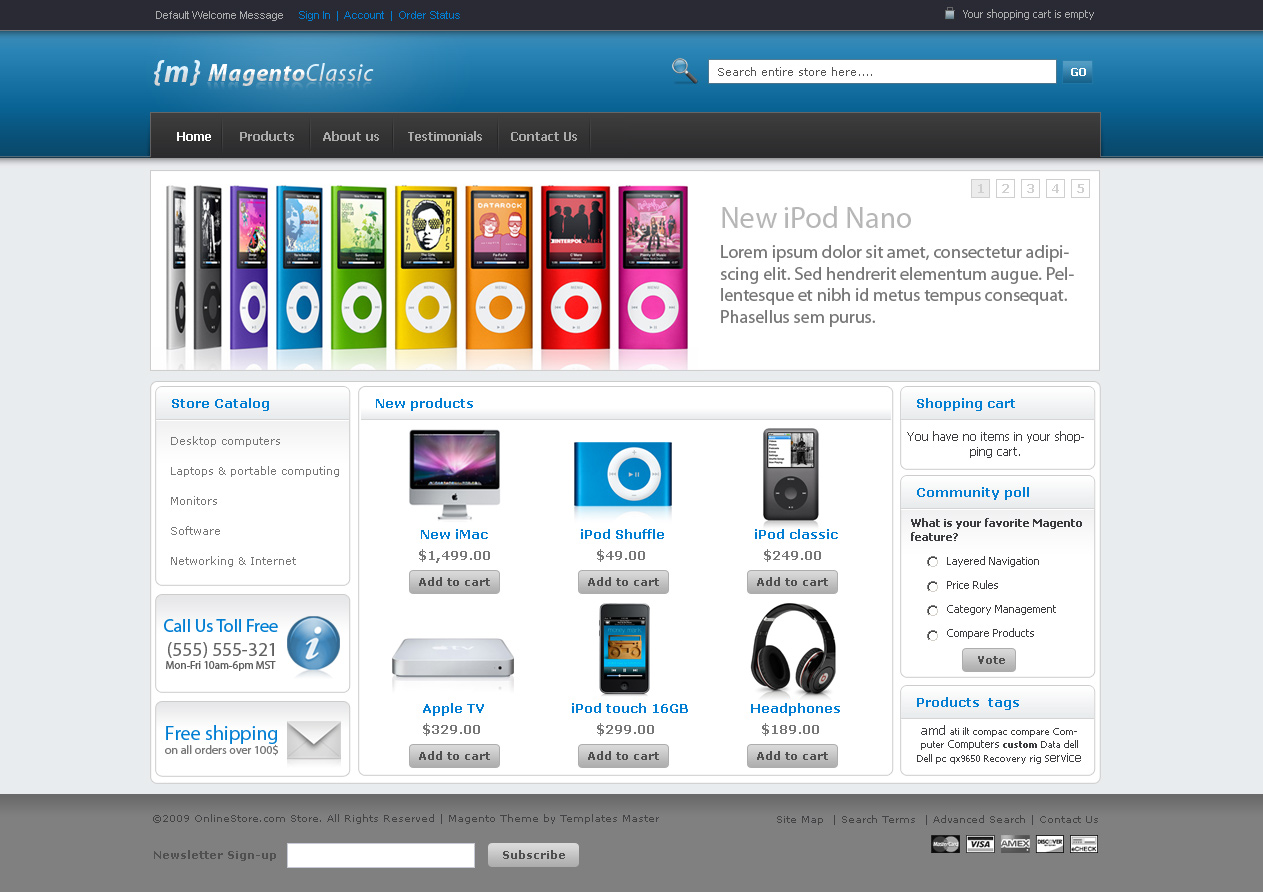
We are proud to introduce first free professional Magento theme. Feel free to download it from our store or Magento Connect. Check theme demo at our demo store.
- CSS3 Powered!
- Easy color changes
- Easy to upgrade, easy to customise
- Supports all main browsers (IE6,IE7,IE8,FF2,FF3,Opera,Safari)
- Free updates included
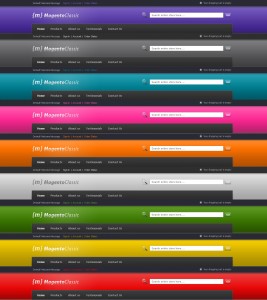
Magento classic theme is available in 10 colors now. Additional colors can be also downloaded at our server.
Installation instruction and source .psd file is included in this package.
Template is available under Creative Commons License for commercial and personal use.
Update:
We received dozen of emails asking for commercial license. Frankly speaking we were not planning to offer this template under commercial license but for all who want to buy it please go to Magento Classic Commercial License .


Hi
I like your magento classic theme. Great work.
I wait for magento tipis
Thanks
elojas.com.pt – ecommerce in Portugal
WOW I must say this is Fantastic work. I have it installed but not yet configured but will certainly be putting it up and online soon. I will definitely need a color change (Grass Green) to match my website products as we deal with Outside Decoratives.
As everyone else stated Thanks for this great Theme and Thanks for making it Free. Some people cannot afford some of the finer themes as they are just starting out like we are, but this makes it even that much better. I would like to see a Donations link to at least be able to donate something for your HARD WORK and looking out for the ones who cannot afford the higher end themes.
Ron S.
Outside Decoratives
http://www.outside-decoratives.com
Thanks Ron. We really appreciate your kind words about our product. This theme is completely free to use and our main idea was to help magneto users to make their stores looks different from default magento for free. We understand that many small store owners can’t afford paying for commercial themes from start. Also we are planning to deliver this theme in 9 colors this week. Our psd is also easy to edit so almost everyone can change color of template in few minutes.
Ron, thank you very much for your kind word. We are really glad to help people all around the world with this theme and we really don’t want to make money from it. So the best thing you can do is to spread good word about our work.
I just installed your template but the slider isn’t showing. How do I get it to display? Thanks!
Have you set 3 column layout for home page?
I have showcase enabled and layout set to 3 columns and I am still missing the slide bar. Everything else looks great. Any suggestions would be greatly appreciated!
Hello Ben, please provide link to your store.
I am also having the same problem. I installed the theme but the slider is not showing. I have set to three column but still the problem exist
I cannot get the slider to show images, either.
OMG! It was the Fontis editor that was changing the code and preventing the slider from working–as well as the payments gif from showing up. May I suggest that disabling the Fontis editor should be added to the instruction document? Great template, in any case.
I have had the same issue of the wysiwig editor rewriting the slider static code block.
I am NOT using Fontis however but rather just the default editor that is installed with my version of Magento 1.4.0.1
Any tips on turning the default editor off while I add the code block ?
with thanks
J
OK, not sure why this took me so long to find but the default WYSIWYG editor was causing the same problem in version 1.4.0.1 as Fontis was.
Disabled in SYSTEM>CONFIGUATION>GENERAL>CONTENT MANAGEMENT>WYSIWYG
works great now – many thanks.
J
Gerard, Please check static block ‘showcase’. It should be enabled in admin.
How do you add items to the navigation bar?
Please check ‘menu’ staic block. Categories tree is created by magento.
I dont seem to get the navigation bar to add navigation. What do you mean by menu in static blocks?
What program do you recommend for editing the .PSD files?
Any tips/tricks in doing so?
If you don’t have photoshop you can try using gimp. It’s free to use and should understant psd format.
Hey, wicked template…. but doesn’t seem to quite work for me. Installed as per instructions but the products are not showing up in the center column.
Please set products as new in magento admin.
Geoff, you should set products as new in admin to show them on main column.
Hi templatemaster, thanks for the great template, will be cutsomising it alot in the next few days! just a quick question, but it all displays okay, until i click off the home page.. then strangly the top banner dissalignes etc.
any suggestions?
What problem do you have?
Great template, up and running with no problems, only one problem.
On the homepage I get the top level categories in the menu (furniture, apparel, etc) but on others I just get ‘Products’ and the whole category structure is pushed down one step
How can I stop this?
This template top menu was modified so no it can have unlimited number of top categories. You should edit /app/design/frontend/default/f002/templates/catalog/navigation/top.phtml to set it back to default view.
i am new in magento, thanks for template
i have same issue that top menu don’t show new categories at all, only home and product, how i add category there?? you say: make default” how? what and where to write?
and please one more: how i change theme color??
thanks
Ran, please check your categories structure. Your categories should be added as child to your root categories. Additional colors are not available for 1.4 yet
Many thanks for a great template! Well designed and instructions were a piece of cake, provided you did everything to the letter.
Also, it’s refreshing to see JS (slider) used to bring a little pop to Magento’s otherwise static template. I’m sure I’ll find some paying clients that I will use your templates for in the future.
When you start browsing through categories, it shows shopping options, color and price, how do I change those to brand and other custom options?
I think you are talking about layered navigation. You can find out more about it here http://www.magentocommerce.com/media/screencasts/layerednavigation/view
Many many thanks for a great-looking template. I have a question regarding the menu static block -
If I want to show different menus for two separate stores, how and where should I change the settings?
Thanks in advance.
I tried to install this theme, but the new products does not show always.
You should check if you have any product set as new in adminhttp://blog.templates-master.com/wp-admin/edit-comments.php?p=10#comments-form.
I found that to get the New Products block to show you have to set any higher-level categories as anchors.
how do I change the shopping options to brand and other custom options?
This is a great theme! Thank you so much for making it a freebie! I was trying to make the ‘blank’ theme into something as I couldnt’ afford to purchase a template from a designer at this time, and after a frustrating week I find this little gem!!
So easy to change into my own colour scheme (even if I did have to just guess and keep using trial and error on a couple of things) and so simple to install and understand.
There is only ONE question that I have tho:
How on earth do I change the colour of the footer from the grey colour it is now? For the life of me I cannot find it! And I know it’s goign to be something really simple, right!?!
Thanks so much again! Perhaps one day, I’ll be able to afford a custom designed template from you
Victoria
Hello Victoria, you should edit reset.css line 29
body { background:#808080 none repeat scroll 0 0;PS – If anyone is trying to change footer color in one of the additional colors – don’t pull your hair out by going to the reset.css. Go to the bottom of the custom.css page and change it there.
//March 13, 2009 at 6:46 am
Hello Victoria, you should edit reset.css line 29
body { background:#808080 none repeat scroll 0 0;
//
That worked perfectly! Thanks!
Where is the reset.css file located? I want to change the colour of the entire footer but i cannot for the life of me find where i change it.
Thanks.
David, reset.css was use in older 1.3 template version. It isn’t used anymore at magento 1.4.
That worked a treat! Thank you so much – totally recommended!
Hello!
I just install the Classic Theme in my LOCALHOST (Wamp). But is running very slow (3 times slower the the Default Theme). Is there something that i can do to make it run faster, because is a great Theme???
Thanks in advance
It’s first time somebody reported such issue to us. We have not modified any magento core files so most likely it isn’t template issue.
First off, I would like to say “Great Job!!” This is a very nice template. I am just getting started, so the price was very nice as well. I can tell you the price has bought you some loyalty as well. When I can afford the other templates, I know where I will be going!!
I do have a question though, how do I change the logo? I changed it, but then the background doesn’t match, so I am sure I am not doing something right. I downloaded the trial version of Paint Shop Pro, but am not sure I understand how to edit the PSD file right. Do you know of any tutorials on that?
Great Job Guys!!
The logo should be a gif file (or PNG for better quality). If you open the images file and find the logo.gif open that in paint shop and edit it the way you want you only have to save it and reload it to your images directory.
If you’re on about the Sliders, then you need to open up the slider(1,2,3 or 4).jpg and edit that.
That’s the simpiest way I can tell you how to do it without getting into the psd files (you need Photoshop to edit them.).
Hey Template Monster!!!
My site is finished if you want to look at what I did with your template… perhaps with your free template section you should have a showcase of what people have done (or not) to show the versitility of your templates!
Victoria
This template looks great. I have one issue that I haven’t been able to figure out yet.
With the default template I am able to have two stores and switch between them with a drop down in the footer. This was in the code already. I haven’t been able to get that with this template. I’m new to Magento (we’re switching over from another cart) so I don’t know if there is some setting that I’m missing or if it isn’t possible.
I saw the comment above, and layered navigation is not what I’m after. I want two stores within the same website because they focus on different products but I want to share customer information.
Please let me know if I can do this. Thanks for a great looking template.
Hi Everyone,
I really love this theme. I’m so glad I found it!
I am hoping that someone on here can answer a couple questions for me:
1. I want to rename the Product button to Servers.
2. I don’t want drop down menus. I want the customer to click on that button and have it go to the server list page. Right now, it keeps loading the home page.
3. Since I don’t want drop down menus, how do I get new root categories to show up on the menu bar. Right now, I can create them in the Magento Admin but nothing shows up on the bar or anywhere else on the site.
Thanks everybody!!!
~ Luke
i’ve installed and everything is working well except the front page is only showing 4 new products. i have about 14 products set to new in admin, and i’ve changed the core file default new products to 13 (as the default 5 was showing 4, i’d like to show 12).
any ideas?
Hi,
how did you do it? I was trying to do the same
without luck. I tried to use the switcher coder
from default template in the footer.phtml but
it did not work.
Sorry, meant to reply to the Post after this one.
Nevermind, we figured everything out.
Thanks!
very nice just what i needed. i am tyring to figure out how i can modify the top menu bar “home / products / about us/ …etc” .. how can i get rid of it and just have the menu that i created when i was using the magento demo store?? or if you just want to tell me which files i need to edit to maybe add and remove items to this top menu?? thanks
how can i edit the menu bar that you template creates? the menu with home / products / about us/ testimonials/ etc…? how can i add/remove them and how can i even get rid of it so that i have the original menu from when i first installed meagento demo?
i figured the menu bar out a little bit, i see that some of the static block make up the menu and i understand that part, but i really want to just have all my products listed under the “products” section to go back to being the menu , like it was with the magento demo?
i am having another issue. when i click on any of my products and it takes me to that products page or section, it is defaulting to the standard mengato template?? i checked in admin and under General\Design\themes and i set all settings to f002, which is the template i am using. home page works great, just not the products.
Most likely you assigned default theme to this products or categories.
Great theme but I’m still having a problem getting the new products to display in the center column. I end up with either the original theme products or no products at all, not even the title bar “New Products”
It’s not clear to me how I can set the home page to display the new products from your advice to “set products as new in your store admin”
-Thanks
Hi Everyone, this template looks great !!!!
I installed successfully the “Free Magento Classic Theme”. And the same works usually on the my initial front home page.
My only problem is:
When i click a product or a category, it is shown with the default template and not with “Free Magento Classic Theme”.
I have to do some setting to change the template of categories and products to “Free Magento Classic Theme”?
Best regards,
Sorry for my english !! I’m from Brazil !!
#1 Please check if f002 template set as default in config.
#2 Please check your default categoires theme. It should be empty or it will override default config setting.
How do you move the product categories from left column to right column?
Nevermind, I fixed it by adding this to the Custom Design XML of the Home page:
Hello,
Thanks for this work! Really nice and still simple theme!
I have two questions, I know that they aren’t really connected to your theme, but maybe these are very easy questions for you:
1) How can I add left sidebar (catalog) to product page?
2) I added static page to one cataloge page, but it shows also on its cataloge sub-menu – I dont want that, how can I remove that?
Thanks a million again!
Kristjan
ok i fixed all my previous issues i posted
. i am now trying to figure out how to edit color of the text in the header and footers?? as well as the light gray background of the middle section where the actual products and cart is??
i have looked in all css files and played around with settings. i was able to change color of some of the text in top right corner of the header area but not the welcome message. i could not find the text color for the text in the footer as well as the background color surrounding the tables for the actual products/cart area.
ok i figured out the header and footer stuff from my previous post. i also figured out how to replace content-bg.gif it was a small gray gradient… but the rest of the background that is below where content-bg.gif was locate is a gray color, i assume it is set in some of the css files and i assume it is set somewhere in box.css but there is so many options there. i am trying to make my background one color, a brown, and this section is the last one that is still gray from the original config i d/l. i just can’t figure out where the color is set, if it is in a table section in box.css or where???
sorry for so many posts i hope this is last one
I have noticed a compatibility issue with the new Windows Explorer 8. The top navigation bar disappears when you hover the mouse over the heading, moving left to right and visa versa. When you click on the compatibility view button built into windows explorer 8 the problem is fixed and it displays correctly. The problem is majority of people don’t know about the compatibility button at the top right. Is it possible to get this fixed?
Also is it possible for the left Store Catalogue to display on every page including product pages?
http://www.imdsales.com.au/shop2
Regards
Thanks for reporting bug. We will check. Strange thing is that it worked perfectly in IE8 Beta. If you want to show full categories tree on all pages please move this code from main page to catalog.xml in tag group.
Hi I am getting same issue with ie8 menu hovering.
http://freedemo.templates-master.com/f002#
I am trying to fix this if I do I will post the fix. I am new to Magneto but experienced developer
oki doks … don’t ask why though because I didn’t go through the logic yet but here is a solution for hovering bug in ie8
each and every li must have these onmouseout=”toggleMenu(this,0)” onmouseover=”toggleMenu(this,1)” attributes.
modify home from template phtml and modify menu static block.
hope it helps
~ nrg
Hello Kristian, sorry what issue with IE8 do you have?
Hi
just implemented my first f002 template, but the header looks like
“” and the menus are looking like ….
Previous
Stop
Start……………..etc
what’s wrong?
here is what i have as menu…
”
Previous
Stop
Start“
and again …
///
///
///
/// Previous
/// Stop
/// Start
Thanks for this wonderful template!
I was wondering how to change the number of new items that show up on the home page?
I want six to show up, but only 5 are displaying even though I set well over 10 items to new.
regarding my post about gray gradient background and content-bg.gif . i d/l a program that would read the color of any pixel on the screen and found the color for the pixel on the gray back ground which was e9ecee. i then searched all css files and found it in boxes.css see below for the line…
.middle-container { background: #e9ecee url(../images/content-bg.gif) repeat-x 0 0; padding: 13px 0; }
i already changed the color of the file content-bg.gif to what i needed it to be, so i then updated background color from e9ecee to ffffff or whatever i please. but still the background color is that gray color????
yes i do have cache turned off
any ideas? this is my last post i promise after this my eshop has the look that it needs.
Light gray background for content is set at .middle-container boxes.css (line 374) and dark grey for footer set at body reset.css (line 29).
Hi
just implemented my first f002 template, but the home page shows only what is shown in the installation. –content — and also the showcase is only showing the following:
div id=”slider”>
div class=”slidercontrolwr”>
div class=”slidercontrol”>
a href=”#” class=”aprev” title=”Previous” onclick=”my_glider.previous();return false;”>Previous
a href=”#” class=”astop” title=”Stop” onclick=”my_glider.stop();return false”>Stop
a href=”#” class=”aplay” title=”Play” onclick=”my_glider.start();return false”>Start
a href=”#” class=”anext” title=”Next” onclick=”my_glider.next();return false”>next…………….
Thank you for your help
I had this same problem — I ended up having to turn off the WYSIWYG editor in — System – Config – Content Managment — set it to completely disabled.
I then went back and re-entered all my information.
You can also try clicking the wysiwyg button to “disable” it but I found that the wysiwyg editor is adding in code in other places that was screwing me up so I just totally disabled it.
Hello!
Very Interesting post! Thank you for such interesting resource!
PS: Sorry for my bad english, I’v just started to learn this language
See you!
Your, Raiul Baztepo
Thanks for the solution – worked a treat.
One more thing that has been bugging me for weeks:
How can you change the top navigation to show only 2 levels?
Much appreciated.
Regards
There is configuration field in magento admin where you can set depth of navigation Configuration > Catalog > Category Top Navigation > Maximal Depth.
Hi, thanks for the great theme.
Could someone please explain to me how i can get the categories on the left, i have tried all sorts but no joy.
Regards
Lee
You should have active categories tree selected as default for you active store in admin. Also you should setup home page according to installation instruction.
@TemplatesMaster, where do i activate categories tree within the admin?
It’s cool i have sorted it out now.
just a couple of things thou is there anyway to make the nav on the left show up on every page and also would it be possible to configure the left nav so it is collapsable as i have rather a lot of categories and sub categories.
Lee
Thanks for a wonderful template that is very easy to modify! I only have a little issue. The header on the sidebar nav doesn’t show on my main category pages. See the image of the issue here:
Anyone else seeing this and know a fix to make the header show properly?
Thanks!
stripped out my image, but it’s located at http://vernlib.com/Picture1.png
Please wait for 1-2 days and we will release fixed version compatible with Magento 1.3.
TemplatesMaster:
Can you upload the sql database file from your demo ?
Im new to this Magento platform. Kindly provide me with the sql file for me learn how to fully utilize this CMS. I dont even know how to make the product shows in navigation.
Thanks in advance.
Templates can be set on any store. It doesn’t require any sql to install. We do have standard magento sample data installed.
Can you tell us the procedure for exporting the header in the psd file to a slice that is used for the header-bg?
Also for the logo region. I was wanting to change the header color.
I was hoping to keep the nice shading you did.
Looking forward to the template update too.
Thanks for the free template. It’s nice to learn Magento with a nicer template than the stock ones.
I figured out how to export slices. But the I could not figure out the logo slices.
Any help would be appreciated. Thanks.
I tried to install it on v1.3 but it goes wrong, is it not compatible yet?
Very nice template
Thanks for the cool template! I installed it according to the instructions. Everything works great except I’m getting this weird message in the center column on the home page.
bundle bundle/catalog_product_price bundle/catalog/product/price.phtml showcase
Do I need to edit that file in any way? I tried setting the products as new in admin, but that didn’t do the trick.
Any help would be greatly appreciated.
Oooops…made a dumb mistake. Fixed and it’s working great! Looks super nice! Thanks.
how did you fixed it???
i have the same message in the middle of the screen!!!
Great free template. I’m trying to add the sidebar menu to all my pages but have had no success. I notice that you replied “If you want to show full categories tree on all pages please move this code from main page to catalog.xml in tag group.” to DAZZA.
I tried adding the following line to catalog.xml located in app/design/frontend/f002/layout but had no joy.
Can anyone help? Maybe I’m missing something obvious.
Thanks
great work,
but im in trouble with IE 8 , nothing happens when buttons are clicked.
what can i do?
the same thing happens here
http://freedemo.templates-master.com/f002#
nothing happens when button is clicked under IE 8
Was you able to fix this issue? We have tested our demo site in ie8 and it works with out any problem.
TemplatesMaster on April 6th, 2009 8:41 pm
Please wait for 1-2 days and we will release fixed version compatible with Magento 1.3.
So when is will the new version be released?
It’s already released. Please check Magento connect.
Hi, thanks for this great free template.
After installing for version 1.3 I have a few words that are not translated into german (I have locale de_DE installed).
For example:
- upper right corner, grey text: “Your shopping cart is empty”
- grey hyperlinks on black background, above image slideshow:
“About us”, “Testimonials” and “Contact us”
all the other links are fine. how/where can I update these translations ?
Please use Magento inline translate for template translation. Also you should duplicate separate static block for each language.
You must change the file /f002/template/checkout/cart/header.cart.phtml
The lines:
0): ?>
__(‘There is 1 item in your cart’) ?>
__(‘There are %s items in your cart’, $_cartQty) ?>
__(‘Your Shopping cart is empty.’, $this->getUrl(‘checkout/cart’)) ?>
To your language…
Thanks for this theme.
I ‘m trying to translate the “Store catalog” words into french.
I tried with inline translation but I can’t select the words it is that normal ? How can we change it ?
It’s fixed in new template release.
First of all, thanks for the great templage, I’m editing it to suit my needs, but couldn’t have done it without you!
One thing I can’t seem to find: how do I remove the “call us toll free” and “free shipping” images? can’t seem to find them in the CMS> edit pages
thanks in advance,
DMR
You should remove next code from catalog.xml
<block type="core/template" after="-" name="left.permanent.callout-1" template="callouts/left_col.phtml">
<action method="setImgSrc"><src>images/media/col_left_callout-1.jpg</src></action>
<action method="setImgAlt" translate="alt" module="catalog"><alt>Our customer service is available 24/7. Call us at (800) DEMO-NUMBER.</alt></action>
<action method="setLinkUrl"><url>checkout/cart</url></action>
</block>
<block type="core/template" after="-" name="left.permanent.callout-2" template="callouts/left_col.phtml">
<action method="setImgSrc"><src>images/media/col_left_callout-2.jpg</src></action>
<action method="setImgAlt" translate="alt" module="catalog"><alt>Our customer service is available 24/7. Call us at (800) DEMO-NUMBER.</alt></action>
<action method="setLinkUrl"><url>checkout/cart</url></action>
</block>
Hi DMR,
they are images embedded into the skin.
I was able to replace the gifs with what suited me better.
you can find them in the skin folder.
@template master
thanks for your help. I was too stupid to find out that I had to edit CMS content to update my translation.
The inline translation worked find to translate the upper right shopping cart link. however there are two links … can I remove the grey one on the upper right side ?
and then I also have the same question as nicolas for “store catalog”
Any word on the update for magento 1.3? Also, I notice on ie6, the li tag’s background of the active state turns white. Will there be a fix for this as well? Thanks again for a superior template.
-r
Thanks for free template!!! You guys are doing great job here!!
But I have problem after I change theme color,all my pruducts front pictures are gone but when click products detail the pictures still there.Can you tell how to fix the problem.Thanks
@TemplateMaster
could you please explain in detail what you mean when you said
“If you want to show full categories tree on all pages please move this code from main page to catalog.xml in tag group.”
Kind Regards
hello Template Master,
First of thanks for such a quality Template. I was wondering if it is possible to have the same top tool bar for the categories like on the original template and keep the categories on the left side at the same time ? I have many product categories and would be nice not to have them all under just the one “products tab” .
Thanks,
Tim
please ignore my last post i found answer up top . some how i must have missed it or maybe i just need to take a brake from my computer for a little bit.
How do i add products to the home page, as nothing is showing up.
Thanks
@TemplateMaster
I’ve installed the newest version and some problems are fixed, but there are still some problems that haven’t been fixed:
1. Store Catalog – cannot be changed using Magento’s inline translation tool (noticed by others as well).
2. The Category Box is still broken.
Kind Regards,
Frank D.
We just fixed this issues. You can simply update files at /app/design/frontend/f002/catalog/navigation/*.*
StoreCatalog rename is located in : sidebar.phtml
….
/app/design/frontend/default/f002/template/catalog/navigation/sidebar.phtml
change to :
__(‘name your Store Catalog change’) ?>
cheers
martin
Thanks for the reply stevedupont! I did find the images, so I can change them, but I would actually want to remove them alltogether. How can I achieve this? I tried changing stuff in the catalog.xml, but this doesn’t do anything.
@ Templatemaster:
I would also really like to show the full categories tree on all pages, so I have the same question as Lbeetles..
Thanks again!
DMR
Hello, please help me… when i click on root category menu style is bad – look here http://vektorshop.cz/why.png. Thank you!
I would like to add the newsletter box back in on the right side. Can you help with that.
Also, I have a number of Menu Options on the left and would like to collapse the categories if possible.
OK i got the categories across the top but i lost them on the side . how can i make it so i have both ?
LOL i got it. I forgot to set layout ’3 columns’ at ‘custom design’ tab on home page . once again thank you so much for the beautiful free template
Templates Master, you should set up a forum to discuss issues with all your great templates. this should be better than discussing it here in the comments section. it’s just a proposal
I have one question regarding product’s page,
how the products page is set up, is this done via the template ?
for one of my products, I have 5 pictures. but only the first picture is visible in the window with the zoom slider.
If I select another image, it does not show in the inline window,
it opens in a pop up window
can this be changed so that it shows in the zoom-window ?
We would recommend using magento forum to ask “How to do” questions. Unfortunately we can’t answer all questions here.
Yes product page is set up with template. But we have not changed template for media block. So it use default magento behavior. We would recommend setting up light box module for better users experience.
Awesome theme!!!…but I’m having issues trying to get the home and extra links to have an active state. can somebody please help me or guide me the right path. Thanks
Hey, this update is great!
Thank
Ouuu, in Opera is not rount edge
Why? O:-)
Round edges designed using css3 styles that supported only in Firefox for now.
nice theme. I installed 1.1.1 via Magento Connect Manager, but I can only find the blue theme.
I downloaded the 9 extra colors from this site, but there weren’t any installation instructions in the zip file.
How do I get the other colors in Magento 1.3.0?
Simply copy files from selected color directory over installed template.
Really nice theme, finally one with item categories on the left.
Unfortunately it has not expandable/collapsable categories like http://dinprofil.icommerce.se/ (site is in swedish – but one can see what I mean).
With a lot of categroies and subcategories they must me expandable for user to manage it.
Is it possible to show the main categories in the main menu bar and not under “products”? The customer wants to have all the 6 menu-buttons in main-nav and “products” should not be shown. What must be done and is it possible?
You should edit /app/design/frontend/default/f002/templates/catalog/navigation/top.phtml.
Instead of
<li onmouseover="toggleMenu(this,1)" onmouseout="toggleMenu(this,0)">
<a href="<?php echo $this->getUrl('') ?>"><?php echo $this->__('Products') ?></a>
<ul>
<?php foreach ($this->getStoreCategories() as $_category): ?>
<?php echo $this->drawItem($_category) ?>
<?php endforeach ?>
</ul>
</li>
please paste
<?php foreach ($this->getStoreCategories() as $_category): ?><?php echo $this->drawItem($_category) ?>
<?php endforeach ?>
I have put the code in de top.phtml so that not only menu products is shown but also the other things in that menu. But unfortunately it does not work.
i put this code as shown by you
getStoreCategories() as $_category): ?>
drawItem($_category) ?>
into the page and deleted the other code.
I use magento version 1.4.01 and i use you template 1.4.0
what did i do wrong?
sorry, it works!
sorry, i does not work properly.
i only see the right navigation when i click on the menu products and i click on my site on “ontwerpen”.
When i click on ‘Home” the navigation is as it was
Hello Gerda, what is your store url?
It work in firefox but not in google chrome… sad
Is there is a way to fix this???
Sorry what problem you have at Google Chrome?
Exactly the same problem here.
It wors on the product page but no in the home page.
Please see: http://www.loja.lcimports.com
I tried this too, and it’s not working for me either. I’ve tried checking from another computer, so I know it’s not just a cache issue.
Yeah, I’m definitely having the same issue of the categories showing up on product pages, but it goes back to “Products” on non-product pages.
it works! thanks!
Does no one have a answer for my question?
Superb work for a colorful theme. Tested with Magento 1.3.1 and french translation : everything works, I am astonished by the overall elegance and the slider !
Also tried the twek for your comment on April 19th, 2009 – 4:05pm, and it works perfectly also !
Thanks for this great and free contribution.
Hello,
I have installed the template. Everything seems to work fine. However, after following the instructions and setting the HomePage page to as I outlined in the installation instructions, I just get a blank column with no products listed. I guess that anticipated result. How can I get the products displayed in the middle column ?
We have answered same question for several times. Please set product as new.
Hi, at first
thanks for this great Theme!
I have Posted on Magento Forum: http://www.magentocommerce.com/boards/viewthread/39550/
Thx for answer
Awesome Theme. 5*s
Just got a couple of questions:
1. In the screen shot you have numbers instead of play,stop and previous and next buttons on the slider.
I would prefer it like that, how would i go about doing this?
2. How would i remove the newsletter signup box from the footer?
3. How would i go about implentmentating a new products section on the front page like the screenshot?
Many thanks in advance!
Thanks Craig,
1. There is no quick fix for now. Javascript slider and slider html code should be a bit different. We are planning to release later both slider modifications.
2. You should edit /app/design/frontend/default/f002/templates/page/html/footer.phtml
3. Please set products as new in admin.
Hello Amy,
You can control links that will go after products dropdown in admin. Please check if your cache set off.
Hi,
I just noticed something else, the change for the top menu did take place but only on category pages. Not on any other pages. Is there any way for me to fix that.
thanks
Amy
Hi again!
At this moment I’m trying to alter the text in the bottom which indicates the newsletter.
I’ve tried changing
.mini-newsletter h4 { }
to
.mini-newsletter h4 {color: #e2d21c; }
but no joy!
How do i change this h4 text?
Thanks in advance
DMR
Please edit You /app/design/frontend/default/f002/templates/page/html/footer.phtml
I tried to download the theme but it has damage files (corrupted). Is there another download site where I can download this awesome theme??
Please try again. We just donwloaded this theme without any problem.
Hey… ehm… Pages from “menu” statick block aren’t showing… only “start” and “products”…..
By the way, thank you! thank you! very much for this, it’s awesome.
Hello Alain, You should create this pages in admin with corresponding url-keys.
How do I implment “Catalog search terms block” on the homepage of the template?
Great Templates
Is there a Photoshop action batch that you use which can flatten, cut up and then export with the correct name the color and graphic changes I make to the psd file? I just did a new logo and I had to eyeball it… Not a big deal, but would be pretty nice.
Yes please check for links in the blog post. You can download psd files from our server.
How do I show popular products?
How to show left menu in all pages?
How to add advertisement pictures on left and right column?
Jennifer, they are declared in catalog.xml file. Please look for left.permanent.callout-1 and left.permanent.callout-2 boxes declared.
Both static blocks “menu” and “showcase” do not appear in my homepage. I alaready enabled them in admin. What is the problem ?
Please check if they are enabled and have right names.
I don’t see any item in my ‘store catalog’. What should I do to be able to display this in homepage ?
Thank you for your great job!
I have a little issue. My test shop consists of two categories and 1-2 products in each of them. But “shop-by” block does not appear in one of them, although all categories settings are identical.
How to fix it? Is it template issue or core issue?
Do you have this block on default theme?
First of all let me thank you for a high quality theme!
I have tried searching the forum over at Magento for a solution but with no luck. I have installed the theme and it works just like the one provided on your demo site. What I would like to do though is to keep the vertical menu when navigating to the different categories/products. What happens when I navigate to a category/product is that the vertical menu is gone and replaced with another one.
I have posted a similar post on the Magento forum. I would really appreciate if someone could point me in the right direction
- Ole
Ole, we do use simple block for vertical navigation on main page. Inner pages use original layered navigation boxes. Please check for catalog.sidebar box in home page xml and move it to catalog.xml. You can try using our vertical navigation or try installing http://www.magentocommerce.com/extension/763/vertical-navigation-with-css-classes.
Where is the link for the “Photoshop action batch”? I looked on every blog-ish thing I could find and did not see it.
I have already downloaded the psd files.
Thanks.
We don’t have it but you can easily export slices from psd file.
Is it possible to have a link for each slider image?
It could be useful to have a slide connected to a particular product or offer.
Thank you
Muri, please showcase static block. You should set url for each slide instead of “#”.
Nevermind: I found it myself!
Go to Admin -> CMS -> static blocks and edit showcase XML!
Thanks for the great template!
BTW, it seems I can’t display more than 5 new object in home page.
I checked in “configuration”, tired to change items number with no luck!
I meant “tried”, not “tired”
SLIDER not working? I TRIED over & over adding the code to
Layout Update XML. The slider isn’t working? why.
I have the code working in the footer? suggestions please..
Valdez, Please check xml instruction for home page. For some reason you have it in footer.
Hi,
Great theme, but I can’t make the showcase to work. I did everything like in instructions > static block >showcase> enabled…still nothing.
Can you please help?
Thanks!
Have you set 3 column layout for home page? Please provide link to your store so we can check it.
Really like your theme…
We’ve noticed on the “Electronics” page that the title bars don’t align correctly with the containers below. Is this a mistake in our installation or a bug in the theme?
Also we’ve noticed that when Magento runs it requests image files from the …/f002/images folder that don’t appear to exist:
Example:
/skin/frontend/default/f002/images/bkg_products-grid3.gif
Is this a problem with the way we’ve installed the theme (everything appears correct as far as we can tell)?
Under “static blocks” I only have “Footer Links”.
The Showcase is not showing up. What do I need to do to create this static block for the showcase?
Mike, pleae check installation instruction at our server. Yes you should have create several static block for this template.
Where can I view the installation instruction on your server? I am trying to edit the “call us” and “free shipping” call outs. How can I edit the footer?
Jim, you can download installation instruction http://freedemo.templates-master.com/downloads/f002.classic.zip
It seems I can’t display more than 5 new object in home page. I have now 9 objects set as new but only 5 are displayed (three in the first row, two in the second, grid display)
I checked in “configuration->catalog->frontend”, tried to change items number with no luck!
Where can I find this setting?
Thank you
I just instal free template and have Warning: Mage_Core_Block_Template … error page. I suppose I did executed instruction properly or template is maybe not compatible with Magento 1.3.1 ?
http://copycentar.us/
What about the left menu? How to show left menu in all pages?
You should move next code from home page xml:
<block type="catalog/navigation" before="-" name="catalog.sidebar" template="catalog/navigation/sidebar.phtml"/>to catalog.xml file:
<default>.....
<reference name="left">
Not works. Where can I find catalog.xml?
You can find it at app/design/frontend/default/f002/layout.
My home page dont have a left menu. How can I put it.
THANK YOU, I added the code after “left” and i works like a charm.
btw: that code wasn’t found in the page.xml
Hi,
First great template.
It is possible to set more then one link in the showcase?
Each slide is simple html code. You can put any html code here with any amount of links.
Great theme!
1. How can I change the links in the footer (advanced search, sitemap and so on…) ?
2. How can I put in images below the footer links easiest, want to show payment options. I can’t get your payments.gif logo to show up.
3. Can I edit the menu to the left on the index side, so that they only show the first catalog?
Thanks!
All links declared in template xml files. There is no easy way to change them.
Payment icon in this template was codded using static blocks (please go to admin and check static block “payments”). You can put any content in it.
You can simply edit css files and hide all childs categories.
I still cannot find the css to remove the child categories from the left navigation. I went to the css file you mention but there is nothing obvious in there. Could you advise exactly where I find this and exactly what to remove? Thanks
I’m with Katie, I went to the CSS file folder and see no option regarding child categories. please advise which file to change regarding how to make only 1 level of categories fill on the left side
You can simply add to your custom.css
#nav-sidebox ul .level1 {display: none;
}
Just change
getChildHtml(‘footer_links’) ?>
to
getLayout()->createBlock(‘cms/block’)->setBlockId(‘footer_links’)->toHtml();?>
in footer.xml
Then add whatever links you want in your CMS -> footer_links block
Muri,
I’ve just been trying to solve the issue where only 5 items are shown on the first page as new too. Here are my findings.
1. You need to make sure you have some products with current new dates. This is done in the admin using manage products.
2. You need to change the default number which is located in one of the standard installation files so make sure you have a backup.
app\code\core\Mage\Catalog\Block\Product\New.php
change number of new products in the line
const DEFAULT_PRODUCTS_COUNT = 5;
to whatever you want it to be.
Regards Russell
Russel thanks for your help. Right now we use even better way to do this. Instead of this code on home page xml:
<block type="catalog/product_new" name="home.product.new" alias="product_new" template="catalog/product/new.phtml"><action method="addPriceBlockType">
<type>bundle</type>
<block>bundle/catalog_product_price</block>
<template>bundle/catalog/product/price.phtml</template>
</action>
</block>
Please use:
<block type="catalog/product_new" name="home.product.new" alias="product_new" template="catalog/product/new.phtml"><action method="setProductsCount"><count>12</count></action>
<action method="addPriceBlockType">
<type>bundle</type>
<block>bundle/catalog_product_price</block>
<template>bundle/catalog/product/price.phtml</template>
</action>
</block>
Hi,
first off all, thanks for this great theme!
I’m trying to remove the image zoomer and replace it with Lightbox.
I found this (1) thread, but it seems the file paths are somewhat different. Any idea on how to do this in this magento classic theme?
thanks for any help!
(1) http://www.magentocommerce.com/boards/viewthread/24508/
Pat.
There is no problem with installing light box on this theme. You can check http://www.magentocommerce.com/wiki/adding_lightbox_to_magento_v2 for detailed info.
I would like to know how much you would charge for the template if we would like to remove the footer tag line: Magento Theme by Templates Master.
Thanks.
Please forgive me, but I do not see the install instructions in the download. Can you please point me to them?
Please check in full package for install.txt http://freedemo.templates-master.com/downloads/f002.classic.zip
Hey I am trying out this template but I can’t seem to get the footer right
Somehow the footer is huge, I changed the height of the footer and footer-container to about 20px but nothing happens. I can’t seem to find the reason why my footer is so big.
Can anyone help me please?
Thanks a lot!
Here you can see what I have right now:
http://www.stickersonline.eu/home
Footer is removed right now and we can’t check what is wrong.
First of all: great theme! This is by far the best looking free theme available.
I’m also wondering how to add additional links next to Site Map, Search Terms, Advanced Search and Contact Us in the footer area.
I cannot figure out which files to edit. I found several files that I think are used to build the footer area, but so far all my attempts failed.
Altough it looks like there are more people on this site with the same issue, I still didn’t find the right way to do this. I was also unable to find a solution in the forum at the official Magento website.
Can somebody please help me out?
You can put something like this into default groupd of catalog.xml or any cms.xml
<default>....
<reference name="footer_links">
<action method="addLink" translate="label title">
<label>Customer Service</label>
<url>customer-service</url>
<title>Customer Service</title>
<prepare>true</prepare>
</action>
</reference>
@TemplatesMaster
It worked!
Thank you very much for your help
What i now miss is the language-switch. The files are not in the f002 directory like default-template.
Is it possible to activate the flags from default-Template? What must be done?
What is your store url? Store view switcher is default part of this template header.
Thanks Russel,
Dumb me, it was in the installation istructions
I have set about 50 new items and I set main to have 12 new items. I found that the new items on main page is not randomly pick from the 50. It show the same everytime… it’ll be good if it’ll pick from all the new items list and randomly show it…
You can try editing app\code\core\Mage\Catalog\Block\Product\New.php.
->addAttributeToSort('news_from_date', 'desc')Hi templates-master,
first off, thank you so much for the awesome free theme. It’s made the magento experience relativly painless so far.
I have a question that’s hopefully simple to answer. I have searched the magento how to boards for an answer, and have not found what Im looking for.
I want to change the header size on my site. I want it to be deeper than the default size, (it should be 250 pix deep). I also don’t want the backgrounds to extend off the store, so it should be a maximum of 950 wide. can this be done? what files do I need to edit?
cheers
Dannie
preview the site at: http://fortheloveofpets.co.nz
We can’t give you exact solution but we would suggest you to install Firebug extension for Firefox. You will be easily locate and try changing css styles on your site.
TemplatesMaster,
Can u give some example?
I’m not sure what to edit at the:
“You can try editing app\code\core\Mage\Catalog\Block\Product\New.php.
->addAttributeToSort(‘news_from_date’, ‘desc’)”
Please advice, thank you.
I successfully set up the theme but I encountered a problem which I’m not sure if it’s with the theme or magento.I can only click on the Dashboard menu on the Admin Panel, all the other menus are no longer be clicked. Please help me out guy! Thanks!
Please check permissions on javascript folders.
Great theme, 2 questions. I am unable to get the catalog to display to the left under “Store Catalog” and also the “Products” button just takes you back to the home page, anyway to fix this? Thanks for the help!
What is your store url?
It’s a lovely Magento theme mate!
I’ve listed your theme on http://www.cmstheme.net/theme/magento/classic.html
Can’t wait to see more free Magento themes from you.
Thank you very much!
How can i make Sub-Categories visible in the middle column?
You should check magento site for extension to do this.
same question as Danny :
Great theme, 2 questions. I am unable to get the catalog to display to the left under “Store Catalog” and also the “Products” button just takes you back to the home page, anyway to fix this? Thanks for the help!
thx !
Can you send us link to your store?
Is this compatible with the latest 1.3.1.1 release–I installed 1.3.1 fine–but on the same server 1.3.1.1 has problems with the slider showing up–I think
Slider problem can’t be caused by 1.3.1 version magento. Please check what else was made wrong.
Thank you so much for such a wonderful template. I do have a couple questions, on my homepage the right section is not positioned correctly so it is pushed below the center field. How do I evenely position them? In addition none of the new products are showing up.
Thank you very much you guys are awesome!
dears,
where can i find installation instructions?
i downloaded f002.classic.9.colors compressed file but there are no instructions there??
thanx
oh..
found it…
at the link above
thanx
Great theme, 2 questions. I am unable to get the catalog to display to the left under “Store Catalog” and also the “Products” button just takes you back to the home page, anyway to fix this? Thanks for the help!
http://www.pc-care33.fr
You should assign root category in admin for your default store.
thanks for your help the other day regarding changing the height of the header section.
I added a height specification to .header-top (line 353) and added a top padding specification to .header-nav-container on line 374
I have a new problem, that should be an easy fix. I only want my wrapper to be 932px wide, but still centred on the page.
I changed the line .wrapper { min-width:930px;}
to .wrapper { width:932px;} and it works, but I also want it to be centred on the page. What’s the additional css command I should include?
I tried .wrapper {
width:932px; background-position: center;}
but had no joy
Hi TemplatesMaster,
This is a truly great theme!
How do I get the image slider to show up on the product category pages though?
At the moment, it is showing up on my home page, but I would like it to show on the category product pages too.
Also, is it possible to have 2 versions of the slider displaying 2 different sets of images? eg. One set of images on the ‘mens’ product category page and a different set of images on the ‘womens’ product category page?
many thanks for your help in advance!
Hello,
To make the category box to appear in all pages… I added the following code to catalog.xml:
Category now show in any category page. BUT it doesnt show in product detail page. How can I make it available on the left of the product detail page too? Please advice. Thank you.
Regards,
Lesz
nevermind, found the answer… need to set product page to 3 column.
@Lesz
What Code do you have added? The same as is in the instructions.txt?
andy,
Add the following:
To /app/design/frontend/default/f002/layout/calalog.xml
Below the following code:
Andy,
I tried post the code… but this comment system remove it automatically. Do you know how to post code here?
Hi Lesz,
i think Code Posting is not permitted.
Can you send me the code via Mail?
Send it to classic@trash-mail.com
Thank You very mutch!
Fantastic template!
Looks better than good, the best free template out there!
I am using this template for my site, doesnt need alot of tweaking to get going! I love the slider!
One thing i wonder is if it is possible to install all of the colors and swap around them easily?
In case you want to assign different colors to different stores then you can simply create separate skin folders for each color. You should put defaul blue f002 skin files into it and copy over color skin files. After that you will be able to assign different skins to different stores with same layout files.
In case you want to assign different skins to different categories or CMS pages you should also duplicate layout folders. Because magento right now can assign only layouts to separate category.
…Oh yes, I forgot to ask something…
On the products page (pressed on a category from the homepage) the Store Catalog box dissapears, I wonder what file needs to be edited for it to continue to show up on the producs-page?
Fantastic work!
is this compatible with 1.3.1.1?
I have tryed a lot to install the grey version…
But didn’t work.
The layout just broken completely, mixing the default with the original.
And, the instructions to install it is not inside the files.
Does anyone know about some issue with Magento 1.3.1.1?
Well,
Now I have everything works fine.
Just the showcase its not working.
A created a block ‘showcase’ but the home page returns bundle bundle/catalog_product_price bundle/catalog/product/price.phtml showcase
This error mean that you have not installed home page in right way. Please check xml instructions for home page.
How do i get rid of the magento classic logo.gif–I renamed it and get the alt text–where do I edit the html so I can remove
slider still not working in 1.3.1.1
You can set logo name in Magento config. Please check design tab at configuration panel.
I want to move the newsletter subscribe panel to the RHS column, under the MY CART section. How will I do that? I have turned off the tags panel and the poll panel so the space exists there.
In newsletter.xml you should move from reference left to reference right.
Hi! Everything it;s working to me, except the “New products” in the main page it’s empty to me.
I already do this: CMS->Manage Pages: – add this to homepage content:
But don’t work… what I’m doing wrong?
Ops.. sorry! Ignore the the last post.
It’s working setting the products as new.
Thanks for this great template.
Hey
thanks for this theme.
can someone PLEASE explain is simple words how to change the skin color allowing to use different color for different store view ?
I tried several times w/o success.
First let me say that the Blue version is working file.
what I did was:
1. d/l the 9 colors file
2. duplicate the magento/app/design/frontend/default/f002
3. rename it for example to f002grey
4. admin->system->config->design
change the skin to f002grey
5. regresh chache and even delete it
Nothing happens, the blue is still presented.
I also tried to duplicate the magento/app/design/frontend/default/f002 and renamed it f002grey and changed all in the design to meet it and nothing,
is it so difficult for anyone to write a simple instruction how to do this correctly ?
Many thanks,Smith
You don’t need to duplicate colors or anything else. Simply copy ready sking files for color you like over installed blue version.
sorry, I forgot to add
3a, copy the grey files from the 9 color file OVER the ones in the duplicated directory.
AWESOME Theme! Thank you.
I have 2 quick questions,
1. The checkout button on the minicart. I haven’t found an image for that so I assume it is css. If I want to change the color of that specific button for some A/B testing. Where is that located please?
2. On additional images for the products with the popup window the background is grey and the navigation links get lost in the background. Where can I change the color of the popup background?
Thank you,
Jim
Thanks for the help–I love the theme…Just like everybody else does…
I installed the theme on version 1.3.2 and it doesnt save my sessions. Adding something to cart just disappear immediatly and users can’t log in.
If I switch to another template this is solved immediatly.
Moreover, if I switch back , the session remains until I clear cache and then it’s gone.
Sorry but most likely it isn’t template problem. We have never faced such problem. You can try setting your cache off.
Hi Templatemaster
can I buy this theme so that I can remove the creative commens info and the link to your website?
Yes after dozens of same request we decided to offer commercial license. You can buy it here http://templates-master.com/free-classic-comercial-license.html
Hi there,
I also would love to know how can I change the newsletter subscribe panel to left or right column.
Thanks in advance for your help and one more time for this excelent theme.
does anybody know how I can edit magento classic theme to show expandable/collapsible categories -left side
Hyperlinked text shows up as grey in the template. Where in the CSS can I find the colour setting to change that to another colour?
Thanks
Still having probs.. Magento 1.3.2.1 installs fine with sample data but I get this error when i install classic theme.
Warning: include(/home/mysite/public_html/magento/app/design/frontend/default/default/template/catalog/navigation/sidebar.phtml) [function.include]: failed to open stream: No such file or directory in /home/mysite/public_html/magento/app/code/core/Mage/Core/Block/Template.php on line 144
followed by the trace
There is no sidebar.phtml in that location in the default theme–only left and top–is it not being created when I upload the classic theme to the magento root.
Thanks for any help
Thanks for any help
Hi Steve how did you solve this problem i am havig the same problem
Warning: include(/home/mysite/public_html/magento/app/design/frontend/default/default/template/catalog/navigation/sidebar.phtml) [function.include]: failed to open stream: No such file or directory in /home/mysite/public_html/magento/app/code/core/Mage/Core/Block/Template.php on line 144
Hello Winston, most likely you have different theme assigned to your home page. There are different possible reasons for this. Most likely different themes assigned to home page. Also do you have magento sample data installed?
never mind
error:
There has been an error processing your request.
Warning: include(/home/newsis/public_html/magento/app/design/frontend/default/default/template/page/html/notices.phtml) [function.include]: failed to open stream: No such file or directory in /home/newsis/public_html/magento/app/code/core/Mage/Core/Block/Template.php on line 144
Why is that?
Hi TemplatesMaster,
This is a great theme!
How do I get the image slider to show up on the product category pages though?
At the moment, it is showing up on my home page, but I would like it to show on the category product pages too.
Also, is it possible to have 2 versions of the slider displaying 2 different sets of images? eg. One set of images on the ‘mens’ product category page and a different set of images on the ‘womens’ product category page?
many thanks for your help in advance!
Luke, It’s possible of course. Please check move this code from home page xml to defaulttag group in catalog.xml for example.
<reference name="top_slider">
<block type="cms/block" name="showcase">
<action method="setBlockId">
<block_id>showcase</block_id>
</action>
</block>
</reference>
If you want to use different slider then you should change block_id for it.
how to remove the “testimonial” on the top menu?
Jennifer, please check static block “menu” in admin > cms > static blocks.
Thanks for your work.
I have a question :
How can I move the slider in the center column ? (I want to display the slider between the left and right columns – just at the bottom of the new products)
Are there any release notes? I would like to know what has changed before I decide to upgrade. Thanks.
We just upgraded template to 1.3.2 version. No other changes where done.
Hi, after changing the template, I realize that ‘Store Catalog’ shows all categories including sub-categories, how can I change it so it only shows the top level (the fist level under ‘default category’). Thanks
You can hide them with CSS.
i am an oil painting artist , i looking for M2 THEME for my artwork shop online.
I love the template but I still cannot get the catalog to show up on the left hand side.
Please contact as at our store contact form with your store details and we will check what is wrong.
How I can do that from menu I can call my new statick block (f.e. need to make like contact us work)
I create a Events in menu (in cms/static block/menu I add this)
but how for now make a link to a events static page without and products (only left menu)?
Great template! I was wondering how I can slow down the speed of the slider images on the first page – do I edit the js files or the static block?
Thanks so much!!
Please check showcase static block for next code var my_glider = new Glider(‘slider’, {duration:0.5, autoGlide: false, frequency: 4, initialSection: ‘section1′});
Is it possible to display multiple currencies on the left/right column?
Yes. You should enable several currencies and import exchange values using magento.
Hello,
What steps i have to follow in order to remove footer text
“Magento Theme by Templates Master” from theme….
Please help..
Thnks in advance
Bharat
You should buy commercial license first. After that we will send you new theme package or send you instruction how to delete this copyright.
Please tell me how can I do a link to static block from menu navigation on the top (like contact us or about us) in this template??
Please check static block menu for additional links you have in header navigation. I think it’s easy to duplicate same link and change url.
<li><a href="{{store url="about"}}"><span>About Us</span></a></li>Excelente trabajo!!!!!
Yes i have enabled several currencies and import exchange values using magento. But it is not showing in my website. How to display multiple currencies selector?
Does it work for you with default theme?
ok, no answer for my 1st question, but I do this
Now I have another question: How can I input toplinks from the top to menu like Products. I edit top.phtml and add this block
<a href=”getUrl(”) ?>”>__(‘My Profile’) ?>
<a href=”getUrl(”) ?>”>__(‘My Account’); ?>
but how can I add all top link there and how should work getUrl because I don know what should I paste there
How can I add php code ? echo $this->getUrl(”)
for some reason i couldn’t change it back to default theme it shows error report/?id=-1159309273&s=default
I just need a currency selector in the f002 theme that’s all, is it possible?
Hi I managed to make the multiple currency selector show in the website, only when I put base curreny to USD and default display currecny to NZD, if other way round it is still not showing. Can I put both base currency and default display currency to NZD and allow some other currencies and still have the currency selector show in my website?
Hello Jennifer, probably currency exchange rates info was not imported. Please check currency exchange table.
Hi, may I know how I can shift the 2 banners from the left to the right sidebar as well as to change the alt text and destination url?
Also, is there a way to remove the “add to compare” function?
Thanks!
Hello Elizabeth.
You can edit this 2 banners and move them to the right column in template catalog.xml. Also you should edit several templates to remove compare function. Unfortunately it isn’t a module. Please check templates/catalog/product/list.html and check templates/catalog/product/view/addto.html
Another question, I tried to set the Menu back to the default but how can I keep the “home” and the static block of links?
getLayout()->createBlock(‘cms/block’)->setBlockId(‘menu’)->toHtml(); ?>
I tried but the links from the static block went to the grey area below the menu bar instead.
Having gone through the installation my website is displaying only the header and the Home and Products. The homepage is displaying three columns, 1 for the new products but its empty, there is no column showing the store catalogue like the original template. Is it also possible to frame the images for the products.
Got my slider on the homepage working now with the iphone but there are no products below the slider like in the original template
I have read here and there is advice to set products as new but I really need help, step by step guide of how to do this as I am having difficult to find the exact area in admin to set that up.
Also how do I get my store catalog to work and where do I change the color of the theme. Will it be in admin on in the theme file folder- if so which one do i need to change?
Hello Brown Flowers,
You should go to admin > catalog > manage products and open product you want to show on main page. You should set Set Product as New from Date for this product. IF you want to change color then you should download additional colors package from our blog and copy selected colors over installed blue theme.
Hi, I love your template and am very happy using it. Would it be asking too much to give me a brief explanation on how to create a new block in the left column? I have already created a new static block “fwltest” with my code.
Which is now the phtml file where I can insert the call for the cms/block and change the order of the poll and the tags block?
Thanks in advance, FrankW
Hello FrankW,
You should add next code to any xml file. For example to catalog.xml or cms.xml.
<block type="cms/block" name="banner" after="cms_page"><action method="setBlockId" ><block_id>fwltest</block_id></action>How do that vertical category menu on the homepage displays in all site pages?
i cant get the template to show up products, store catalog its empty and no products is being shown even i added loads of products on the panel
everything else is cool.
any help?
Hello Juanpablo, Have you assigned root category in admin > stores management to your default store?
HI, great template. one question, i use it for an german shop. the standard languaghe pack works fin but I hav in the right top corner the english text “items in your cart” and when i click there is a button “view cart” … please help me, where can I change this into german?
Hello Michael. Please use magento inline translation to translate non-translated words words http://www.magentocommerce.com/blog/video-in-line-translations/.
Hi i get this mistake if i check your demo webshop http://validator.w3.org on this page.
Line 566, Column 195: Attribute “alt” exists, but can not be used for this element.
…f=”http://templates-master.com” alt=”Magento Theme”> Magento Theme by Templat
✉
You have used the attribute named above in your document, but the document type you are using does not support that attribute for this element. This error is often caused by incorrect use of the “Strict” document type with a document that uses frames (e.g. you must use the “Transitional” document type to get the “target” attribute), or by using vendor proprietary extensions such as “marginheight” (this is usually fixed by using CSS to achieve the desired effect instead).
This error may also result if the element itself is not supported in the document type you are using, as an undefined element will have no supported attributes; in this case, see the element-undefined error message for further information.
How to fix: check the spelling and case of the element and attribute, (Remember XHTML is all lower-case) and/or check that they are both allowed in the chosen document type, and/or use CSS instead of this attribute. If you received this error when using the element to incorporate flash media in a Web page, see the FAQ item on valid flash.
What can i do?
i hello i have a problem with my new installed shop (www.km-tools.de/magento) ……. i install Free Magento Classic Theme… and i can’t see my menu bar (but i see menu bar in the demo shop http://freedemo.templates-master.com/f002... with the installation from magento teampltes…http://freedemo.templates-master.com/downloads/f002.classic.zip
thank you
manuel
Hi there,
Installed your Magento Theme. It works great. But when selecting a screenshot, the popup window creates an error. default/template/page/popup.phtml is missing. How can I solve this?
Regards,
John
Hello John, probably installation isn’t completed. We have never faced this problem.
Hello!
i got an problem over here… when i click on an link like My account or my Wish List i go to the old template. how do i change those buttons links?
Hello Araprint. Please check if your cache is set off and if you assigned f002 them in config.
hey manuel, I had the same problem with menu not appearing, try the following in magento admin:
System -> Cache Management -> Cache Control -> All Cache = Refresh.
How do I change the color of category drop-down rollover background ?
I try to use the Grey color but the rollover color is so light that text is almost not seen
many thanks for your kind help
Found it !
anyone who is interesting:
line 240 of the custom.css
have fun
how can i make 4 products in the row by new products in front page? (using two columns layout)
on the screenshot http://blog.templates-master.com/wp-content/uploads/2009/02/template_homepage_classic_blue.jpg the slider has a paging.
is this version somhow availible? or you can me how to customize it to look like this?
How in the world do you install the templates when i downloaded no insctructions came with someone please help me
Hi! Thanks for the great Magento Template! I’m Having the same issue as another here. Everything is fine except the products do not show on the home page and I have no “drop down” menu categories under the “Products” link on the menu bar. I read the response to the previous poster but did not understand exactly what “set products as new in admin” means.
Thanks once again!
#1 You should go to admin > catalog > manage products and open product you want to show on main page. You should set Set Product as New from Date for this product.
#2 You should go to admin > system > magenage store and assign root category to your default store.
Follow up on my previous post on products not showing up on home page or anywhere for that matter! There ARE NO PRODUCTS in my Magento installation. No products and no categories! Were they supposed to be installed wth the Magento package?
Thanks again for the nice Magento Theme!
Hal
Hal, you should add products and categories. Default magento installation don’t have sample data included.
Hello, I try to ask again
Could you help how to do menu in all page not only in home page?
Hi, could you pls tell me why the left filterable layered navigation box has disappeared after installing this theme? Please note that I have added the original category block from the main page xml to the catalog xml, but it was not appearing even before that, I don’t think this should affect it?
Many Thanks
Hello Chris. We have not faced this problem before and template was not designed to change layered navigation box.
Please excuse my ignorance. Does the slideshow shown in the demo come with the download or is that something we need to source?
Patrick, You should complete installation instruction to enable sladshow.
Hey TemplatesMaster(s),
I am looking at disabling the cupons and the Estimate Shipping and Tax modules in the checkout area but I cant find the file i need to edit. In the default template i can remove the folowing code to get rid of the estimate shipping.:
getIsVirtual()): echo $this->getChildHtml(‘shipping’);
endif; ?>
From the folowing file:
app\design\frontend\default\modern\template\checkout\cart.phtml
This file is not included i this theme.
Any clues? I would really apreciate it
Ole, please check checkout.xml. I think it’s possibly to turn off “Shipping estimate block” at least.
Hi there, do you mean “installation instructions” of Magento or the Template instructions.
If template instructions, where do I find them?
Patrick, please check blog post for download link.
Hi there, it’s been rough but the site is slowly coming together. I was wondering how I change the “Additional Information” design table on the product pages. I understand that it is referencing a php file but do I edit the design through there? or is there a way to do this else where…? (maybe I don’t understand it as well as I’d hoped …hah)
Thanks!
- Charlotte
Hello Charlote, what exactly do you want to change here? The overall look is set by .data-table classes at boxes.css near line 250.
Hi, fantastic template and really looking forward to getting it ‘tweaked’ to suit my store. However I am having issues with the install and changing the colours, I must apologise as I am a newbie to magento but am keen to learn! Can you offer any help?? I can send you my site address and access details if you let me know where to send them too?? thanks a million in advance!
Chris, you should check installation instruction for this template. Right now you should do at least this steps:
- Please set home page layout to 3 column.
- Create all statick blocks and set them enabled.
- Go to admin, open any product and set it as new to show on main page.
Thanks TemplatesMaster, I found it
just had to diable to lines of code that called upon the two phtml sites
First of all let me thank you for a great theme!
I was wondering if you know how to change the width on my category pictures? The picture that stands over the products. The different (home_main_) callout pictures.
If you take a look at this link you will hopefully better understand what I am trying to explane. It now has a default width on 475 px. I would like to increase this so the picture fits the middle area completely:
http://www.magentocommerce.com/?ACT=25&fid=16&aid=8103_FnNRTo3HVSAgMczzwmyv&board_id=1
Regards,
Håkon
Hello Håkon, You should copy and edit next file from default template folder app\design\frontend\default\default\template\catalog\category\view.phtml. Please check for width=”475″ and remove it. All categories pictures will be show in original format.
I was so glad when I saw your theme, excellent job guys.
Is it possible to get the slider to start playing automatically without needing to click on the play button, or hover over it etc, just want it to play as soon as the homepage has loaded.
Thank you in advance
Hello Mark, please check showcase static block and replace autoGlide: false with autoGlide: true.
Hi, could you please tell me how to make the left Store Catalog collapsible? ie only show the main categories and make them expandable?
Many Thanks!
Hello Chris, I think the better way is to hide child categories with css styles. Please let us know if you need some tips on it.
How make this? Tell me please.
Also, could anyone also tell me how do I display products on Special as opposed to New Products?
Thanks!
It will require custom module codding. You can’t do it with default magento modules.
I renamed my header to say Featured instead of New Products
edit new.phtml
replace:
__(‘New Products’) ?>
with:
__(‘Featured’) ?>
And what file do I edit to change the left store catalog, smaller fonts and less space between the categories?
I like the theme very much, but If you have a lot categories it’s a big
menu at the left. Collapsible can help, but the space between the categories is also big.
Thanks.
Frank, we would recommend to install firebug extension for firefox to locate each style you need.
How create colapsible menu? I don understand. Help please.
Please check http://blog.templates-master.com/free-magento-classic-theme/#comment-797
Hi guys,
Congrats for this great template, like you must be tired to read. But you really made it.
my issue is that I´ve installed perfectly (at least i think) the theme, the home, the menu pages and the products categories and product pages looks with your theme. BUT…the shopping cart, My Wishlist, The account page from the customers looks with the default magento theme. What i´m not doing?? Thanks for your help
Hello Fabian, first please try to turn cache off. Next one possible reason is that you set wrong template in config for store but assigned f002 theme for home pages and products pages. Right way is to set f002 theme at config only.
Great template, thanks for it and the support. Here are a few things troubling me:
1. I too have several sub-categories showing in the Store Catalog on the home page (not all of them though). I understand from an earlier response, that I can prevent the sub-cats from showing using CSS. Could you please explain where and how?
2. I would like to change the “powered by” setting in the footer. How can I do that?
3. I notice hyper- linked text is gray and not underlined. How can I correct this?.
Hello Djinks.
1. Please check and modify menu.css (line 79) #nav-sidebox ul.level1…
2. What exactly do you want to change?
3. custom.css line 157 .content a – you should remove text-decoration:none;
First, let me thank you for giving me an opportunity to use such a versatile and lovely template for free, especially since I’m broke.
Second, for the life of me I can’t get the background of my site all one custom color. I change the color in boxes and reset as stated in a post listed in comments….i changed the colors in header-bg and content-bg uploaded to my server and the only change that was made was the top portion., But when i right click on view background image from my website a show the little image of content-bg as what i customize but the actual results don’t appear on the site it still remains gray.
and with header-bg being the only image that appeared customized it looked foolish so i had to change it back to gray. Plus that very top gray bar disappears when i customize header-bg.
please help me change my background all one color what am i doing wrong. cache is disabled.
thank you
also the footer remained gray after i change the color in reset
thank you
Hello khadija, sorry but we can’t post here complete guide to color changes. I think the best way for you is to set firebug extension for firefox and locate all classes that set this colors.
Hey TemplatesMaster, I have most of what I wanted working, theres only a couple things I can’t seem to figure out!
The static block ‘menu’; I’ve put in my own menu choices, however the page already comes with Home and Products both directing the user to the index page. I would like the redirect the user towards products.html as opposed to index. Where can I do this?
The other thing I don’t understand is how I can redirect the user around the store catalog. I have all the product pages working, and when a customer clicks a product, they will see the layered navigation on the top left. These navigations have links on them but they don’t go anywhere…(except error 404) So I have my pages made for those sections and I’d like to also redirect those links to the new ones. I’ve tried the URL Rewrite option but it won’t let me redirect more than one page to a url… What can you suggest I do to fix this? (for the meantime I’ve just made headers links)
Thanks for your help, this forum is really great for figuring out how use this template effectively!!
Hello Chralote,
You should edit /app/design/frontend/default/f002/templates/catalog/navigation/top.phtml
What is your magento version? Such thing could be happen if you use older magento version with last 1.3.2.2 template version.
>>1. Please check and modify menu.css (line 79) #nav-sidebox ul.level1…
Thanks, it worked great
>>2. What exactly do you want to change?
In the footer, the previous developer has “powered by xxxxx”. I need to change that. How do I tell if this is a commercial license?
>>3. custom.css line 157 .content a – you should remove text-decoration:none;
That change affects too much on the site. I just have a few URLs, buried in some normal text paragraphs. I need to make the URLs pop out a little. I have tried to override the style just on that one page, but cannot get the syntax right. Here is what I tried:
<a href= target=”_blank”>
Hi Djinks,
You should edit /app/design/frontend/default/f002/templates/page/html/footer.phtml
oops, #3 was not complete
>>3. custom.css line 157 .content a – you should remove text-decoration:none;
That change affects too much on the site. I just have a few URLs, buried in some normal text paragraphs. I need to make the URLs pop out a little. I have tried to override the style just on that one page, but cannot get the syntax right. Here is what I tried:
Looks like I cannot post the code I used, but I tried to use a span to override the style on the anchor tag (span….)(a href=…../a)(/span)
I just don’t know how to override the style that was set for the anchor. I want to do it in thie one page, I think.
That worked like a charm. Thanks for an excellent theme and a very accommodating staff! Thumbs up
Hi guys,
Thanks so much for your answer now its working fine, im seeing all the pages including whishlist etc, with your theme, BUT, I have 2 issues. One is always since i installed the theme and is about the footer and the dropdown with the stores that is gone. I have a solution for this an is to put a link to each stores (men and women) in the menu, but theres a way to make it visible again?
And 2 that begin since i can fix the thing with the wishlist and shopping pages…in the wishlist form a member account when i try to share the wishlist i have a 500 internal server error. why is that?
Thanks a lot again
Hello Fabian, please try add to ther footer template
<?php echo $this->getChildHtml('store_switcher') ?>thanx for this lovely template
my website has a large no of sub catagories
can u help me in making left menu expandible and collapsible
i m new to all this stuff plz give me a detailed introspection
thanx
karun
tks for the effort you put in here I appreciate it!
how can I add my manufactures list-links to either the
- main menu next to the “home” link or “product ” drop down
or
- left or right side bar?
Hopefully one day I’ll figure this all out and can actually contribute something other than questions
Thank you for the professional super clean theme
Hello Kilroy, there is no such thing as manufacture in Magento. You should create filtrable attribute and it will be added to layered navigation. Else you can create separate categories brunch for different manufactures.
just an update on trying to list the manufactures on the sidebars
I added them manually to
/app/design/frontend/default/f002/template/callouts
but for some reason when I do this it doubles itself and the contact us image..
been working on this for couple days.. everything I do doesn’t work.. I even took down the store trying to add manufacture list to the menu.
=(
Hi Templates Master,
Thanks for a great theme.
I have been asked to move the position of the slider.
Basically I need to put it on the CMS page HOMEPAGE as 360px wide and I will then have a couple of static images to the right of it.
I am pretty sure I can manage to change the dimensions of the slider, the bit I am stuggaling with is to get the slider to appear on the CMS Home page.
how would I do this,Thanks,
Alistair
no ideas? Not getting the love I need in the forums either
I tried to install this great looking theme on Magento 1.3.2.3. But as soon as a copy the ‘app’ and ‘skin’ folder to my Magento folder I can’t open my website (both front-end and back-end) in Safari.
Safari say’s “Too many redirects occurred trying to open http://localhost:8888…. etc.”.
When I try to open the website in Firefox I get the Magento Install page.
Are there any know issues with this version of Magento or is there a solution for this?
I’m running Magento 1.3.2.3. on MAMP 1.7.2. on Mac OS X Leopard 10.5.7.
Problem solved! I’m new to Mac and I expected the folders to merge when I copied them, but it turns out Mac OS deletes every other item in the folder when you copy and overwrite folders.
So I was just missing some files Magento needed to run.
hey thank you for the advice!
I indeed have the attribute “Manufacturer” but it only shows on the product page..
I would like the Manufacturer attribute to display on the home page and the navigation menu would be nice too.
I’ll be working on this all week and as soon as I get it going I’ll post the reply here.. I’ll also be checking for an update from y’all too. many thanks for the advice!
Hello Kilroy, you can display it on layered navigation. Please set attribute filtrable and category as anchor.
Thanks TemplatesMaster, I have the footer sorted out.
Could you please give me some assistance on overriding styles on an anchor?
>>3. custom.css line 157 .content a – you should remove text-decoration:none;
That change would affect too much on the site. I just have a few (2-3) URLs, buried in some normal text paragraphs. I need to make the URLs pop out a little. Right now the text is gray and not underlined. I need to override the normal .content a{} style found in custom.css, but only for this one page.
Yeah, and update on the above – I have it working. I overrode this syle in custom.css
.contents a
by adding one named like this:
.contents a.urlblue
{
color:#6600FF;
text-decoration:underline;
}
then in the CMS Block
inserted the following inside the anchor:
class=”urlblue” href…etc
Thanks for a great template.
Thanks Templates Master,
I figured out my problem, actually, by accident. I was complaining that the “Home” and “Product” links only went to index. The real problem is that when I was configuring my layered navigation through “Manage Categories”, I had assigned 3 Root categories that were not in the main “ROOT” folder. I understand now, that the ROOT folder must have your categories inside it for the home page and so forth to understand it. As soon as I moved all the categories to the ROOT folder, everything started working properly!
I have one more question for you! (I hope)
Currently, I am trying to change the left-col.phtml file so that the two images on the left – Call us at ___, and Free Shipping! – link to different pages. I don’t understand php hardly at all …but I was trying. Can you/anyone help me out?
getLinkUrl(),0,4))===’http’): ?>
<a href=”getLinkUrl() ?>”>
getLinkUrl()): ?>
<a href=”getUrl($this->getLinkUrl()) ?>”>
<img src=”getSkinUrl($this->getImgSrc()) ?>” width=”195″ alt=”__($this->getImgAlt()) ?>” style=”display:block;” />
getLinkUrl()): ?>
The first image is col_left_callout-1.jpg and it goes to “http://metabike.com/store/index.php/contacts/”
The second image is col_left_callout-2.jpg and it goes to “http://metabike.com/store/index.php/customer-service/”
When I input these into the code I get duplicates and all sorts of crazy things. Any help would be greatly appreciated.
Charlotte
Hello Charlotte, please check catalog.xml file for next code:
<block type="core/template" after="-" name="left.permanent.callout-1" template="callouts/left_col.phtml"><action method="setImgSrc"><src>images/media/col_left_callout-1.jpg</src></action>
<action method="setImgAlt" translate="alt" module="catalog"><alt>Our customer service is available 24/7. Call us at (800) DEMO-NUMBER.</alt></action>
<action method="setLinkUrl"><url>checkout/cart</url></action>
</block>
You should edit setlinkurl property for each banner.
hi, I installed the template, it works fine, but the top navigation disapeared. i can’t seteup sites like “about us” or. the layered navigation does’nt work too. afte a complete new installation of magento nothing happens. one time the menu bar appeared behind the product page. but i cant recover this. where is my failure? please help.
Hello Michael, please check if you have assigned right root directory for you store.
Drop Down Menu Issue With Menu Block.
Hi I am having an issue with the menu block. However, it’s different than what others have mentioned.
Mine displays properly without trying to add more items, however, I want some of the menu items to have a drop down menu similar to the “Products” listing.
About Us
Testimonials
Contact Us
Articles
Contact Us
I have tried various methods of nesting a list. Most end up making the menu block disappear completely.
Help would be much appreciated!
I just barely tried to leave a comment and it took out all my code I was using to generate my drop down,. grr. Basically I am trying to allow other parts of the menu to have drop down capabilities. Any help would be MUCH appreciated. I have tried for days to find an answer to this issue.
Hello DavidB, it’s easy to do. Here is example of dropdown menu:
<li onmouseover="toggleMenu(this,1)" onmouseout="toggleMenu(this,0)" class="level0 nav-about parent"><a href="{{store url="about"}}">About us</a>
<ul class="level0">
<li class="level1 nav-company-history"><a href="{{store url="company-history"}}"><span>Company history</span></a></li>
<li class="level1 nav-company-press"><a href="{{store url="company-press"}}"><span>Press</span></a></li>
<li class="level1 nav-company-employment"><a href="{{store url="company-employment"}}"><span>Employment</span></a></li>
</ul>
</li>
<li class="level0 nav-delivery"><a href="{{store url="delivery"}}">Delivery</a></li>
<li class="level0 nav-contacts"><a href="{{store url="contacts"}}">Contact Us</a></li>
I am not sure what to edit to get the sub categories showing. I know that is the #nav-sidebox ul.level1 { display: none; }
what do i have to edit to show subcategories
Hello Chris, you should remove this class from stylesheet.
We are having a couple of issues with the template since upgrading to the latest magento release this week. Before my tech-guy manually merges the files back, he wants to know if there is a template revision for the latest version?
Is the template based on the ‘default theme’?
D
Yes this theme is based on default theme and shoulb have not problems with last magento version.
Hi Everyone, this template looks great !!!!
I have installed successfully the “Free Magento Classic Theme”.
But I would like one of the side banners (the “free shipping” banner) to be shown on the right side of the screen,
and not the left as it is by default. Could be below the “community poll”.
Could someone explain where is the customization?
Best regards,
Sorry for my english !! I’m from Brazil !!
Hello Tiberius, please check catalog.xml file for next code:
<block type="core/template" after="-" name="left.permanent.callout-1" template="callouts/left_col.phtml"><action method="setImgSrc"><src>images/media/col_left_callout-1.jpg</src></action>
<action method="setImgAlt" translate="alt" module="catalog"><alt>Our customer service is available 24/7. Call us at (800) DEMO-NUMBER.</alt></action>
<action method="setLinkUrl"><url>checkout/cart</url></action>
</block>
You should move it from <reference name="left"> to <reference name="right"> group. Please do the same for next banner that is declared with similar code bellow.
@Chris
In \skin\frontend\default\f002\css\menu.css, the following will hide the subcategories:
#nav-sidebox li.level1 {
display: none;
}
If you have that or maybe something more specific Such as this:
#nav-sidebox li.level1.a specific-category-name {
display: none;
}
,,,,
You should remove those to allow the Level1 categories to display.
HTH
I have a CMS Static Block with some small text that I would like to put in a box on the left of a three-column page. I know how to put the CMS Block where I want it, but I would like to put a border around in, similar to the border around the Catalog SideBar. How can I do that?
The theme works great for me except when I have a configurable product, the page shows up as an error. The simple product page works just fine. I figure this is a template problem as I switched to other template the configurable product page load just fine.
This is the error it shows:
Warning: include(/home/…/public_html/…/app/design/frontend/default/default/template/catalog/product/view/options/js.phtml) [function.include]: failed to open stream: No such file or directory in /home/…/public_html/…/app/code/core/Mage/Core/Block/Template.php on line 144
…
Any ideas? Thank you.
Hello, you have older magento version. Please upgrade it to 1.3.2.
Hey, can you help me? I want that links which are on the top behind welcome message goes to menu like My profile with dropdown list. How can I do it?
Loved this theme, exactly what I was looking for.
My contact us page is all wrong. Please take a look :
http://bit.ly/and5F
how can i correct it. Also, how can I change the thumb nail size of images appearing on the front page for “New Products” .
Thanks!
Hello EV, you sould turn magento cache off.
I have read through twice, have I missed a post where someone explains how to collapse the menu?
If someone could post how to do this or point me to the date and time of the above post I would be appreciated.
Hello Aaron, please change
menu.css (line 79)
#nav-sidebox ul.level1 { display:none;}to
#nav-sidebox ul.level0 {display:none;}The drop down suggestion and code worked great for the main list, however, it doesn’t work very well for a sub menu. What I mean is that the menu drops great, however it doesn’t go to a sub well (it won’t allow padding on the left). So say I have Articles as a top level, and then fruit, vegetables, and colors drop under the articles I would want each of them to have a sub menu.
So for colors I might want blue, green, red, black, etc.
So far I have got it to work a little, but any menu items with child items float all the way to the left and have no padding. I would like them to stay the same like the ones under products.
I have tried to add classes and id’s within the menu block to add padding on the left to that particular item, and none are recognized.
THANK YOU for your wonderful theme and work. This is one of the last things I have to do on this site before launch. Once this site is up and I have some funds I will donate, or purchase another theme from you guys. You guys are awesome! No other theme developers have a theme to try out like this. It truly makes me feel comfortable purchasing a theme.
Hello David, please contact us for more details using contact form at our store so we can check what is wrong with your store.
Great template, thanks!
My question is:
How can I automate slider?
I want to be able to somehow point it to 4-5 products, so it can then automatically pick up its images/info. Right now, it seems like I have to manually code both images and product URLs, and it is unclear how I can plug in description/price/etc.
Also, is there any way to add hovering text?
Hello Eduard, unfortunately you can’t do this with current slider.
Hi,
Has anyone managed to get the accordion menu working with this template?
I have tried but been unsuccessful.
Here is a link to the menu: http://www.chnorton.com.au/2008/06/14/accordion-navigation/
hi! thanks for you wonderful theme!
could you give me an advice to have a possiblity of managing your pics for different countries?
eg. this:
skin/frontend/default/f002/images/media/col_left_callout-1.jpg
how can i manage to have different content for other language?
thank you!!!
Hello Kocka, We would suggest you to duplicate skin folder for each languages and assign it to each separate storeview. So forexample you will have f002_en for English, f002_es skin folder for Spanish and so on.
I have noticed a bug caused by a slider.
To see it in action open home page with a slider (http://freedemo.templates-master.com/f002/) and a single page without a slider on it (http://freedemo.templates-master.com/f002/testimonials). Then compare them.
The whole content of the single page without a slider will be moved to the right side by approximetely 5 pixels.
I found that the problem is hidden in the css style of the slider, namely in “position: relative”:
#slider
{
height: 200px;
position: relative;
width: 930px;
margin: 0 auto;
overflow: hidden;
margin-bottom: 13px;
border: 1px solid #ccc;
}
However, if you try to change it to absolute or fixed everything will be messed up.
Any solutions how we can fix it?
Beeman
Hello Beeman, what browser are you using?
Anyone ? Still waiting for a response to my post. My account, wishlist all show samilar problem. Looks like the new theme is there but not quite.
Missing top menu and header.
Thanks
———————–
EV on August 4th, 2009 12:51 am
Loved this theme, exactly what I was looking for.
My contact us page is all wrong. Please take a look :
http://bit.ly/and5F
how can i correct it. Also, how can I change the thumb nail size of images appearing on the front page for “New Products” .
Thanks!
Thanks for your great theme! Just wondering does it work with Magento 1.3.2.3?
thanks
Hello Brisk, yes it’s compatible with latest magento version right now.
Okay I figured out how to do the submenu dropdowns, but as several others have also asked I also would really like to know if there is a way to have accordion style drop down menu on the left.
This would be SO nice. I have some categories that go several levels deep and so the way it is the left categories are severely limiting products.
Thank you for ALL your help.
By drop down I mean have them drop or open when clicked.
Hello David, it will require writing small extension. Probably we will do this in new free magento theme.
Hey, how do I make layered-nav to appear on sub categories as well on left-column?
if I have:
Main site
category1
-subcategory11
-subcategory12
category2
-subcategory21 etc.
the layered-nav (Shop By) appears only on category1 and category2 but not on the others.
Please help me with how to make it appear on all sub-categories.
Many thanks
Dani
Hello Dani, you should set subcategories “anchor” too.
But I would like to change the color and size of the font of my categories that are
under “store catalog” on the left side of the homepage.
By default, the font color is gray. I want it in another color.
Could someone explain where is the customization? there is a css file?
Best regards,
Sorry for my english !! I’m from Brazil !!
Hello Tiberius, You should edit css styles at menu.css (line 69) … #nav-sidebox a.
TemplatesMaster, I am using Google Chrome browser.
Also, I tried to view my website in Internet Explorer – and I noticed that the field for newsletter has dropped down. Screenshot enclosed: http://img190.imageshack.us/img190/5631/newsletterq.jpg
Do you have any ideas how to fix it?
Appreciate you work,
Beeman
I found another problem with browser incapability. Please follow the screenshot: http://img18.imageshack.us/img18/1422/activecategory.jpg
Is it CSS, not supported by IE?
Hello Beeman, we have tested this theme from several computers and where not able to locate this bug. Probably it depends on browser build or your specific settings.
I have tested the site on ie8, firefox, safari and chrome and for some reason on IE8 the corners are not round on any of the content boxes but are on all the other browsers. Is there a fix for this?
Hello Chris, Yes we already wrote that round corners are based on CSS3 and not supported by IE.
Thanks guys for the free template! It’s perfect! It saved me a lot of time.
I changed it just a little so it looks unique and all i have to do now is hope it works
Check it out at http://fun-tees.de
and if your looking for a funny German T-Shirt know ya know where to go!
Hello Marc, thanks for you nice words. Your site looks perfect!
I’m new to magento and the template truly is a lifesaver! My question may be a dumb one so forgive me. I was able to change the look in photoshop to meet my desired look. My question is this: do I need to re-slice the image now as well as edit the CSS file(s) to do things like edit the store catalog since I’ve added more buttons? Or is that something I need to do in the admin panel? Any help is appreciated greatly.
Hello Shawnta, you should save for web all slices again. Please notice that some slices overlap other and you should export them one by one. After that you should replace old files at skin/frontend/f002/images and edit corresponding styles at skin/frontend/f002/css.
Hello
tell you the compliments for the template but I wanted to ask how do I recreate the layout of the template for a block, I speak of the line and rounded box with the word as if it were a hand?
thanks and hello
Marco Papini Italy
Hello Marco, sorry but can you clarify what exactly you need to recreate.
Finally found out how to put the slider in the content of a CMS page:
http://devzone.pratthost.com/2008/09/30/magento-add-static-block-to-cms-page/
{{block type="cms/block" block_id="home-page-promo"}}in my case I added this to the content on the home page
{{block type="cms/block" block_id="showcase"}}hello
i want to change menu bar, but i have a problem, i can’t find where can i change this.
The description in menu is in german
such as “Startseite” and “Proudukte!
How Can i change this both words “Startseite, Produkte” !!!
Because i build a shop in diffent languages…
Thank you very much!!
Manuel
Hello Manuel, You can use inline translation tool to translate this word for each storeview http://www.magentocommerce.com/blog/video-in-line-translations/.
Alistair Macneil, love you!
Hi thank you alot for your great work and helping out to people!
i have a minor question: when i use your theme, the rss image in the footer goes away, instead there is a whitespace.
do you know how to correct this behavior?
thank you and keep up the good work! very appreciated!
Thank you for reporting this problem. It will be fixed in next theme release.
Great Theme.
I only have 1 problem maybe someone knows the answer.
Frontpage works fine, category page also good but when i go to the product page it takes me to the default magento theme.
In admin i have:
Templates f002
Skin (Images / CSS) f002
Layout f002
Default f002
Any solution?
Hello Beau, please do 2 things:
- please turn your magento cache off or refresh it
- please go to admin > catalog > products and open product that still have default page. Then you should check design tab. Probably you assigned default theme to it.
Finnaly got it.
Deleted all de demo data and I restarted with my own data.
Again great template!!
Hi! I implement the theme it works great! bu i have a problem, i cant add the multilevel navigation in menu and in the static block “Store Catalog”, it always shows only the 2nd level, how can i implement this? any idea?
Thxs.
Hello Raquel. Do you want to show more categories at sidebox navigation on main page?
rssfooterbug: do you know a workaround until your new theme release comes?
thanks
Hi,
When i create a new block : ‘menu’ and add this as the content, it dosent appear.
what is pasted in the content :
add block ‘menu’ with content:
About Us
Testimonials
Contact Us
I did ‘payments’ and ‘showcase’ and both of them works. Please help me to what am i doing it wrong. thanks
Hello Rzone, is it set enabled and assigned to you active store?
Hi another time!
I add the categories, but the new products doesnt appear, i add the new products in admin,how can i add it?
You should go to admin > catalog > manage products and open product you want to show on main page. You should set Set Product as New from Date for this product.
I have installed the f002 template, the main page is fine, but when I go to the product – > category, the default template shows…. if I click direct to the product, the f002 template is back… do u know why??
Hello Jennifer, you assigned default theme to your cateogories. Please go to admin > catalog > categories and check design tab.
Template Master, please email me….thanks!
I need customisation and will like you guys to do it….
pls email me nakaimash@hotmail.com
Hello John, sorry for late response. Please contact us at our store contact form with more details.
It is very nice and good theme, I will give it try today.
thanks for sharing.
Hello,
Changing the color is simple, but how I do that ? I can’t do this !
thanks a lot !
Hello Zampai, you should copy selected colors theme over installed default blue theme.
Template is great but have some questions.
Three questions;
1. no categories are shown under Store catalog,
2. can’t find the logo file (to edit) what folder?
3. language of “store Catalog “is still in English (so is “your shoppingcart is empty”
my url is: http://www.niba.amida-group.com/betalen
thanks,
david
Hello David,
1. You should go to admin>system>manage stores and select your main store. Then you should assing root category to it.
2. skin/frontend/default/f002/images/logo.gif
3. You should use magento inline translate.
TemplateMaster, if you change top.phtml to:
__(‘Category Navigation:’) ?>
<a href=”getUrl() ?>”>__(‘Home’)
?>
getStoreCategories() as $_category): ?>
drawItem($_category) ?>
getLayout()->createBlock(‘cms/block’)->setBlockId(‘menu’)->toHtml(); ?>
getChildHtml(‘topLeftLinks’) ?>
As you advised, then IE 6 will have this problem with active navigation links: http://img18.imageshack.us/img18/1422/activecategory.jpg
Please, give me a clue – in which direction shall I work to sort out this problem?
Hello Beeman, probably you should check menu.css. Theme was not design to work like that.
Hello,
I just ordered the commercial license, thanks!
PS: You guys need to update your logo in the order page. It shows the default magento logo, noobs.
Hello Kyle, Thanks for nice word and for reporting bug!
hello perfect template
only one thing the image for the catagorie isn displaid in the correct size ! now max size is weight is 475
when i put in a image weight 500 it is also displaid 475
can you help me with this
greeting mister blu-ray
TemplatesMaster, how can I add my link to the header (just near “My cart” link”)
Thank you!
Hello John, all this link are configured through xml layout files. Pleasetake a look for
<reference name="top.links">Can you please tell me how I remove the newsletter signup box from the footer, and put it in the left or right hand column. If you could provide step-by-step as well as locations to adjust. Your help is appreciated.
Hello Abbie, please remove newsletter code at app\design\frontend\default\f002\template\page\html\footer.phtml and delete app\design\frontend\default\f002\layout\newsletter.xml. It should work.
Thanks so much, what a lovely template. Could you please tell me how to change the default blue color at the header to another color to match my logo?
Thanks!
Keep up the good work!
Hello Brandon, we already have 10 colors ready. You can try to use any of this colors.
Thank you for a great magento theme!
That said I’d like to modify one thing – I have around 100 categories and this makes the category tree on the left of the home page extremely long. How can I easily modify the template to only show the first level of categories whilst retaining the entire tree in the menu? Is this something that’s easily done?
Thanks again!
Hello GP, please change
menu.css (line 79)
#nav-sidebox ul.level1 { display:none;}to
#nav-sidebox ul.level0 {display:none;}Template Masters, thanks for the great free theme. I have 2 questions
1. How do I get the catalog/navigation/sidebar.phtml to show up in every 3 col page of the website(the way the col_left/right_callouts do)
specifically the product catalog pages(since I can already get it to appear in all of the static pages)
2. How do I move the search bar in your theme to the top of the page and to the right (or possible replacing) the “There is n item(s) in your cart”
Hello John,
#1.You should move next code from home page xml:
<block type="catalog/navigation" before="-" name="catalog.sidebar" template="catalog/navigation/sidebar.phtml"></block>
to catalog.xml file:
<default>
.....
<reference name="left">
#2. You can do this via CSS.
To all, I figured out how to get the catalog/navigation/sidebar.phtml to show up in every 3 col page of the website.
paste this:
just below this line: (line 51)
in the file:
app/design/frontend/default/f002/layout/catalog.xml
Just remember to remove the references to it in your static pages using the admin page (CMS > Manage Pages > yourpage > Custom Design > Layout Update XML) to prevent it from showing twice
the comment system scrubbed out the code, I guess since its inside the angle brackets. Let me see if I can coax it into showing. Replace the #’s with the appropriate angle bracket
paste this:
<block type=”catalog/navigation” before=”-” name=”catalog.sidebar” template=”catalog/navigation/sidebar.phtml”/>
just below this line: (line 51)
<reference name=”left”>
in the file:
app/design/frontend/default/f002/layout/catalog.xml
Been looking for some nice clean themes and these are fantastic. Thanks
Hi there,
i’am new with magento and i’am trying to change the default theme to this magento classic theme but it will not work for me.
In the description should be an Installation instruction but i cann’t find it in my download.
Can someone help me how to install this skin? Remember i’am new with magento.
Thanks a lot!
Kind regards,
Edwin
The Netherlands
Hello Edwin, you can download it at http://freedemo.templates-master.com/downloads/f002.classic.zip
Hi Templatemaster,
Great Theme !!
Everything is running wel but I have only one problem and found already the same question at this forum, but unfortunately no answer.
How can I disable or remove the newsletter subscribe box at the bottom of the template ?
Thanks !
Hello Leo, please check several last responses. We just described how to do this.
Hi Guys,
Got the Classic Theme which is brilliant but am trying to insert a link in the slider/glider on the four images but as soon as I do it breaks the js code and throws out an error message:
Am I right in thinking you can put a link on the four images that slide and if so how?
example below:
<a title="google" href="http://www.google.com" rel="nofollow"></a>
<a title="" href="#" rel="nofollow"></a>
thanks once again
Stuart
Hi!
I’ve a problem with the slider in Firefox, it works ok in IE. However your demo shop is working in firefox so it is probably not a browser setting.
Have downloaded a new f002 theme, no midification and still the slider isn’t working in firefox. Any ideas?
Love you theme, psd’s and template, I’m soon live with a shop styled with your help.
Thanks!
Hello Lapplander, do you use Fontis WISIWIG editor for code?
Hi TemplateMaster,
You where asking about the editor. No I’m using VI. Is Fontis WISIWIG editor suggested?
Regards,
Lapplander.
Hello Lapplander, no Fontis editor just breaks some code. So it’s recommended to turn it off during installation.
First, thanks for the great theme!
I’m sure this has been answered already, but I could not find it in the posts. How do I get my categories to show? I’ve added several, but the do not appear anywhere.
Thanks again,
Brett
Hello Brett, you should go to Admin > System > Manage Stores > open your default store and assign root category.
Thanks for the reply. But I still do not know how do I change the colors on the template? Do I have to download another template, or can I change the color from this template?
Thanks!
Brandon
Hello Brandon, yes you should download additional package from our server http://freedemo.templates-master.com/downloads/f002.classic.9.colors.zip and copy over installed theme.
Thanks so much for sharing, that is nice template I think it suitable for my store.
Hi Templatemaster,
Thanks for the quik reply and the great support.
It works, the subscribe newsletter box is now removed from the footer of the homepage. So I am almost there. I’ve one question, in which stylesheet can I find the color settings form the grey hyperlinks in the footer of the homepage. I’ve searching in all of them and ty a lot but with no result ;-(
Best Regards,
Leo
Hi Templatemaster.
Let me start by saying thanks for the wonderfull template. It works like a charm !
I have a question I can’t find the answer to anywhere.
I want to display only the root catagories in the top-menu, so no levels. I know this can be set in Admin, however then the levels in the side-menu also go away and I don’t want that.
I found a posting stating that by modifying $this->getStoreCategories() in top.xhtml to $this->getStoreCategories(1) should do the trick, but this has no effect.
Can you help me make this possible ?
Thanks and keep up the good work !
Hello Rene, you can hide second level of navigation with css. Please add something like this
#nav ul.level0 {display: none !important;}
How do i add products, new catergories? I have added a product yet its not showing up
ok. I haven’t seen anyone else experience this problem. On my check out page, the slides don’t seem to open for someone to check out. What am I missing? I’m still in the testing mode for my website and this is crucial.
Hello Ken, sorry but most likely this isn’t theme problem. Do you have any extension installed?
ok. here’s what i’ve noticed, it only happens when i add a discount coupon. Any suggestions?
I must say, this has to be the best free theme offered yet for Magento. Keep up the great work.
Never mind, I found the way how to limit the topmenu to the root category and still see sub’s in the sidemenu.
I added the following line in menu.ccs :
#nav ul.level0 {
display:none;
}
That’s all !
In the “In Depth” it seems like HTML is disabled: I clearly see tags in every description where, for example, lists are used.
How can we fix it?
Thank you. Love the theme. I am having a problem and am hoping you can help. The info from homepage content () and the content (code) from all three static block is showing on my homepage at text. its a big mess. I have deleted and disabled all three static block and now the home page is ok but no slider, payment icon or your menu changes. Any help would be great
Hello Ross, What is your store url?
mindgamesonline.com.au
Hello Ross, Please don’t use WISIWIG editor for installing theme. IT converts all html code into html entities.
thanks you guys rock
TemplatesMaster, on September 23rd, 2009 3:54 pm you replyed to my # 2 question of how to move the mini-search box up into the very top of the page. You answer was via CSS editing. However when I edit the boxes.css(around line 428) and change the apsolute position top value to -29px there is a problem.
In firefox the search box cannot be typed into since it doesnt respond to crapping the mouse cursor. Can you duplicate this issue? Also what is the workaround? IE8 does seem to handle the search box ok, I havent tested it on IE6 or IE7
Hello John, you should set top:-30px; and also change z-index at boxes.css (line 353) .header-top {…z-index:120;}.
Thanks for the hard work. I like both your themes – I was trying to change colors in the new one and it was overwhelming for me. I decided to go with the classic until your colors came out. Here is my question:
**1.
Some of the boxes – no matter what them I pick are still funky colors – In the wishlist, the category heading is blue no matter what I do, and hover text is orange.
Also – same type of problems in checkout area.
Any idea where I edit those – I would think custom.css would cover it for this theme – but it doesn’t. It seems to be pulling a default – but I can’t find where.
**2.
Can I use the featured glider bar with this theme on homepage?
Hello Traci,
#1 What is your store url?
#2 It will require some php and magento experience to use it at Classic theme.
Check out my site at http://supportourcharity.org – I have edited the entire website myself, so I have no problem editing any of the files – I just need some direction on where to look.
Thanks!
1) I am still having the problem with the colors in the wishlist and checkout area. I assume the colors are coming from the default template – any ideas?
2) I am having problems with ie6 and ie7 not being able to add items to the cart. Also – my slider isn’t sliding in firefox – but it is in safari. Is this something I messed up when editing the css? Where would I look to fix these issues?
Hello Traci ,
#1 Please check if you set theme at admin > system > configuration > design. Also are you using sample data on this store?
#2 Are you using any extension at your store?
Thanks for replying.
1) yes – my theme is set – no sample data was loaded.
2) I am using facebook links by aheadworks and checkout fields manager by Aitoc.
FYI – a javascript error in the facebook application was casusing all the js to crash. The slider is ok, checkout is fine. The only issue I have is the colors! Thanks for looking!
Hello again. Some help would be great. When I enable my static blocks all the code from the blocks appears on my home page as text. No slider. No credit card image. Just a heap of code on my homepage. I would love some help if anyone has any ideas. Thanks in advance.
website is mindgamesonline.com.au
Hi, I’m having an issue with the ‘new’ products block – I’ve installed the theme and everything else works great! I’ve also set several products as new in the Admin panel I’ve made the date range from yesterday to one month from now – the custom XML on the hompage is the same as specified. However the ‘new’ products won’t work, all it displays is a blank rectangle with no content, no images, nothing…. Can someone help!
Im having the same problem as many others. I cant get the products to shop up on the top menu, or the left store catalog. I have tried everything i have read in this forum. I have assigned catagories, created items, set a root category, etc. And nothing seems to work. Im using Magento ver. 1.3.2.4.
please help, i’ve tried everything.
http://graphicintrigue.com/Picture-2.gif
Hello Abe, you should go to admin > system > manage stores > open your current store and assign root category to it. It will not be visible but all their child’s will be shown on left categoires box and top menu.
hi is there a way of making the slider a continuous slide without the annoying rewind to the start
Thanks Carl
Hello Carl, sorry but no. It can’t be done with current slider.
Someone installed the magento classic for me. Then he messed it up. On the index page the store catalog on the left and its content disappeared (we have changed its content, it looked fine).
+ The slider has also doesn’t show any more. I went to the admin. showcase is enabled. Only the top bar navigation looks ok.
I’m not sure if this is the persons fault or if there’s something wrong with the installation.
I couldn’t replace the navigation links in the bottom of the page. The whole thing is frustrating.
Sorry Alex but did anyone from our company installed this theme for you or it was installed by third person?
The fix for the above problem with the Categories NOT displaying in the left menu, there’s the solution: http://www.magentocommerce.com/boards/viewthread/19207/
First and once more, congratulations for the great Classic template!
I noticed a small glitch, even in demo store: the newsletter box still appears in left column of catalog search.
http://freedemo.templates-master.com/f002/catalogsearch/result/?q=anyterm&x=0&y=0
How can we remove it?
Thank you!
Merci beaucoup pour ce thème , c’est vraiment magnifique ton travail .
Bonne continuation
Great theme. My store (cllondon.ca) currently uses this theme. However, when I login to Magento to check invoices, it just gives me a blank page. I wonder if this issue is theme related or not. I am using the latest version of Magento (1.3.2.4)
Hello Sajjad, sorry but theme don’t change any files admin part.
How do I change the width of header, ie the uppermost black bar and the blue header, to be the same width as the body. I can’t find a setting in the CSS files to change it. Thanks!
Hello CaratCache, you should change width of .wrapper class.
I wish to place a banner/advert in the middle/content section underneath the top showing products.
I understand I will need to create a static block with the html content, but how do I place it underneath the products?
Thanks!
You can simply add next code
<block type="cms/block" name="yourblock">
<action method="setBlockId">
<block_id>yourblock</block_id>
</action>
</block>
bellow
<block type="catalog/product_new" name="home.new" alias="product_new" template="catalog/product/new.phtml">
<action method="setProductsCount"><count>8</count></action>
<action method="addPriceBlockType">
<type>bundle</type>
<block>bundle/catalog_product_price</block>
<template>bundle/catalog/product/price.phtml</template>
</action>
</block>
Thank you for a great theme!
I would like to add to the existing footer links (Site Map, Search, etc); I have read the post on this blog that says about them being embedded in XML files and not easy to change. Is it the same case with additional links?
The links I’d like to add are ‘About Us’,'Delivery & Returns’, ‘Privacy’. I think these links are better suited in the footer rather than the top menu (Home, Products, etc).
Thanks!
Dear Blog Master,
Please help me…
I have installed your excellent theme. The only problem is, the slider in’t displaying.
I read through the blog comments but was unable to resolve this setback.
Thanking you in advance,
Ramnik
Hi,
Thanks for an awesome theme. I have one simple question for you though!
I’m try to get a uniform background colour, do you know what causes this thin horizontal bar directly under the navigation menus?
See image link here;
http://i49.tinypic.com/rsgdh1.jpg
Many thanks,
Simon
Hello Simon, You have not updated all files. Please update also skin/frontend/default/f002/images/content-bg.gif so it will fit your new template colors.
Hi there!
Thanx for this magnificent template!
There is only one thing to change… I want to remove the left side navigation (categories). The top navigation is enough for me.
How to do this?
Hello Corse, please check xml code for home page and remove
<reference name="left"><block type="catalog/navigation" before="-" name="catalog.sidebar" template="catalog/navigation/sidebar.phtml"/>
</reference>
Hello again…. Sorry for the inconvenience.. please do not publish the above comment as it includes some info of the path to the website in construction which I want to keep private for the moment. Sorry again…
This version is ok for publication:
Hello,
I´ve tried installing the classic and Absolute theme many times, however every time after installation I get the same problem: the cart doesn´t function correctly any more.
With the standard magento theme the cart functions well. Do you know the cause or have any solution to this? Can it be caused by the setup of my hosting company (bluehosting, which offers very easy automatic magento installation procedure)?
I get various errorcodes, one of them is as as follows: Fatal error: Allowed memory size of 33554432 bytes exhausted (tried to allocate 94 bytes) in /app/code/core/Mage/Core/Model/Abstract.php on line 112
Hello Eddie,
This message mean that you had to low memory allocated at your server. Please contact your hosting support and most likely they will be able to solve this problem.
Thanks for your advice earlier on regarding CMS Block in the content section – this works great.
I need some more advice which is bugging me.
I have replicated that advice to a CMS Block in the Right Column.
It appears OK, BUT it appears in the middle of some other content items, when I wish for it to be underneath ALL items in the right columm (its just credit card logos etc in the CMS Block called “right_column_block”)
Currently the block sits below My Cart box, but above Community Poll and Popular Tags boxes, how do I move the CMS Block below these items please?
Hello Benj, you should use next code then for you static blocks
I would like the slider to display like in your demo – between the top Nav bar and the 3-column product section below. Right now it is showing up in the middle column of the product section. How do I get it to display above the 3 column area?
Hello Dave, as far as we can see everything is allright now. Please let us know if you will have any other problem.
I am having the same problem as Jennifer (see comment 510).
If I change the base currency to a different currency, like CAD or EU, then the currency selector doesn’t show at all.
I didn’t understand what you meant by “Hello Jennifer, probably currency exchange rates info was not imported. Please check currency exchange table.”
Could you be more specific about how to fix this problem? Thanks in advance.
Hello Mario, you have to set currency exchange rates or import them from webservice in magento admin admin > system > manage currencies rates. In other case you will not see currency selector even you have set several available currencies.
I want to change the footer links above the payment image, already modify the footer links in admin panel but nothing happen. Please help template master.
Hello Ivan, this links are codded in xml files. So you can’t edit them through admin.
yeah, getting a headache on having the footerlinks only showing sitemap.
Could you give us to know, which xml file should be edited? is it the default template or under f002?
thanks
Hello Mel, this links are from magento default theme. Please check http://blog.templates-master.com/free-magento-classic-theme/#comment-4496
“TemplatesMaster says:
December 8, 2009 at 3:43 pm
Hello Benj, you should use next code then for you static blocks”
Hi – What code? – I dont see anything? Thanks
Sorry BenJ, please try this code
<block type="cms/block" name="yourblock" after="-">
<action method="setBlockId">
<block_id>yourblock</block_id>
</action>
</block>
Does anybody know how to remove/edit the border-bottom at each products sub menu item?
I couldn’t find any css of it in the file menu.css.
Please help me. Thank you.
Hello Snorr, please check
menu.css (line 42)#nav ul li, #nav ul li.active {
....
background:#888888 none repeat scroll 0 0;
...
}
Thank you verry much! It works great now.
TemplatesMaster,
Thank you for your work!
I have an issue at the moment that is – I have products and categories and on the homepage I can see: “Store Catalog” in its litle block space however nothing underneath?
Could anyone advise how to get my categories to actually appear there!?
Cheers!
Hello Jack, please send us your store link so we can check what is wrong.
Hi,
I am a beginner and I have 4 simple questions:
1: install.html says: “# Copy all files into your magento directory”. That is not necessary if I have installed the theme via Magento Connect (MC), right?
2: What’s the use of the *.psd files? The psd-files are not present if I install via MC, only present in the downloaded zip-archive.
3: How do I install the other 9 colors?
4: Can I re-enable the cache after installation of the theme or should it remain disabled?
Thanks a lot!
Hello Adriano,
1. Yes you don’t need to do this if you already installed through connect.
2. You will need psd files in case you will decide to modify any image at this template.
3. You will need to install 9 additional copies of default template with different names and copy each color package to it’s own theme instance.
4. Yes you can of course.
Is it possible to align the static block “menu” on the right side of the nav bar and leaving the rest on the left side? E.g. left: Home+Product —- right: About us+Contact
Dear Templatesmaster,
Suppose I have the following category tree:
Root
..CategoryI
….SubcategoryI-I
….SubcategoryI-II
..CategoryII
….SubcategoryII-I
….SubcategoryII-II
….SubcategoryII-III
If I navigate to SubcategoryII-III from the top product menu the corresponding URL is http://www.mysite.com/CategoryII/SubcategoryII-II. If I choose to use the Store Catalog, first choose CategoryII and after refine to SubcategoryII-III the URL is http://www.mysite.com/CategoryII?cat=8. This introduces duplicate content and also the breadcrum trail is not updated when refining.
Is there any way to adjust/avoid this?
Thanks for a lovely free template BTW.
Mmmhh … suppose this has something to do with the (standard Magento) functionality that you can refine on all kind of things not only on categories? Guess this has nothing to do with the template but if you have suggestions than you’re most welcome.
The theme is really great as all other users said above.
One bug I have noted many functions dont work on Google Chrome and Safari on Mac (dont know about Windows).
For example many buttons dont work while if we press enter in the form then it works. Also slider doesnt works. There may be other bugs too.
Hello Sumeet, please contact us at our support form so we can discuss this problem.
One more thing. Add to Cart button is not working on products page. And how can I get that image resizer as in the demo.
Disable the home in the option CMS and your slide are there
Hi
Maybe I am being blind, but I do not see instructions within the zip file. What file is it ?
Hello Dave, do you have “installation” directory in your package?
Hi There,
Once again, great template!
I’m trying to get a menu on the frontpage that doesn’t just show all the categories and subcategories, but shows only the categories. Once a category is clicked, I would like to see the subcategories appear
(below the categories or as a dropdown kind of menu)
Is this possible? (and if so, please tell me how
!)
Thanks in advance!
DMR
Hello DMR, can you send us link to your store?
Hi,
I am looking for the buttons (Proceed to Checkout, Place Order, etc.) in PSD-Format so I can translate the buttons in German, because I can not edit the GIF-files.
Can someone help?
Thanks
adrianomarins
Hello Adriano Martins, unfortunately we don’t have psd files for this buttons.
The buttons are pretty simple, you can make your own and there are also tons of free services that make generated buttons, google is your friend
Hello, i would like to know if its possible set a different color for left navigation levels(level 0 black, level 1 grey for example.)
Thanks a lot
Great job
Hello FPL, you can do this via css:
#nav-sidebox .level0 a {color: #...; }
#nav-sidebox .level1 a {color: #...; }
#nav-sidebox .level2 a {color: #...; }
Hey there…
I’ve installed this theme…but the homepage is not showing anything under the slider…no content at all.
http://tvdvdonlinestore.com/
I’ve been reading through the posts here and i don’t see a similar problem.
I have followed the instructions to the t, running Magento ver. 1.3.2.4.
Happy Holidays…
I think I read a comment from near the top saying you have to enable 3 columns feature
Sorry you can delete my comments, I have solved the installation problem I had only downloaded the other color pack not the actual theme.
However I do have a new question, right now the theme is set for 3 cols is there a way i can make it 2 cols?
Hello Kevin,
yes you can do this. Please contact us in case you will have any problem.
Great work, I am working on my site right now, and this theme working fantastic! Thank you very much!
Hi, TM
I wonder how to show more products on home page. My web site only showing 2 new products, even I already set 5 new product on admin. What I suppose to do? Thank you in advance.
In the instructions provided, that code they give you to put under the custom design section of the home page ( admin> cms > home page)
If you look at the code there is a line that says:
“6″
I think this means it displays 6 new products on the home page.
You mentioned you listed 5 products but only 2 are appearing. This might be because you need to mark the products as NEW, if they are not marked as NEW they will not appear on the homepage as the homepage will only show NEW products. hope that helps.
Hi Kevin,
Thanks for the answers. I found the root cause, some of the products still have “no where” in visibility. I think that’s why the products do not showed up. Once again thank you.
Hello Eka, can you check if all your products visible on front and enabled?
How do I remove the image of the credit cards fromt he footer? Do you have any images for Paypal instead?
you will want to check your saticblock for the footer
admin > cms > static blocks > footer
there you will find the code for the credit card image then you can locate it , change the image , reupload, etc etc
action method=”setProductsCount”>6</action
I like this template and its color variants. Very nice!
Thanks great theme! Is there a easy way to extend top navigation bar to go past store width and cover the full width of screen. Just like header stretches full screen.
Thanks
Hello Todd, you can start from editing skin/frontend/default/f002/images/header-bg.gif. You should apply menu background so it will create “false” menu that will cover full width. In case you want header cover whole width then you should start from removing width for .header-top, .header-nav and .header-topbar . In such case header will have 100% page width.
Hi, thank you for your great work Templates Master!
I have one problem with the classic theme. When a logged in user try to checkout, its deliver to a black page without anything and not to the normal onepage checkout page.
I do not have that problem with guest, they can use the one page checkout without any problem. But the problem is with logged in users.
Thank you very much in advance for any help you can give me.
Hello Javier, is your store live or now? Does it work with default magento theme?
Yes, it is live, is http://www.mycowhide.com. I am building it.
I fixed my problem. The problem was in php.ini file. I use Hostmonster hosting.
There is an option at PHP config to show php.ini in my files. Then I opened it, and copy all the text, and after that I created with Notepad at Windows a new blank file, and I paste the text. Then please be sure that the following sentences are like this:
memory_limit = 64M
max_execution_time = 18000
magic_quotes_gpc = off
extension=mcrypt.so
Finally I saved the document as php.ini
At the end I uploaded the file to my website folder using a FTP program and that´s all, my store is working perfect now. The onepage checkout is working with logged in users and with guest perfectly.
Thank you and congratulations for your great job with this theme.
bonjour,
merci pour le thème !
Lorsque j’arrive sur mon site, le slider mets environ 20 secondes avant de changer d’image .
où faut-il aller pour résoudre cela svp ?
Sorry Ioic, what is your store url?
Fantastic theme, thanks!
Is there any way to show the categories on the homepage, instead of new products?
I want the homepage centre column to have a grid view of all the categories if possible?
David, you should use Easy Catalog Images extension.
Hi
Thank you for providing a free template. I’m using a new install of Magento v1.3.2.4 but get the following error.
Warning: include(/home/mysite/public_html/magento/app/design/frontend/default/default/template/catalog/navigation/sidebar.phtml) [function.include]: failed to open stream: No such file or directory in /home/mysite/public_html/magento/app/code/core/Mage/Core/Block/Template.php on line 144
Everything seems to be in place and so I can’t figure it out! Any help would be much appreicated.
Natasha, you have assigned different template to home page or you have copied template to wrong place. If you are using magento sample data then please try to check different storeviews.
Hi
Thank you so much for getting back to me. I’m pleased to say that the problem is now solved! Unfortunately, however, I have no idea how! I uninstalled and reinstalled several times both Magento and the template and on the last occasion it worked! I must have done something different. Just not sure what 8).
I have another issue I would be very grateful for some help with. Its mentioned previously a few times but I can’t see what code needs amending. My question is how to have the store catalog (categories) appear on every page but I’m not quite sure what this means:
“If you want to show full categories tree on all pages please move this code from main page to catalog.xml in tag group.”
I’ve no doubt this is my fault as I’m new to Magento’s system and file structure but am hoping you can help me find the answer more quickly than trying to figure it out for myself!
Thanks in advance.
Hi
I’ve managed to get the store catalog menu that appears in the left column to show on the category pages by putting the home page code in catalog.xml inside but cannot figure out how to get it to show on any other page, including the product page. Every other location I’ve tried to put the home page code just duplicates the showcase and does not make the store catalog menu appear. Any ideas please?
Thanks.
I really need help with this too, I have the exact same problem!
Ok – this is where I’m at. In catalog.xml look for Product View. About 4 lines down change the template to page/2columns-left.phtml. If you change it to page/3columns.phtml then you will find that the middle column with the product details doesn’t view correctly as it’s not wide enough. However with the 2columns-left view, you lose what is currently in the right column (ie view your cart and last product viewed. I haven’t got past this yet! With 3 columns layout, the default overall width of the store would need to be widened or the layout of the middle column’s product view contents changed – both these seem complicated solutions. That would leave figuring out how to show what was in column right in column left but the down side to this is that it would lose continuity of their placement with the rest of the pages – as on all other pages “view cart” and “recent products” appear on the right….. Any thoughts from anyone would be great!
Hello Natasha, you should edit catalog.xml and put
<block type="catalog/navigation" before="-" name="catalog.sidebar" template="catalog/navigation/sidebar.phtml"/>at line 51 right after
<reference name="left">Great Template,
Can you please post a link to the page used in the video to create the blocks of content, I am trying to add the side menu and showcase but cannot find it.
Sure, you can download it at http://freedemo.templates-master.com/downloads/f002.classic.zip
I am just creating a new page with magento. (Have a look on http://www.meinobst.com after the 1st of february).
I installed your extensions “easy-tabs”, “easy catalog images”, “ajax search” and “easy banner”.
All of them are running pretty well. But that is not all: Thank you Peter for your friendly e-mails and attachements to other problems I had with my page.
Really a good service!
Greetings from Germany
Detlef
Great job with this template. Just beautiful!
Installed on 1.4.0 beta1, works fine.
On 1.4.0-rc1 it does not, css issues.
Any ideas?
Thanks
manny
Hello Weston, this theme will be upgraded as soon as 1.4 stable will be released.
Hi, when i try to make an order from IE 5.5 or 6 i cant cross step two, I enter my data to do an order like a guess and when i push continue it come back to the cart page, if i try with other version of IE i have no problems. I dunno if its cause of the template or if im doing something wrong.
Tnx for ur help
Best regards
FPL – Common magento problem unrelated to this theme. Best bet is to encourage users to abandon “One of the Worst Tech Products of all Time” (IE6). It’s time for IE to die.
I want to have a background image in both header-bg and content-bg . The picture should always be centered but with no stretching. It should always be centered related to the webshop frontend and not the browser. Not sure if you understand. How can we do that?
Thanks for great template
Thank you!
January 19, 2010 at 11:28 am
Hello Natasha, you should edit catalog.xml and put
at line 51 right after
Hi,
I did this and it made no difference.. it still isnt showing the categories on the left on the product pages.
Thanks,
David
Hello,
I have a question about the mini catalog.
Is it possible to give another color to the first level than the second level. Were can i change the css?
Can you help me please?
Best regards,
Xavier
Hello Xavier, you can try set one color for
menu.css (line 69)
#nav-sidebox a {
color:#xxx
…
and add new style
#nav-sidebox .level0 a {
color:#xxx
…
Hello! I was wondering how we edit the footer links on the bottom right, where there are links a credit card image. i did it before but i forgot where the file is. thank you.
Kevin, all this links are set in different xml files : catalogsearch.xml, contacts.xml and catalog.xml. You should check for reference name=”footer_links” in this files.
Hi,
Can you explain the timings / features a little more:
duration:0.5
autoGlide: false
frequency: 4
ie, what speeds up down the views, how long a view stays before changing, speed of 1st view change, what is the autoglide option etc… many thanks!
Great Mod!
Hello Paul, here is short explanation:
- autogilde – if true then slider will start on load
- duration – speed of slide change
- frequency – time to show each slide
I am trying to change the link for the 2 blocks at the bottom left. “Call us” and “Free Shipping” are the 2, i would like to link the to my facebook and to pop up an email…
where is it I edit? I keep getting error messages
images/media/col_left_callout-1.jpg
Our customer service is available 24/7. Call us at (800) DEMO-NUMBER.
checkout/cart
Hi Corey, please check catalog.xml. You will find both callouts block there.
I update magento to v1.4 and have problems with my frontend page. When i update front_end_default in magento connect, the middle of the styles changed. can someone help me?
We don’t recommend upgrading to 1.4 yet. Magento 1.3 and 1.4 templates are not compatible. Upgraded Classic and Absolute templates will be available within next 1-2 weeks.
hi guys, i have stuppidly done the update 1.4 as well…i am a newbie…any way i can make this undone, i cant rally wait for 1-2 weeks for the new templates…
Only just noticed this board and that the themes are not magento 1.4 compatible. Should I downgrade or will the fix be quick?
You should better downgrade. Updated theme will be available within 1 week.
How can i get the Main Text …so called “padding” to move more in the middel?
And how can i get the slider back if i deleted the code in the static cms box?
I also like to know this. At the moment my code to fix it is very dirty.
Simply use p tag for you content text.
Yes P tag works, but when I use an UL tag it is not working because it is use bye the design and set in the css.
So to customize the ul tag in the content section you need to use a class.
Hi, great work.
I tried the other colours with 1.4 but got strange results, could it be, that they are not ported to 1.4?
Thanks,
Ines
I am curious about this as well because it seems there were a lot of changes required to get everything working in 1.4.
In the .ZIP file there is the “template source colors” under “template source 1.3.2″ that also has the CSS file “custom.css”. Is the CSS compatible with 1.4?
There is not a “template source colors” under 1.4 so I am not clear on how to change the colors. Should I copy images and CSS from 1.3.2 into 1.4 install?
BTW, nice theme…very helpful.
Hello Christian, right now we don’t have additional colors for 1.4 version. Also old addiotional colors will not work on 1.4 version. We will try to work on upgrading additional colors package as soon as possible.
Hi, quick&dirty solution to get an acceptable result for 1.4:
copy the images from the colour you want to use into the installation-dir of the theme and then copy the colour-changes from the bottom of the css into the one of the blue theme.
It might not be a 100% solution but seems good enough.
Ines
Hello Ines, it’s already ported to 1.4. You can download it from Magento connect or our store.
Hi there.. great template! Has anybody tried using shopping cart coupons while using this template? I am using ver. 1.3.2.4. I keep getting ‘coupon not valid’. Do I need to change something in the files?
Thanks.
Hello Hasan, you should not have any problem if you are using right template version on your store.
Can someone please tell me what I am doing wrong? I am trying to remove the Products tab from the top of my page and have my catogories links across the top.
This is the code that I edit in the top.phtml file.
<a href=”getUrl(”) ?>”>__(‘Products’) ?>
getStoreCategories() as $_category): ?>
drawItem($_category) ?>
Rodney, this one should help you http://blog.templates-master.com/free-magento-classic-theme/#comment-160. Please contact us if you will have any problem.
im having problems too. we hope the upgrade will be here soon!
nice template though!
I installed this on a website and it works perfectly. However, I have a second website that is on a different account on the same Linux server. The second website uses symbolic links for the magento folders. Only the index.php and .htaccess files are located on the second account. The template works almost perfectly on the second website as well, except the slider is not working. The slider1.jpg image doesn’t even show up. However, the col_left_callout-1.jpg and col_left_callout-2.jpg do show up. The error on the page says ‘Glider’ is undefined. Also, I’d like to know how to change the name of slider1.jpg so that I can use different slider1.jpg images on different sites without copying the entire f002 folder and renaming it.
I got the newest instructions for installation from the templates-master server and the static block ‘showcase’ has been changed. Now it is as follows:
Previous
Stop
Start
next
var my_glider = new Glider(‘slider’, {duration:0.5, autoGlide: false, frequency: 4, initialSection: ‘section1′});
This fixed all problems I was having and even answered my supplementary question. Thanks.
About the glider, I’d like to know: is there a way to change image size? 950×200 is a good size for a banner, but not high enought to show full size people (advertisement of clothes tend to be more ‘vertical’ and other products). I have tryied to put a higher image in the slider, but it crops it at 200 pixels.
PS: I’ve been trying to read the scripts and the code for the past 2 days, ans wasn’t able to find where image size info is set. If anyone could point me out where to find it, I’ll be very thankful.
Hello my friends! I found the solution and want to share it with you all. The key to the size of the image is NOT in the JavaScript, it’s in the CSS. But you gotta pay attention, because it’s NOT in the default “boxes.css”, but in the file “custom.css”.
In the line 72, you find #slider. Change ‘height’ and ‘width’ attributes to fit your needs (be aware that all images must have the same size). This changes only the size of the container, not the actual images. Keep reading.
Now you gotta go to lines 82 (div.scroller) and 103 (div.scroller div.section). Find the attributes ‘height’ and ‘width’ from BOTH elements and change it according to the values you set in #slider.
Save custom.css and upload it to your server. Done! You now can use images in the size that fit your needs.
Hi i dont get the “Homepage” to work:
I put this code into ‘custom design’ Layout Update XML:
6
bundle
bundle/catalog_product_price
bundle/catalog/product/price.phtml
showcase
But on the frontpage i only see the(same)code??
Did i miss something?
This Blog dont show the “Homepage” Code.
so i made some screens to show the problem:
http://www.mgsl.de/homepage1.png
http://www.mgsl.de/homepage2.png
Franz, you should turn off WISIWYG editor while you will put slider code into static block content. Right now magento editor converted all tags to special characters and that is why your home page is broken.
I this a Issue, because i use magento Version 1.4.0.1 ?
Thanks for a very nice template, however I installed as instructed but get error in layout (see http://www.carinlagerqvist.se/)
I have Magento 1.4.0 installed and version of Theme from Magento Connect (1.4.0 comp) What is wrong?
Happy for some help
/Johan
hmm.. perhaps the 9 colors package isn’t really 1.4.0 compatible..? Tried to keep the custom.css from original theme file and is getting a better look but still needs more editing in styles-ie.css and styles.css..i guess..anyone knows?
Yes, additional colors were not upgraded yet.
Hi there,
I love the theme – thanks so much!
There is one thing that would make the site exactly how I want it and that is to have the featured product slider on the home page – like in your Absolute theme. I have downloaded all the files for this theme and would really appreciate it if you would tell me which files I need to add and where to make this feature work – from the 1.3.2.4 folder. I would be soooo grateful!
Cheers
Alex, unfortunately this will require changing multiply files so we can’t post complete solution there.
Hello
I’m having the same issue, everything is working fine except the slideshow, where can we see documentation for this?
Thanks in advance
Please post link to your store so we can check what is wrong.
I’ve confirmed it with the developer of the theme that they haven’t upgraded the color package yet.
So if you have Magento 1.4.+, you will be stuck with the blue color of the theme.
If you try to install one of the color themes over the original theme, it will mess up your pages.
Is the colors package not upgraded to 1.4 yet?
I can’t seem to get this working. The custom.css from the color looks very 1.3.
Anyone got an answer on this?
Hi guys..
I am using 1.3.2.4 and instead of the left call out buttons I put an icon from a social networking site, however, the theme is expanding the icon. Any idea where to reduce the size from?
Thanks..
Hasan, you should check app\design\frontend\default\f002\template\callouts\left_col.phtml and edit predefined image width.
This worked out fine.. thanks..
I keep getting an error after upgrading the templates to 1.2:
anybody any idea?
There has been an error processing your request
Warning: Division by zero in /var/www/virtual/***.de/htdocs/shop/app/design/frontend/default/f002/template/catalog/product/new.phtml on line 31
Thank you *so* much for the great theme – set of themes really! I’m using them on my three sites that I have set up in Magento. Everything is working as it should, but I’d like to ‘tweak’ one thing. I’d like my home page to limit the new products to those for that store only. I thought I should add category_id=”3″ after the type=… but I can’t get it wo work. Do I have the syntax wrong or am I putting it in the wrong spot? (I double-checked the category id number and tried it on a couple of the sites (just in case.)
Thank you so much!!
Cheers!
Penny
Hello Penny, you should assign products to distinct sites if you are using several websites on same magento installation. You can open each product in admin and assign products to separate websites in website tab.
Hi guys,
How do i set the design of the layered navigation just like in the demo? meaning with the arrow and x button cos mine is missing.
Thanks
Hello, template version for 1.4 and 1.3 Magento version are a bit different. You will need to edit css file to put back old layered navigation design.
is the f001 colors package not upgraded to 1.4 yet? I download the latest package for 1.4, and installed it,
But I can’t seem to css get working too. The custom.css from the color looks just for 1.3. Plz update the custom.css for magento 1.4 , thanks you very much!
Hello John, unfortunately color package was not upgraded yet.
Hi, where can I find the installation dir for the theme? It’s not in the zip.
regards, Ines
Sorry, I meant instruction not installation
regards – Ines
Search for instructions on this page. He linked them above.
Hi Frank, thanks for pointing me towards the link
regards – Ines
Hello Ines, installation directory is included in all package. Please let us know if it’s missing in your package.
2 quick questions.
How do I change the Text “New Products” Store Category” View Car” Etc.
And how do I change those Titles fonts?
Thanks!
Hello Frank,
#1 You can use Magento inline translate or edit template files.
#2 You can do this editing styles at custom.css
Hello,
I have edited the “showcase” block and uploaded my new slider images to the skin folder but the front page still shows the default slider images. I tried refreshing the cache and clearing image cache and it still isn’t working.
What is weird is that even when i disable the showcase block the default slider still works and doesnt go away. its almost like the showcase block had no effect on it.
here is part of the code i have in the showcase block
Your assistance would be much appreciated!
thx for this nice templates, they`re great.
Template Masters,
your zip file containing the 9 alternate colors does not seem to work with 1.4, do you have an updated alternate colors .zip file. mainly Im looking to install the grey theme. Thanks, John
Hello John, sorry we have not updated additional colors to 1.4 yet
I love this theme.
I’d upgraded to 1.4.0.1 before finding it, and I liked it so much that I decided to downgrade to 1.3.2 in order to use the color package.
GREAT theme, thanks Template Master!
Anyone figured out yet how to use the colors in 1.4?
Stef, sorry but they are not upgraded yet.
Hi,
first of all, thanks for offering this template for free, it’s great! However, I’m having a bit of a problem getting the template to display correctly. Some elements are out of alignment. Here is a picture of what it looks like: http://tinypic.com/r/r2qqz9/5
Thanks in advance for any help anyone can give
Ah!
I’m an idiot
I was using the 1.3 template instead of 1.4..duh!
Thank you so much for the great free templete! So far all my questions have been answered by the great work you have done on the Q & A above. I will be back to buy a templete when I have made some money !!
Im not getting the black navigation bar to display, and the main container doesn’t show up the way you have it in your demo store
Daniel, you should have at least one child category.
Hi All,
Thanks for the wonderful work. Would it be possible to put all your layout xml and cms you have running for your demo store in one location for us to use?
Thanks,
Eric
Hello Eric, sorry what do you mean?
Thanks for the reply. Actually worked it out. There is another page that offers installation instructions, including Custom Layout Update XML.
All the Best,
Eric
Great theme.
1.How do i replace the classic template menu bar with the obsolete template menu bar?
2.i want to insert affiliate program links on the footer, do i have to create footer static block?
3.i am trying to use the gray color, Do i replace the original skin folder with the gray folder?
4.how do i insert call-outs on the right side?
thanks again for a great template.
Anyone got rounded corners working with this template in IE, I know there are several options, like curvy corners, none seem to work with this template though.
Hi
I have upgraded my webshop to Magento 1.4 and added to yours classic theme.
Everthing looks to be working, but I get the code instead of the 4 pictures slide on top of the page.
Can not see that I have done something wrong
Can you tell me what’s wrong?
Br
Henrik
Hello Henrik, you should turn WISIWYG editor when you put slider code into static block.
Hi,
I downloaded and installed your fabulous magento classic theme, thanks for your work and for making it available for free.
The accompanying .psd file seems to be from an older version of the template though, and I cannot cut out a matching piece of background for my logo.gif Could you send me the latest version of the photoshop document please? I’m using the blue version of the template.
Thanks for you help! Best wishes,
Rik
Hello Rik, sorry but that is why we used for this template. Probably you should rearrange slides to export logo image.
Hi I’m just starting with Magento and I would like to use one of your themes – classic or absolute.
The problem I had with absolute was that everything worked other than when you clicked a product the image showed at full size ignoring the zoom box etc and double clicking it only masked it to the width of the page.
The problem I now have with Classic is that when you choose a category the page does not show the products in the grid as it should but more like a list.
Please help with one or both of these problems so I can proceed to set the store up using one these themes.
Cheers
do anyone know how to install the facebook fan box on this theme below the col_left_callout?
Hi, I’ve just install for 1.4 and have a couple of questions.
1. When will the color options be updated for 1.4?
2. Is there no remove item button from the shopping cart?
Thanks,
James
edit to point 2.
the remove item link is still on the left had column of the cart however there is no image.
James
Hi guys,
Thanks allot for your wonderful work. It’ much appreciated. I’ll be your customer for sure shortly.
I have a question: one of my top menu buttons should be a general filter for all new products, let’s say. I have the link from the menu static bloc set up to all.html?new_products_4 but it shows all the products, not only the new ones.
new_products it’s my attribute and 4 I think it’s yes for this attribute.
So why isn’t it making the selection ok?
Thanks
Hello John, it will require creating separate extension. It isn’t basic theme feature.
How do I set a subcategory (or category) as active and as inactive?
I want to use the in the static block menu.
Thanks ALLOT
amazing theme
thank U
Hi, great work in this template, I’m just trying to figure out how to load different new products on each page load. I have more than 30 products and my page is showing always the same 12.
Thanks.
Hello
I have a problem for to show the top java menu and the left bar categories menu.
First in the top menu not appear any categorie or subcategorie and second, in the left bar menu, you can to find the module with heading title perfectly, but empty, not appear any categories.
Any idea, please
Regards
I foubd the categories issue and fixed it. Working fine now!
Kind regards
How do I display more items on a row, instead of only 3?
I modified the css so I now have a liquid theme and 3 products in a row when showed as grid is less than I need. I have allot of white space.
So please let me know what can I do to display more items in a row.
Thanks
Hi,
Great theme!
I noticed that it has been a while since the default theme was upgraded. A lot of people asked in this blog for an upgrade (1.4) on the colors.
Just wondering: Will there ever be an upgrade on the colors? Or is the default theme the only thing we will ever get in 1.4? (It’s worth waiting…..).
Hello Steve, colors will be upgraded to 1.4 this month.
@template master:
GREAT! I’m really looking forward to it!
Hi Guys,
There seems to be a lot of questions here about making these great themes compatible with version 1.4. Does anyone have a consise list of how to take this theme and make it compatible with the latest version (1.4.0.1)?…I’m sure it would be greatly appreciated by all!
Thanks,
Al
Al, this themes works fine with 1.4. Some people have problems with installing themes but most problems are not related to themes.
as you can see the problem im having is the top link bar has no color and the content background is blank too.
i just did a new reinstall of both the magento and the templates… do i have something set wrong?
Hi Wendy,
I downloaded it from this site rather than using magento connect and the extension key. I physically copied the files over (1.4 folder) hit refresh and it worked fine then.
Hope that helps
Weny, sorry what is your store url?
Anyone have any problems with FF 3.6.3 pushing down the left column? My store catalog, and other two images now start at the end of the ‘new products’ box.
hi ! pls help i dont knw wat hapnd to my Top Navigation Bar …..wenvr I hover on it it shows the sub menus but when I move mouse on that the sub menus disappear ….wat do u think wat is the reason
Hi Template master,
Thank you for the wonderful template!
I’ve a query but I couldn’t find an answer to it.
In the sidebar navigation tab, how to make the subcategories appear only when you hover over the top level (i.e. you’ve ‘Furniture’ as top level, and ‘Living room’ & ‘Bedroom’ as second level on your demo site) I want to show only the top level example ‘Furniture’ and show the 2ns level as drop down when hover over it just like the top menu bar. Appreciate your advise, thanks in advance.
Thomas, we do recommend you to search for ready accordion type menu. You can also consider our Easy Navigation extension.
please take a look at my site….
http://www.sacb-online.com
ii lost the background on my link bar and the logo image is a broken link. i have worked on this for weeks and cant get it right.
I saw this recently when I used this theme. Make sure you’ve got the right installation. It resembles the 1.3x them on a 1.4x Magento. They are not compatible with each other. You need the 1.4x theme on 1.4x Magento, and it mostly works. There are still some issues with the colors. Hopefully they will be resolved soon!
Wendy, sorry but we don’t see any magento installation at your url.
Hello Template Master,
When I use an unordered list () in the div .col-main there didn´t appear bullets before every .
When I insert a list-style-type in the css: .col-main ul {list-style-type:disc;}, bullets appear also before the thumbs on the product detail page, because that is also an unordered list.
Is there an easy way to fix this? Hopefully you know a fast and good option.
Thank you for so far.
Hi!
Very nice theme, just installed it today.
It does not display correctly in Firefox.
It looks completely messed up.
Does anybody else have this problem?
Hello Sparc, most likely you have 1.3 version of template installed on magento 1.4.
I found out that after I turned off the “debug profiler” in
admin, the look is now much better but still nut correct.
This is in Firefox 3.0.19
Hi there,
I want a separate additional page WITHOUT the rounded corners for some sepearate flash I am doing. I can add the pagte to the menu, no problem, just I cannot remove the breadcrumb and rounded corners. So effectively I would like the margins to be like the sliders on the homepage, but just on my page.
Any way to achieve a page without rounded corners, but still using this great theme in the menus and for all other pages. Alternative is to write javascripts to change the borders/margins, but hopefuly there’s a better way?
Thanks,
Al
Hello Alan, you can remove round corner for separate page usign CSS. All you need is to create page. Body tag will have unique class like “cms-newpage”. All you need is to add new styles to custom.css to remove corners and breadcrumbs after that.
I think the problem is within my installation.
Your demo displays correctly in all my browsers, but my
one store does not.
I uninstalled and reinstalled this theme now and it still
does not display correctly.
What could this be?
I uninstalled it one more time and installed again by uploading the files manually, not using Mag. Connect.
Now it works!
Good news. Probably magento connect installed old 1.3 version of template for you.
is there a way I can ad Shop/Browse by manufacturers
Hi there,
Newbie here I am afraid!
Great template, it is exactly what I have been looking for – and free too – amazing.
I have fully downloaded it, and come across one major prob, when I hover over the products tab and then go to run down the list itt dissapears, not letting me click on any of the products on offer, not sure what I have missed, followed your tutorial to the letter.
Any help greatly appreciated, thank you
HI,
Got most things working except two things.
1. The subscribe button at the bottom is changing position during the checkout procedure.
2. The Paypal checkout procedure now fails with `order total missing`.
Could this problem be related to the template. Anyone have any good suggestion? Thanks in advance.
Hello Patrick, sorry we have not noticed such problem at recent template version.
Hi,
Any info on the color templates for 1.4 yet?
Steve, it was already published. Feel free to download and use it.
Hi,
great template with very professional look and feel, but I need some support.
I have installed f002.classic theme on 1.4.0.1 following the instructions included in the zip file.
But when I save the “showcase” static block I get back a HTTP 501 response (the WYSIWYG editor is turned off)!!!
No problem with the other static blocks.
Any help is welcome.
Thank you
Guilia, we are not sure but probably it’s magento installation problem. Please let us know if you still have this problem.
Hello.
Can you help me to move the search field from the header to the top left colomn? I tryed searching for a solution, but no luck.
Hello again.
I tryed to do it myself:
First i moved:
php echo $this->getChildHtml('topSearch')from /f002/template/page/html/header.phtml
to
/f002/template/catalog/navigation/sidebar.phtml
Then i changed:
<reference name="header"><block type="core/template" name="top.search" as="topSearch" template="catalogsearch/form.mini.phtml"/>
</reference>
to
<reference name="left"><block type="core/template" name="top.search" as="topSearch" template="catalogsearch/form.mini.phtml"/>
</reference>
in
/app/design/frontend/default/default/layout/catalogsearch.xml
With template path hints turned on, the search form shows up in the left colomn, but when i turn path hints off, it jumps back to the header.
Can you please help me with this?
Thanks for a great looking template
Did it my self, just changed the forms css
Template looks good, but as far as getting the products to show up… Different story, I know that it is not an issue with your template, its me… But thats where I need you guys to step in and help me out if you can.
I have a category (default) and have added three products, selected the category (default) in the products section and nothing is showing up. The (yes) is selected on category being active..
So what could I be missing, I followed all the instructions that were givin for the template…
Really lost here.
Thanks
I figured out the issue with my lack of brain power here. But lol… of course you fix one issue and bam there is another.
So… on the left column whre your products are supposed to list… how do you get them to do so?
Thanks
Hello,
Thanks for this brilliant template, great work.
I was wondering if you could help me, I am trying to get the new products box on the front page to show just the products thumbnail’s and name’s. How could I hide the price and add to cart buttons from the new products section?
Thanks in advance.
Hello, please check /f002/template/catalog/product/new.phtml
Perfect, all sorted. Thanks
Hi there, ive been messing around with your template, I as well have been trying to figure out where in the new.phtml code to get rid of the add to cart button on category pages. Do you have the snipplet of code you can post here to get rid of, or better yet, calling it “View Product” and then having it go to the product page. Thanks
mind you changing out the code in the new.phtml only changes it out in the featured section, and not the catalog indivudual pages, do you know where to change it in the individual catalog pages??
You can edit this layout at catalog/templates/product/list.phtml file at your theme package.
I just purchased the commercial license as I am almost finished customizing, all i need is a way to hide the price and add to cart buttons from the new products section on the home page…
Cheers.
Please check this post http://blog.templates-master.com/free-magento-classic-theme/#comment-7037
I have been trying to ad the link to the slider images, where the “#” sign is. when I do that it apears the slider stop working all I see little dot on the slider. is there anyone can help with this?
Thanks for the great template. Just wondering when the other colors for Magento 1.4.0.1 will be available? I have been waiting for other colors for a long time
thanks
Joe, they were published several days ago.
Thanks for the template, but how do I add pages after and before the products link on the menu?
Hello Lisa, you can add links after products menu at ‘menu’ static block. You will need to modify navigation template to add additional links before it.
Hello,
first of all thanks for your free themes. I consider to buy some exclusive themes from you. But first I need to sort out to important things:
1. When I install your themes I loose my 7 translations of the category names. They are shown only in english anymore. The worst thing is when I use another theme like the defoult or modern it stays so. No Italian Francais etc. anylonger viewable!!?? (Classic and Absolute Theme)
2. My Categories have mainpictures. They are large to fit modern and 2 column design. On both of your themes the are to large and have no resize effect. On Magento 1.3 and your classic theme it was resized to fit also the 3 cloumn design. But now on absolute there is no resize at all and on the classic theme it is 2-3 mm over the size!
Do you have any hints or solutions???
Thanks again
Hello Andy,
#1 Sorry but theme should not affect locales. You can only have some non translated phrases.
#2 Fixed width for categories images was removed from template in Magento 1.4. That is the reason why your images are shown now at full size.
Basic yet powerful template. I’ve seem many requesting simple magento templates. This Classic template is easy to install and modify, we cannot complain!!
Thanks for this gem. Learned so much more here than the Magento site itself.
I wanted a dark theme so I modified the images and custom.css to achieve this. However I would like the background of the main content area to be white just on the 2 and 3 column pages. Been scratching my head for days and stuck now.
Current home:
http://img228.imageshack.us/img228/9194/homehk.png
Current Furniture page:
http://img63.imageshack.us/img63/4954/current3col.png
Trying to make furniture page like this:
http://img179.imageshack.us/img179/9950/desired3col.png
Are you able to give me any pointers please?
Thanks
Hello Siva, can you send us link to your store so we can check it and find solution for you?
Hello mate!
The template is great, I am just having one issue, the “PRODUCTS” dropdown is not showing, any idea why? It is like behind the slider…
Thanks!!!
Rodz, most likely you have problems with categories structure. You should add child categories as child to your root category.
That was it, thanks a lot mate!!
I know it is possible to not have the subcategories as a dropdown on the top links but for the life of me i cant remember how.
Also… Is it possible to have the side link bar that pulls from the categories but not show sub categories? I have several sub categories and the side bar gets rather long
Beautiful theme!!!
Wendy,
#1 Please check http://blog.templates-master.com/free-magento-classic-theme/#comment-160
#2 Check this one http://blog.templates-master.com/free-magento-classic-theme/#comment-783
One more question…. I am getting the message ” There are no products matching the selection. ” even when i have products in the categories. How can i fix this?
Well I found the answer to not having the drop down link bar across the top. Here ya go.
Change the top.phtml file the path is ” app/design/frontend/default/f002/template/catalog/navigation ”
Remove the code below … mine is line 41 to 45
/*
getStoreCategories() as $_category): ?>
drawItem($_category) ?>
*/
Also found the reason my slider was not working.. it was the wysiwyg .. I set it to disable by default in the configuration.
You should try refresh magento indexes in admin.
Blimy! There’s a lot to learn with Magento! Great theme, thank you so much, and thank you even more for replying to people on here. I was completely stuck as to why the theme was breaking as I navigated through the site – but read all the comments and you pointed out to check the product had the right theme assigned. Magento gives so many features it makes finding a simple little thing very time consuming!
lx
Hi Guys, I would like to congratulate you and a great theme. Which I have now installed and using. I have one question though. In moving from the default theme to your classic theme all of my product pages have changed to a view that displays all the products as a single vertical column. Using the Default theme, these products showed as a grid. Do you know what I need to modify in order to bring back the grid view I used to have? An example of what I am seeing now is here: http://www.venturebaby.co.uk/index.php/back-carriers/littlelife.html
Thank you for your help. nick
Nick, it look like you have some old template files from magento 1.3. Do you have clean installation or upgraded magento store?
how can i put in the footer in near of site map othe links e.x about us , Terms and Conditions ? which file have i edit ? i have already looked in footer but i didnt find it.
can someone help me? it is important for German market.
read no. 123
Footer links are set in templates xml files.
Please could you give me more information on the terms and conditions for the template. Thanks in advance
You can use it for free. Please just keep our copyright link in footer. In case you want to remove it then you can buy commercial license.
HELP ME MASTER…
I’v working with ur great theme, but i’m having one big problem, My footer is HUGE and the “frame/background” for the middel-cont. isnt working correct. Please help been trying to fix this for days now.
http://www.bordeogstole.dk/
P.s. keep up the good work
Thomas, sorry have you fixed this problem already?
yes, it was just a stupid mistake: I installed the theme with the default extension key! Went under releases got key fore version 1.4 and reinstalled worked just perfekt! Thanks
Hi all,
Does anyone have a suggestion for my problem in no. 471.
Thank you in advance.
Nick
Hi Nick, please check http://blog.templates-master.com/free-magento-classic-theme/#comment-7506
Hi,
I cannot get the showcase to slide. Please help.
http://ilashemporium.com/store/magento
Thank you,
Tom
Tom, you are missing script tags for slider. Please compare your showcase code with one from installation.
Hey! Much gratitude for the theme! Quick question – I’ve been trying for hours to slim down the height of the top nav bar with no success. I’d like more pixels for the logo and less for the nav bar text. Any help as to which css line can do this (I swear I’ve worked with all, and cannot adjust) I’d be even more grateful. Thanks!
Got it! Thought I’d adjusted the padding before.
Cheers,
Eric
Great job with this theme! My question has to do with how the Product categories are set to display by default in both the top menu and the left navigation menu: I have both a “Systems” category and a “Products” category already in the backend. I need both categories to remain Active but I only want the subcategories of “Products” to be displayed as part of the default Products dropdown menu and left side Store Catalog navigation. Is there a way to specifically call out only the subcategories of one of two main categories?
Cheers!
Hello Tony, not sure if we get you wrong but i think the best way is to hide categories you don’t need using css.
Hi,
How do you remove or hide the ‘add to cart’ function for products displayed in grid and list views?
I can’t seem to find the source file for these pages. Please help.
Thanks.
Jun, you should edit app/design/frontend/default/f002/templates/catalog/product/list.phtml
Is it possible to use the slider with a 2 column layout?
Hi Georgie, you should edit app\design\frontend\default\f002\template\page\2columns-left.phtml and copy “top_slider” code from 3columns.phtml.
Is it possible to remove the product count next to the category listing?
I have removed the code
*/getCount() > 0): ?>
from the view and filter files but it is still there…
The support on this template is amazing.. this is the first site i look to when i need to purchase something special.
Wendy
Hello Wendy, i think you did it in right way. But probably you can try set path hint off so you will 100% locate right file to edit.
Please help. I have tried everything, the template works fine without the CMS – Homepage XML code. As soon as I insert the code I receive and error when viewing the front end.
I have tried different browsers on Mac and PC and 1.3.2.4 and 1.4.0.1 – No luck.
I even tried different remote servers, still no luck.
On 1.3.2.4 I receive the error code for String – XML
Please advise.
Thanks
Steven
Steve, please contact us using contact form and we will check what is wrong.
Search Engine Optimization – Guys, this is a great theme and have been using it for more than a month now. However, the search engines are picking up words like ‘cart’, ‘my account’ as what the site is about. Anyone found a work around?
Any way I can modify some terms to reflect what the site is about? (I have metatags done correctly!).
Thanks.
Great template
hello brother,
The theme is fantastic
But i am Having tough time installing it
Any link to know about how we can do it easily
Hello Ajmal, you can start from http://blog.templates-master.com/installing-magento-classic-tutorial/
Hi TemplatesMaster team,
First of all, great free Magento Classic template. In future, I may be able to purchase other template design from you.
I am trying to use the slider of the Classic theme. I would like to display multiple (5) images in the 930 x 200 px box. I was able to accomplish this successful by changing the width in the div.scroller as follows.
div.scroller div.section
{
float: left;
height: 200px;
overflow: hidden;
width: 186px;
}
I am able to see multiple images scroll one by one to the left till the last image is on the left side with lot of blank on the right side. Is there any slider or CSS setting where once last 5 images are left, the slider moves back to the starting position?
This way, there will not be any empty space on the right side when the last images are shown.
Thank you in advance.
Templatemaster Hi, thanks for the great template !!
Sorry for the question. But I can not install the new version of the F002 theme.
I have the previous version (blue color). Now I would like to install the silver color.
How do I upgrade? In the file downloaded (f002.classic.9.colors.zip) there is no instruction. Please explain how to install.
Just put the new version in folder ‘skin’?? The old version also has files in the ‘app’ folder. Should I delete this?
Thanks (sorry for my english)
Hi Templatemaster, thanks for the commercial license option- template looks awesome!
I have a couple of questions.
At the moment, the menu option for Home and Products lands on the same ‘cms’ home page. I would like the default page to NOT display the products in 3 columns, but simply have my custom home page.
I am trying to set up a customised Home page (Either 1 column, or 2-column with right sidebar) with your slider on top of this page, but I noticed that your slider will only work if 3 column layout is selected.
I would ultimately like to make my custom home page with your slider as the default landing page for the site.
The menu option for ‘Products’ should still work in the same manner as it does now- ie 3 column layout and becomes the store root for shopping (so that home takes you back to ‘Products’ page- not the custom home page.)
I’ve tried changing the CMS home page, but that breaks the ‘Products’ navigation.
Thanks for your support.
Could you please offer me some
Please contact us at our contact for because we can’t answer on all your question in comments.
Love your templates. I do have one question, how do I change the color theme? Whichi file do I go into to change the color? When I go to skin/frontend/default there are color files listed such as f002_violet so how do I change the color scheme from blue to violet or any color?
Hi Susan, Please navigate to Admin -> System -> Configuration -> ‘Design’ tab -> Themes’. You will be able to put your selected skin name to skin input field.
If I set “f002″ into index.php/admin/system_config/edit/section/design/
Templates
Skin (Images / CSS)
Layout
I can see the default blue theme, but if instead of “f002″ I write “f002_red” then I see justa blank page, why?
“f002_red” should be assigned only to skin. You should use “f002” for layouts and templates.
Hi!
Where can I possibly find the z-index for the dropdown with the categories(the link Products) on the header?
Hello,
first of all, thank you for the great theme.
I have one problem – no top menu on my site and though I’ve tried changing code and inserting subcategories to menu nothing worked.
It occured to me it might be related with the wrong identifier word (I wrote “menu” as it is written in installation guide).
How can I find out which identifier is used for top menu? (if that’s the problem at all).
I have installed magento through softacolus and the theme using magento connect.
Thank you
Hello Kristina, can you post link to your store?
I’ve managed to add new categories on the top menu through product category but still do not know how to do that with the links like About Us and Contact Us…
What have I done wrong with the static block “menu”?
That’s Great. Thank you.
Think I’ve sorted it – commented out this code in /httpdocs/app/design/frontend/default/f002/template/catalog/product/view.phtml
foreach ($this->getChildGroup(‘detailed_info’, ‘getChildHtml’) as $alias => $html):?>
<div class=”box-collateral “>
getChildData($alias, ‘title’)):?>
escapeHtml($title); ?>
<?php endforeach;
Awesome template, but on product view my product details are coming through twice for some reason.
I did the code change to cause the havbar to work like the original Magento (ie each product category is horizontal rather than being within the template’s “Products” category).
Could that have caused this?
I’m getting the same as Maff – product details coming up twice.
Also – when I narrow down the search, there are no arrow indicators in the ‘Currently Shopping By’ or ‘Shopping Options” sections.
This appears to be my final hurdle – can anyone help….
Thanks
p.s. Here’s a rough example website –
http://tinyurl.com/32s3jc9
double product details –
Here’s the code/problem –
Additional Information
Description
description – Celtic Silver with 18ct Gold
17 x 7mm
SKU
5571
decorateTable(‘product-attribute-specs-table’)
cant seem to paste the code in the comments. Here’s a screen grab. Any help greatly appreciated!
http://img189.imageshack.us/img189/8707/screenshot20100629at221.png
I’ve added:
to my catalog.xml to have the “Store Catalog” show on every page. I’ve also changed “Store Catalog” to “Brands” on my sidebar.phtml however the home page still shows “Store Catalog while the rest of the pages shows “Brands.” How can I make the the front page also say “Brands”?
Also, how can I make this block appear above the layered navigation block?
Thanks!
Wonderful Theme… LOVE IT!
I am almost completely done with my multi site set up and seek one more simple modification if its possible….
How can I remove the (0) product count at the end of the category name on the from page?
the site is http://www.saes-online.com or sacb-online.com
Wendy
You have to edit app\design\frontend\default\f002\template\catalog\layer\filter.phtml. In case you don’t have it then you should copy it from base package.
Hello,
This is kevin.. I just want to know whether this template is compatible in Magento Latest version 1.4.1.0 ?
Please let me know ASAP… I have the latest version of Magento right now ( Magento v-1.4.1.0 ), so i need the updated template if needed ..
Thanks
kevin
Free Classic theme is compatible with 1.4.1.
The new products section is very intermittent. Sometimes it appears and sometimes it doesnt. Is there any reason for this?
Is there any way to put a best seller or featured products module instead of new products?
Thomas, as far as i remember there is no default featured and bestseller product module at magento. You should check magento connect for free one.
Hey Thanks for a great template!!
I have a question though..
I am using 1 column layout for the homepage
I copied the slider code from the 3column.phtml to the 1column.phtml
I also set up the static blocks for showcase, payment and menu.
The slide appears it just doesnt move and isnt responsive.
menu works perfectly
payment isnt visible
What am i missing?
Sorry what is your store url?
Is there an update guide anywhere? I have an older version of template on my site but I don’t want to have to do all my edits over again… Looking for a list of what changes were made or what files I must overwrite in order to update.
Sorry Rob, but almost all files were changed in 1.4 version. So we would recommend to apply changes to 1.4 version of template.
hello is there any way to make the div class = “action” inside ul class “product grid first odd” to align them at the bottom, because if the product name is longer, i have a comment at my product or if a make a price atribute, the product grid look not so align,ex: one product have the add to cart, wish list and compare, is not allignet is up and down.
so stoked! thank you for your quick reply and efficient answer!
can you share with me how to move the search box to the footer … but JUST on the homepage – which is one-column?
i’m also searching for how to change sizes, etc in the header so i can insert a larger logo than the original. i know tedious chore … but would be SICK to have a commented out stylesheet so we know what affects what without hours of experimentation
thank you again .. and again … and again!
;0)
wow Beautiful template
Hi
I’m trying to get the product listing page to show just three products per row instead of 4. I’ve seen a lot online about a ‘list.phtml’ file, but it doesn’t seem to exist in this theme – I only have ‘New.phtml’ and ‘View.phtml’ under the ‘catalog/products’ directory.
Having said that, the XML does reference a ‘list.phtml’ file under that directory, so I’m not sure what’s going on!
Any help appreciated!
File list.phtml was not modifed in this theme. That is why it was not included. You can copy this file from base package and edit it.
Hello,
i get double prodct details in my product view… what can i do?? Magento Version 1.4.1.1
Manuel, please update your theme to recent 1.4.1 release. There were some changes to products page in 1.4.1.
Great Work. Thanks a lot.
Really good job. Thanks
Great theme. Works perfectly for me.
I actually this partly straightened out… now I just have to figure out why it is showing a (0) instead of the number of products per category… if you could help with that.. thanks!
Please contact us with your store details and we will check what is wrong.
I am having an issue with my categories in my catalog with this one… I want only my main categories to show up on my home page, but then when you click through the subcategories of the one you clicked on show up on the left, however… I am finding that changing the preferences in my configuration aren’t working.. should it be changed somewhere else inside the files? or isn’t that possible with this particular theme? thanks so much for any and all help! =)
I have a strange issue that I just cant figure out. I have this site as a second site on this database. When you click on the product button it shows the correct info but it is using a default “Modern” theme not my custom theme. I am not sure why and cant see where it is pulling this theme from as I dont think i even have the blue theme on my server.
Any help would be great!
the other site is saes-online.com
oppd sorry the site I am having problems with is sacb-online.com
It’s possible that different theme is assigned at admin > system design or to your products category at design settings.
Is it possible to add a flash image in place of the slider on the home page? If so How do you go about that?
my site is http://www.saes-online.com
Wendy, you can add flash code instead of slider code at admin > cms > static blocks > showcase.
How do I display categories view instead of new products on the home page?
I would like to show the categories of products on the homepage just like the default template and not new products.
Any help appreciated.
Thank you for a fantastic template and I will upgrade soon to the commercial licence once the store is fully done up.
Thanks.
Ok. I figured out how to do it.
I copied the html that shows the categories I want from the default template homepage in CMS Page and paste it into f002 CMS page homepage under content fields.
Thanks.
Rizal, you can use our Easy Catalog Images extension in order to show your categories on home page.
I need some help from anyone who knows. I took over a site that uses a modified classic theme–the owner want to sort/position the featured products on home page anyway he wants.he has so few products they are all featured and show on home page
Is this at all possible with 1.3.2.4 any later version or by using another kind of block
his version is magento 1.3.2.4
it has been modified enough that i will have problems upgrading
thanks
Steve, it will will require some extension or template modification. Probably it’s better to use static content for home page in case your client has few products.
hi! why the slideshow is static on my homepage?
follow all the steps (Content managment and set WISIWYG editor to “disabled by default mode”) codes of on my cms home as decribed in the installation manual… what could be wrong?
http://www.tapcointernational.com/store/#
Sorry Willy bit we do not see Class theme installed at this url.
Just one more fix and all is wonderful… I have 2 sites the main site runs perfect to include a flash instead of a slider on top… the links all work perfect and it is very user friendly.
The second site is almost… when you click on the “Products” link on the link bar it goes to the index not my products page. ??
LOVE this template.
Wendy
the URL is http://www.saes-online.com
still cant figure out how my second site http://www.sacb-online.com does not point to the correct products page.
the parent site is http://www.saes-online.com
Please help.
Sorry Wendy, what do you mean “doesn’t point to correct products page”? We just checked your second site and were able access products page http://sacb-online.com/index.php/challenger-a115l.html. Can you point us to page where you have problem?
Thank you for looking… The problem is that the link is directed to the “Index” page. My main site http://www.saes-online.com the products link links to the “products” page.
It works if you go into the catalog links on the left.
this is what the products page info should be -
http://saes-online.com/index.php/products.html/
Thank you again for any help.
Wendy
Thanks you so much for this template, but i have a question.How can I add pages after and before my products links on to the Menu??
You should modify f002/templates/catalog/navigation/top.phtml in order to add links before products categories. You can easily add additional links after categories menu to “menu” static block in admin.
How can i change the colors of gray links? i just upload an image to show what link is
http://www.bmendess.com/link.jpg
thanks!
In Internet Explorer 8 and 9, the left catagory list is centered (not left justified with indentation).
I have tried removing categories from it, moving stuff around, everything still shows centered with no “style”
I have confirmed that I am using the latest theme, and diffed the files. I am using magento 1.4.0 and the appropriate theme. Any ideas what is going on?
Thanks!
You should edit /app/design/frontend/default/f002/templates/catalog/navigation/top.phtml.
Instead of
<a href=”getUrl(”) ?>”>__(‘Products’) ?>
getStoreCategories() as $_category): ?>
drawItem($_category) ?>
please paste
[Qoute]
getStoreCategories() as $_category): ?>
drawItem($_category) ?>
[/Qoute]
This code only work on mozilla firefox ..
IE and Chrome not working…
is their any way to fix this?
hi,dear,would you please do me a favor? i add some catalory on “top menu”,but don’t know how set the URL,you know when you enter”new arrials”,”cell phone”,it will show 404 erros…
Hello, if i look at this webpage http://adegean.dominiotemporario.com i´m wondering how it is possible to see the active state of a link. Mean how the menu “Produtos” will get an active state if a category is selected. The question is also how to get the active state on the additional added menu points, like contacts
If i install F002 in a fresh store this will not work.
Please help
Sebastian
Hello Team, any news on this?
Thanks a lot
Sebastian
Right now there is no classes assigned to each additional menu item and products menu point. So you should add classes to each additional menu point at static block menu and edit \app\design\frontend\default\f002\template\catalog\navigation\top.phtml.
Hallo TM,
First of all, great template!
Could you elaborate on Sebastian question?
How would you add an extra active menu point to for example contacts. So that when you select ‘Contacts’ the menu extents downwards and shows additions fields. Basically the same like products menu showing different product categories…
You can find solution at http://blog.templates-master.com/free-magento-classic-theme/#comment-797
I like red one.
Very nice .
Thank For Sharing,Can I use them on a Free Hosting ?
Hello, How can I change colour of buttons, like Add To Cart, Go to Ceckout. I would like to change it to some brighter colour, than gray.
Kaysy, you can reffer to add to cart butto using btn-cart class and .btn-checkout for checkout button.
Hi,
I installed Free magento -classic theme with magento free edition but slide is not coming. My home page layout is updated to 3 column. Please help me.
Can you check if showcase static block was created and set enabled?
Hello,
I was curious what files I would have to edit to change the link/hover color of the breadcrumbs. If I change the link or hover color it changes the color of all the links.
You can add new styles to customm.css. It will look something like this
.breadcrumbs a { color #F00;}Hello,
Need a little help. How do i change the color below the logo ? Am i supposed to change it in psd or css ? I looked through styles.css but cudnt find anything there. Its there in psd as shape 13, am i supposed to change it there ? if yes where do i upload the psd ?
am i missing something ?
sorry but kinda new to this stuff. Thanks for ur help.
header-bg is it ? the file i need to modify ?
plz confirm, thanks
If you don’t already have firebug plugin for firefox I would suggest you go get it. It’s a must have tool to tracking down what css files to edit and so forth.
http://getfirebug.com/
This color is set with header-bg.gif file.
Hello, I’m using the classic theme of Magento in http://www.techcenterus.com/index.php/.
It’s a great theme, thanks. But i wanna make the store in two language. The problem is that i can’t change “home” and “product” words in the top menu.
I have only one file \app\design\frontend\default\f002\template\catalog\navigation\top.phtml and I don’t know how to put in the Spanish store.
I appreciate if you help me.
You should duplicate and translate next file n you translate \app\design\frontend\default\f002\locale\en_US\translate.csv to \app\design\frontend\default\f002\locale\ es_ES\translate.csv
es_ES\translate.csv should be like this?:
“Inicio”,”Inicio”
“Productos”,”Productos”
“Nuevos Productos”,”Nuevos Productos”
“Catalogo de la Tienda”,”Catalogo de la Tienda”
No, you should keep first column the same as original.
Hi there,
i installed the classic theme package and everything worked fine.
When i now change the colour from \”default-blue f002\” to something else eg. f002_grey my homepage still uses the default blue colour f002.
Any other side (eg. about us) uses the correct f002_grey colours.
Settings :
Templates: f002
Skin (Images / CSS):f002_grey
Layout:f002
Any help/tips would be appreciatet.
Thanks in advance,
Kainer
Do you have any settings at admin > system > design ?
Hi, thx for sharing this theme.
Tried to install it (v. 1.4.1.1) and now i have a blank homepage even if i do not use the theme as design for the shop… arghhh
Any ideas how i can resolve this issue?
Do you have any error message at var/reports ?
First, Thanks for your great theme.
I’d been search and study a lot of your information,
well, how to change the left-top sidebar like “shopping options” – Category,Classification,Country,Price Range etc
Result i want –> http://www.wine2u.com.my/store/index.php/grape-varieties.html
i don want left-top sidebar like homepage default as now it is.
Thanks and good day.
Much much appreciate…
Sorry do you want to remove homepage link in top navigation block?
Ok, Probably a newb question…. In the menu if you click on ‘products’ it goes to http://yourdomain.com How do I set it so if someone clicks products it will actually take them to a product page instead of site index?
I’ve seen a couple others ask this question with no answer. The answer is you can’t set products to go anywhere besides the index page.. (bleh). If anyone knows a hack around this please post
You can edit top navigation code at app/design/frontend/default/f002/template/catalog/navigation/top.phtml
Hello, sorry for my english i’m from argentina. I have a problem with the button “add to cart”, when i press it i get an error of java script that says (Error ‘Varient Form’ is not defined). Would appreciate any help, thanks.
Probably you are missing some javascript files. Can you check your store with profiles and check if all javascript files are loaded with out any problem.
Hi, thanks for this awesome tamplate and all your help and support
I want to show the store catalog with all the categories & subcategories on the left and leave the top menu intact. To note: store catalog does not show – even thought i went to system/manage stores/main website store/root category – there is no other choice but “default category” which is already chosen.
Your advice and guidance is very much appreciated.
Thanks in advance
Please check http://blog.templates-master.com/free-magento-classic-theme/#comment-7327 and http://blog.templates-master.com/free-magento-classic-theme/#comment-354
First of all, thanks for your awesome template. I’m trying to achieve the following: on the homepage, the current position of the slider is below the menu. How do I place on top of it? Thanks for your reply in advance.
Sorry do you want to place it in header block?
Hello,
I`m using the f002 theme with Magento 1.4.1.1 and I`m looking for a way to edit the horizontal menu. It comes with two buttons: Home and Products. It can`t be done with the category manager. Do you guys have a solution for this?
You should edit /app/design/frontend/default/f002/templates/catalog/navigation/top.phtml
Tanks ,For share good .
Thanks for making it free. I’ll be using it in my store.
Thanks for such a great theme!
How do I get product names to show under the product images on the homepage and catalogue, like in the demo? For some reason only images and ‘add to cart’ buttons are displayed in both grid and list view.
Hello imaginari, have you edited any product_name attributes settings?
Thank you very much for such a great theme!
How do I get product names to show under the product images on the homepage and catalogue, like in the demo? For some reason only images and ‘add to cart’ buttons are displayed in both grid and list view.
Danke aus Berlin
Can you let us what is your magento version and if you changed any product name attribute settings.
hi i m new to magento
wat is the use of
Nice Template!
The prices are not showing up in the product detail view though. Using Magento 1.4.2
Maybe need updates to template for 1.4.2?
Suggestions?
thank you
Yes, you should download recent theme version from our store.
Same problem here.
donwloaded last version from you store and I cannot see any price in my product detail view.
Any idea?
Thanks.
Solved downloading it again.
Sorry
Hello Laura,
I am having the same problem. I have found the latest version bundled with previous versions and downloaded the zip file to my local computer but I have no clue what to do with it to update my Magento store so that the prices show up. Can you tell me how and where I need to upload these files to update my store? I’ve been to the Magento Forums since last week and have had no help in solving this issue other than being told that its the template that’s the problem. I am using Magento version 1.4.2. and I also have to fix this for a clients website as well. Thank you to anyone who can provide me with some assistance on this issue.
In order to fix price problem you should just update catalog.xml from 1.4.2 compatible package.
Never-mind in reference to my last post. I looked everywhere on the internet for a solution to this issue and the answers were very vague from the few posts that I did see that simply stated upgrade to 1.4.2. I have solved the problem and have found that upgrading every single file within 1.4.2. is not necessary to have the prices show in product detail view. This is really an awesome template which is why I prefer using it and refer Templates Master to others. Thanks so much for making this template available.
Can you tell us what is your magento version?
Hi,I use Magento ver. 1.4.2.0
and I donwloaded last version from you webuste,but I cannot see any price in my product detail view.
please help me
Many thanks
Yvonne
You should use 1.4.2 theme version from theme package.
Hello,
I want to change the logo of the magento classic template. How can i do that? I would like to have the logo in psd format, can you please mail the logo in psd format?
In paint the logo would be ugly, and the psd of the template is difficult to change. So please help me!
thanks
hello,
i want to Add to footer related links
but what do I do that?
Thank you
Manuel
This is a fantastic template. Thanks to the Admin. With best regards from Berlin
Very very good theme. Schöne grüsse aus Berlin.
Very nice, works like a charm. I just had to come here and say thanks for offering a free them of this quality, that is making a good name for yourself. Who knows, if we make money, we’ll be back
Thanks for the hard work and free support, awesome.
I have products on my site with Custom options that change the price of the product. However if this option is changed via the drop down menu, then the price is not automatically re-calculated.
The right price shows up as soon as the product is ordered.
I had a solution for that problem in my previous installation, but I don’t remember what it was.
Can you tell us what theme version do you use?
Hi there, this is a fantastic theme and it is by far one of the best available. I just wanted to say thanks for making it free. I do however have 1 question. When I try to istall it using the key from Magento connect it says downloading and then says “ERROR cannot unpack to C://…”. Could you please tell me how to fix this? I have the lastest version of Magento and am running it on a localhost using wamp. I have tried changing file permisions by right clicking on the downloads folder and unchecking read only (there is a blue coloured box by default) but this has no effect. Thanks again! Terry!
I think you have some write access problems at your store. You can download theme package from our store and simply copy to your store folder.
Hi,
Thanks for nice Theme. It works fine.
How can i change the left store categories so it will be shown on every site. (categorie site / product site).
Now its only the index (front) site.
Thanks and greetings from germany
Please check http://blog.templates-master.com/free-magento-classic-theme/#comment-354
changing the color from the drop down?? in which this file these configurations?
You should write selected skin name at config settings. You can select it from design settings.
Excellent theme!! many colors to choose from, thanks for this theme, I was just wondering if there is a way to change the transition of the slider, thanks again!
Sorry but current theme doesn’t comes with additional effects. But you can change our paid themes. All of them comes with Easyslide extension that provide 5 basic slider effects.
Hi there.
I have a magento store with the classic theme. I have the site in multiple languages. I have manually added tags to one site. Is there a way I can have them show up for corresponding products for the other stores?
Thanks.
Products tags are added to specific storeview and they will not be visible on other storeviews with out making modification to Magento core files.
Hi,
I got the products showing on the home page after setting them to new, but afterwards I changed the menu “products” so that I would get all my categories showing separated from one another. And now I can’t get the products to show all all on the home page.
All the products are marked as new.
All the categories have anchor as “yes”
In case you changed your categories structure then we would suggest you to refresh your store indexes.
Worked like a charm! Thanks.
But, now each new category has a “new product” title before the products, is it possible to have all the products listed under the same tag?
And, the issue about translating “store catalogue” I have downloaded the new version from the website, but I stil can’t change the files.
Sorry can you post link to your store or screenshot so we can check what is wrong?
Another issue:
Can’t change the “Store Catalogue” even though I downloaded the new version from the site, and replaced the “sidebar” file
Great theme! One question:
How do I eliminate “Ship to different address” on the Billing page?
I dont want my customers to see any option to ship to a different address. All orders must be shipped to the billing address. I cant seem to find the hack for this anywhere…
Please advise.
THANK YOU!
You should simply set this option off at admin > system > configuration > Shipping Settings > Allow Shipping to Multiple Addresses
I set this option (Allow Shipping to Multiple Addresses?) to “NO”… but when I add a item to my cart, and then click check, checkout as guest, I type in my billing information and then it still asks me if I want to “Ship to this address” or “Ship to different address”
How do I eliminate the option to “Ship to different address” ???
THANK YOU!
Ship to different address mean that customer will not use his billing address to receive his order. It’s absolutly different option from “Allow Shipping to Multiple Addresses”
On the home page there are two images at the bottom of the left sidebar:
col_left_callout-1.jpg
&
col_left_callout-2.jpg
I would like to point the the image links to:
http://bikinideals.com/store/index.php/contacts/
&
http://bikinideals.com/store/index.php/shipping-info/
HOW DO I CHANGE THE LINKS THAT THESE IMAGES ARE POINTING TO?
Thanks!
You can change this links at template catalog.xml file.
On the homepage in the right sidebar, it shows a “Community Poll”
I would like to replace this with a list of links or banners to my other stores. What are the specific steps to replace this with a custom html box?
Thanks!
You should add this links at home page custom design section. In order to place banners you can use same code as we use in Absolute theme
<reference name="right">
<block type="core/template" name="right.callout1" template="callouts/left_col.phtml" before="-">
<action method="setImgSrc"><src>images/media/callout_side1.jpg</src></action>
<action method="setImgAlt" translate="alt" module="catalog"><alt>Call Us Toll Free. (555) 555-555</alt></action>
<action method="setLinkUrl"><url>checkout/cart</url></action>
</block>
<block type="core/template" name="right.callout2" template="callouts/left_col.phtml" after="right.callout1">
<action method="setImgSrc"><src>images/media/callout_side2.jpg</src></action>
<action method="setImgAlt" translate="alt" module="catalog"><alt>Free domestic shippings</alt></action>
<action method="setLinkUrl"><url>checkout/cart</url></action>
</block>
</reference>
In the footer of the store, I would like to add my Google Adwords code. What would be the specific step by step instructions on how to insert this code into the store footer?
Thanks!
You can add this code at app/design/frontend/default/f002/page/html/footer.phtml
Would you please tell me is it OK to use this theme with Magento 1.5?
Yes we have 1.5 compatible version of this theme.
Hi,
When I switch to the two columns layout, the top slider disappears. How can I show the top_slider in the two columns layout? Great template by the way!
Thanks in advance
You have to copy top_slider container code from 3columns.phtml file to 2columns_left.phtml file.
Can I use this theme on magento 1.5.0.1?
Did you get any answer?
Yes sure you can use 1.5.x.x version of this theme.
Yes sure.
I was using the magento classic theme and it completely removed the theme from the site. I tried to reinstall the theme and still no changes. Any advice?
Sorry what do you mean by “it completely removed the theme from the site” ?
I wasn’t sure if my last comment posted so I am reposting.
I have been using the Classic theme and then today the site no longer shows any template. I was trying to include additional information into the footer and I am not sure if it changed something with what I was reading about the copyright issues. I removed the footer info and pasted a previous version back into the footer and still no change.
Any information on this would be much appreciated. Hoping not to lose countless hours of work from this.
Please post link to your store and we will check what is wrong.
Hi, we would like to have the let column on the main page be the same as the left column when you’re in a category view – is that makes sense? We have so many categories and sub categories that on the main page, when they are all listed, the page is extremely long to list them all. If it could only list the main categories with the number of items in each instead of all of the categories and their sub-categories, it would be much more compact. Is there anyway to do this? We would even take just main categories showing without the number of items, just somehow not show sub categories on the main page. Thanks!
Great theme however i cant get the homepage to show the “menu” and “showcase”. PLease help. I did exactly what the install.html told me to do. thanks!
Sorry have you set this static blocks enabled and installed xml code for home page?
First of all… thanks for this great template… the best free template ever! The support looks great too.
I’m just getting the SAME PROBLEM that a lot of people here.
I just want to get the TOP MENU look like the default menu:
HOME -> CATEGORY 1 -> CATEGORY 2 – > CATEGORY 3…
product 1 product3 product4
product 2 product5
Not just: HOME -> PRODUCTS
category 1
category 2
category 3
Please… explain us in a simple way… what we have to do?
Best Regards.
I just solved this problem right now… just cleaning the caches on SYSTEM – > CACHE.
Thanks.
Please check http://blog.templates-master.com/free-magento-classic-theme/#comment-160
how can make a tree view on the horizontal menu. how can i get more help for customize this template?
hi ive installed this template and the search fiels top right is not showing ? anybody had a similar problem
Thnaks
I have to test whether this will work if you install the theme for muti-store environment?
Yes sure you can use it for multiply store magento installation without any problem.
Hi,
I am missing the slider at the top, how can I install it? I cannot see anywhere to enable it?
Thanks
You should install xml code for home page and create showcase static block according to installation instructions.
Hi
Am attempting to download the theme but get download interrupted, anyone else having this problem ?
Please try download http://freedemo.templates-master.com/downloads/f002.classic.zip.
Hi great template does anybody know how to change the speed of the slider and make it start at a random place each time the page is loaded ? thanks R
Please check slider code
<script type="text/javascript" charset="utf-8">var my_glider = new Glider('slider', {duration:0.5, autoGlide: false, frequency: 4, initialSection: 'section1'});
</script>
You can modify duration and frequency parameters.
Hi I am using Magento 1.5.1
I am trying to put in an about us page and along with the different categories of products directly into the top navigation bar instead of the default products category. Can you please guide me as to how I should go about this.
Also I am unable to change the colours to the 9 other options I have in the theme but it doesn’t seem to be working. Can you help me with this as well.
Thanks.
You can put your static links into cms static block menu or edit template directly at templates/catalog/navigation/top.phtml
hello,
The store catalog is not displaying on the left column. Just after a fresh install of your lastest version with magento 1.5.1.
Could you help me?
Thank you.
Do you have at least one child category assigned to your root category?
Thank you,
You helped me to solve my problem. I didn’t know that the root category have to be on the default category.
Thanks again.
hello,
How can i put a link for pages in the fotter but i don’t know how to redirect to product pages, this is what i’m using for link in the footer:
<a href="getUrl(‘contact’)?>”>Contact Us
Can someone help me out to link to products in the catalogue?
Thanks in advance
You can use same code like this in case you adding link in static block or cms page
<a href="{{store url="yourproducturl.html"}}">Product name</a>
Hi, I am having a problem with the checkout of this theme. Sometimes the checkout will only show the first two stages and not allow any input.
Other times I receive an error when navigating to the checkout page:
Fatal error: Allowed memory size of 33554432 bytes exhausted (tried to allocate 40961 bytes)
When I switch back to the default theme, all is ok.
I am using Magento V1.6.0.0.
Do you have any idea why this problem is appearing please?
Thanks.
You should contact your hosting support and ask to increase allocated memory size for your hosting account.
Hello,
Is there any way to display the homepage with the showcase but with only 2 columns (i want to keep the left one).
Thank you very much for this nice template
Yes you can do that. But you will also need to copy slider block code to 2columns-left.phtml from 3columns.phtml file.
It would be great for you to post some clear instructions on how to install this theme.
You can find complete video tutorial at https://templates-master.com/blog/installing-magento-classic-tutorial/
This work with 1.6 update?
Yes sure, it works both with 1.6 and 1.6.1
Hi,
Great template! I´ve been using it to learn magento. Has helped me a lot!
One thing I can´t get it to work, though is checkout. When the template is on, after the first step of one page checkout process, I´m logged out and told that have no products to purchase… any ideas?
Thanks in advance!
Pedro
Pedro,
I am having the same issue. Who do you fix it ?
Thanks,
Andre
You should use right version of template for your magento store. So if you use Magento 1.6 then you should use files from “template source 1.6.0.0″ folder
Hi!
I have a problem with your theme in IE. The slider is shown somehow mirrored, lower than it should be. The “mirror” is pointing to contacts, which is my last link in menu. The slider itself points to default root for my website. Is it a common issue or did I do something wrong?
You can see image here: http://www.freeimagehosting.net/9c4e7
Sorry, I was missing some at the end of the menu. Problem fixed. Your theme looks great now.
Can you post your code from static block menu? Probably some tags are not closed and affect slider block.
great theme. have just uncovered an issue which I would appreciate your help on.
Just changed one of the slider images, saved and viewed homepage to find the new products on homepage has completely disappeared. Cannot see what I can have done wrong as altered nothing apart from showcase which is running fine! Help.
thanks,
David
Please try to refresh your store indexes.
This template is great. Is there any way to create change the horizontal navigation menu to have two rows instead of just one?
It can be done but you will defiantly should edit both css and template files.
How do I remove the categories in the left hand menu on the home page?
Thanks
Do you want to remove just some categories or whole navigation block?
It’s nice theme. Can i use it for my website?
Yes sure you can use it.
Awesome template, but on product view my product details are coming through twice for some reason.
I did the code change to cause the havbar to work like the original Magento (ie each product category is horizontal rather than being within the template’s “Products” category).
Can you tell us what Magento version and template version do you use?
On 1.6.1.0 the search form is broken. It won’t return any results.
Switching the template to Magentos default modern skin and entering any search terms returns results as expected, thus it’s not a data related issue, and very unlikely to be caused by other extensions as well, since it should produce no results on the default magento skins.
The advanced search returns results as well for both, classic free and modern skin.
I didn’t have the time yet to try it out on a clean 1.6.1.0 install with sample data and without any extensions, but I’ll report back when I do it sometime during this weekend.
Sorry have you used 1.6.1.0 theme version from our store?
Yes.
And I did some tests which revealed, that removing the layered navigation box on the left side (“Filter by…”) breaks the results page for searches issued by the top navigation mini search field.
To be more specific, it’s this statement:
This behaviour is not related to your template though but is true for the default templates as well.
Thus, the broken search issue is not related to your template.
I certainly wouldn’t have expected the search to break when I just want to remove the layered navigation box from the left column. Even though this error is not related to your template it hopefully helps others who run into the same problem.
Thanks for your reply, cheers
Well, too bad the statement has been filtered out, but it’s the standard remove name=”catalogsearch.leftnav” layout XML tag.
Hi love the theme and just installed it but i’m running into an issue with the Nav Bar and categories. For some reason when I add a new category it only shows up to a subfolder within the Products tab I have tried everything to my knowledge. any ideas or suggestions would be greatly appreciated! the Nav bar seems to work fine with other themes.
I have this EXACT same problem. Its irritating me very badly. Any help would be great!
You should check http://blog.templates-master.com/free-magento-classic-theme/#comment-160
“My Orders” link and “Recent Orders” part don’t show up on Customer Account Dashboard.
Any one know how to enable it?
Classic theme doesn’t affect this part of magento stores. Probably this modules were disabled in admin.
Hi. I am getting two broken links when I test my website, they are as follows:
skin/frontend/default/f002/images/bkg_products-grid3.gif
skin/frontend/default/f002/images/icon_group.gif
Does someone know how to fix please?
Thanks.
You can copy this files from default theme.
best template,good blog